Thank you for your messages!
I am going to escalate this ticket to our account manager to help in here. Please allow us some time to address this, and we truly appreciate your patience. Thank you for being a valued EventON customer!
Replies for tickets on suppota
Thank you for your messages!
I am going to escalate this ticket to our account manager to help in here. Please allow us some time to address this, and we truly appreciate your patience. Thank you for being a valued EventON customer!
We are glad your issue is resolved, if you have any further questions or concerns please create a new ticket.
If you have a moment, we would greatly appreciate if you could kindly leave us a review at EventON WordPress Page OR EventON > My Account > Downloads. Your review helps us a lot in continuing EventON improvements!
Hi, we managed to do this without the plugin. So, please refund.
#229104On June 11, 2026 / Status: Completed
Thank you
Brilliant thanks. this all worked so you can close the ticket. Thank you so much for your help.
Hello,
1. Please go to Shortcode Generator and enable ”Allow ICS download of all events”:
https://docs.myeventon.com/documentations/shortcode-generator/
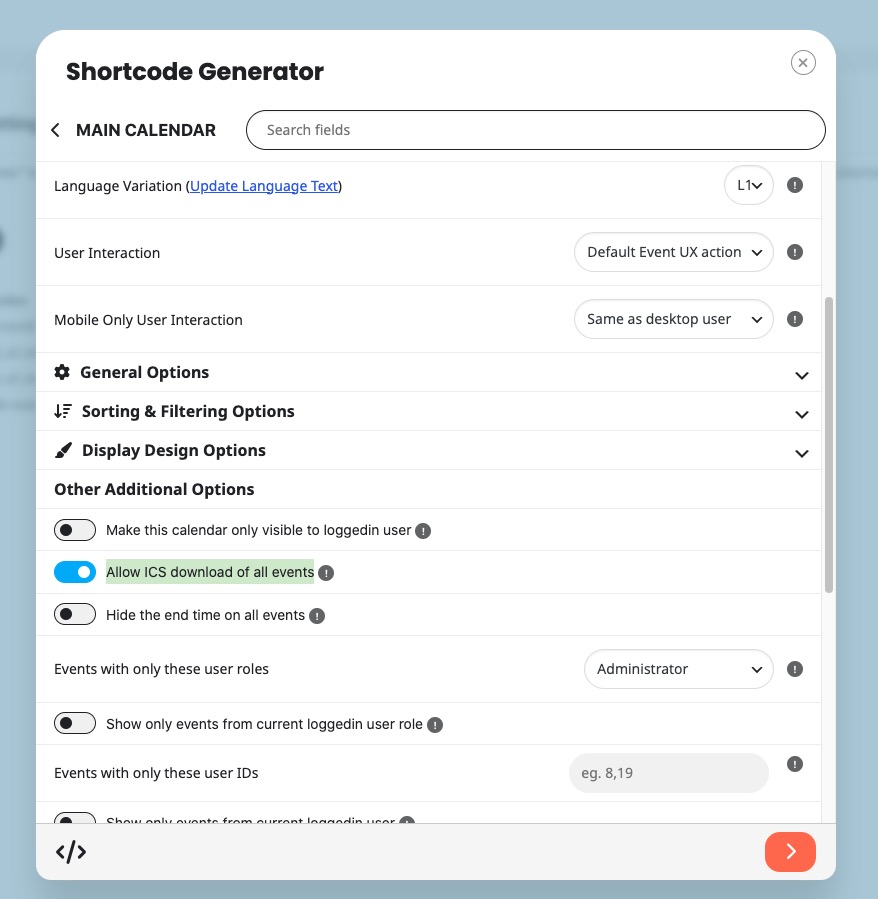
Or add ics=”yes” to your shortcode.
This way users will be able to download all events as a .ics file.
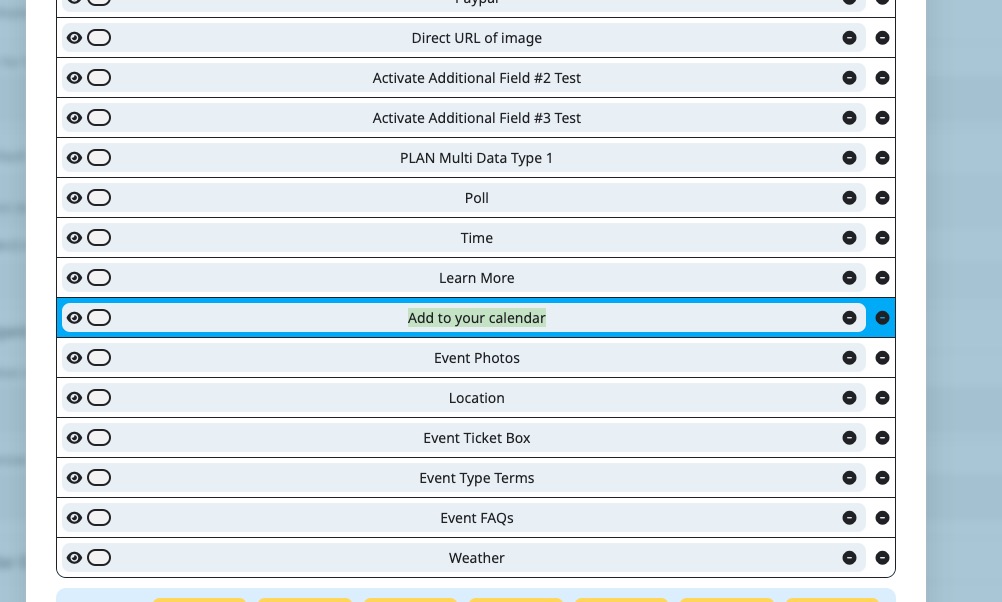
Each event can also have ”Add to Calendar” and ”Download .ics file” of the event you are currently checking:
Please go to EventON > EventCard > add ”Add to your calendar”:
2. You need to purchase RSS add-on separately:
https://www.myeventon.com/addons/rss-feed/
Please also take a look at Event API add-on:
https://www.myeventon.com/addons/event-api/
It can output a list of events in JSON format:
https://dev2.myeventon.com/wp-json/eventon/events
Try on
https://dev.myeventon.com/wp-admin/
What I see when trying to connect to FTP:
Status: Resolving address of masterftp.stackcp.com
Status: Connecting to 45.8.227.143:21…
Status: Connection established, waiting for welcome message…
Status: Initializing TLS…
Status: TLS connection established.
Command: USER regenttheatre.com
Response: 331 Password required for regenttheatre.com
Command: PASS ************
Response: 530 Login failed: please verify the username and password supplied, and that FTP locking is either disabled or permitted for your current IP address
Error: Critical error: Could not connect to server
Could you check and let me know?
We are glad your issue is resolved, if you have any further questions or concerns please create a new ticket.
If you have a moment, we would greatly appreciate if you could kindly leave us a review at EventON WordPress Page OR EventON > My Account > Downloads. Your review helps us a lot in continuing EventON improvements!
added 87.217.108.127 to the whitelist.
Host: masterftp.stackcp.com
Username: regenttheatre.com
Password: 7ff7918c78c2
Port: 21
Yes, thank you, that’s ok!
Thank you for bringing the email subject line issue to our attention, we will make sure to add necessary code to support this in the next version release to EventON Tickets addon 2.5.8.