Hi Jay,
Unfortunately, there is no ready plugin available. When you send the customization job, you can ask the developer who takes up the job whether they can send you a demo pdf as well as the timelines and cost estimate.
If you have any other questions, please do not hesitate to reach out again.
Hi Mihail,
Please add this CSS code to EventON > Styles (If you don’t see any change, EventON > Scripts & Styling > turn off Write styles to header > save settings > turn on Write styles to header):
.ajde_evcal_calendar .calendar_header .evcal_arrows:before, .evo_footer_nav .evcal_arrows:before { margin: 4px !important; }
Hope this helps.
This does not require paying for customization.
What is your website address?
Hey Basilis, correct fees are always the same. They never change.
however instead of showing the subtotal from woocommerce can we just pull the original ticket price that was submitted into EventOn and multiply it by the “x” amount of tickets sold? That would need to apply for all ticket types ie. variations etc
Hey Jordan,
I will check this how it will have to work, not sure if it is achievable to substrack.
Does this fee is ALWAYS the same?
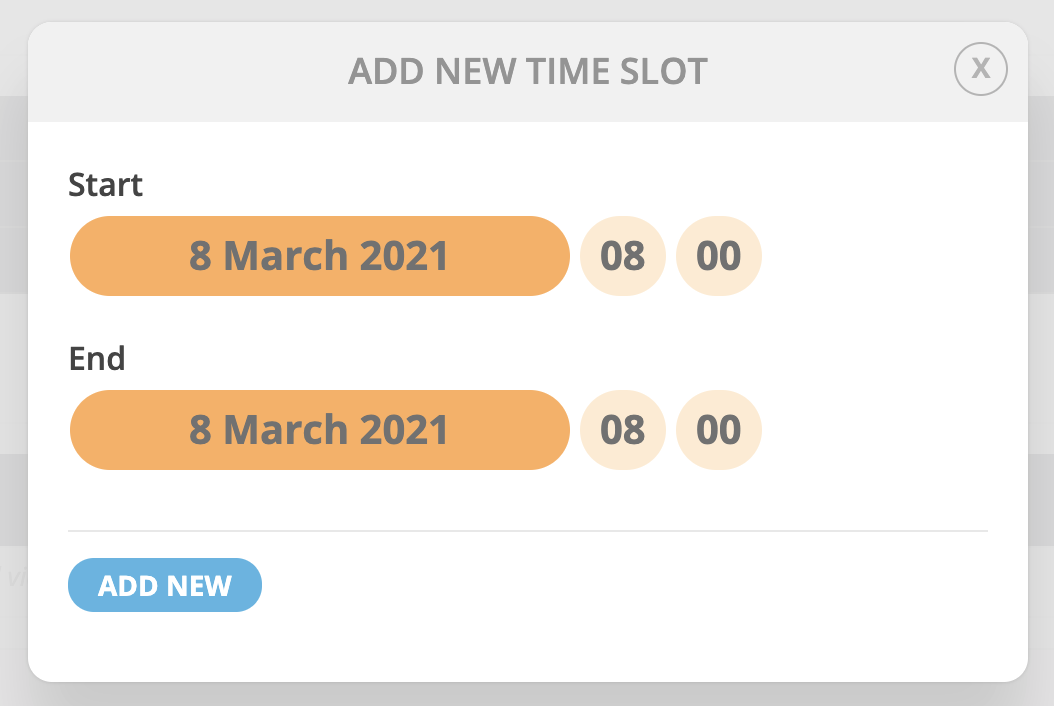
Thanks for the reply Ashish. No we will not ask another customization work.
We have found bugs again, even with default WordPress theme activated:
- When we manually add an attendee and then, remove it: RSVP attendee count does not update correctly.
- +: when we set a time slot, can you set the event’s date and not today’s date (see screenshot).
Thank you
Jef – Le Studio A
Hi there,
Is there no ready plugin available?
If not, can I have the demo PDF which will get generated after the cusomization?
Also, do provide the timelines and cost estimate.
Hey Vasily,
Yes this will be used over on the next updates!
If you have a moment, we would greatly appreciate if you could kindly leave us a review at codecanyon! from your account > downloads. Cheers!
Hey Basilis, just waiting for an invoice to be paid over night then I will pay ahead on this job. Basically I want the same as what the extended ticket insights shows on the wpadmin side to display on the frontend manager where you select view ticket stats.
at the moment I see that the wpadmin stats shows the subtotal of the entire order. I have added extra fees on checkout that I don’t want included in these stats is it possible for you to modify the money value displays on the wpadmin side and frontend manager stats?
all the layouts and information will be the same as the wpadmin side, but when it comes to the money values being displayed, can it please show the ticket price ( that the event organiser has specified when submitting the event ) X ( how many tickets have been sold ) if that makes sense? Rather than pulling the woocommerce subtotal into the stats for both frontend and wpadmin.
eg. Event organiser is selling tickets for $75 dollars each including tax. On checkout I charge a credit card processing fee and a booking fee. At the moment the stats are showing the woocommerce subtotal of that ticket order including fees. Is it possible for us to use the price of the ticket specified by the organiser ($75.00) X (amount of tickets sold eg. 4) = $300
I hope that makes sense. Once I pay I will add login details etc for the system 🙂
Hey Marcel,
I think this is based on some cache on the payment system, but our CEO will review that and update you accordingly, no worries.