Hey Jay,
Yes it is possible!
You can send us a customization job request by creating a new ticket in here and selecting Customization Request as the category.
Replies for tickets on suppota
Hey Jay,
Yes it is possible!
You can send us a customization job request by creating a new ticket in here and selecting Customization Request as the category.
Hi Philip,
Can you check if your JQuery is been loaded locally from the theme or it uses WordPress global?
Thank you
You can ask regular eventon issues on the main helpdesk. This is for customization work.
I have fixed the date issue and uploaded it.
Like I told you, I cannot help with your theme issues. The plugin works with default WordPress theme, which is the industry standard.
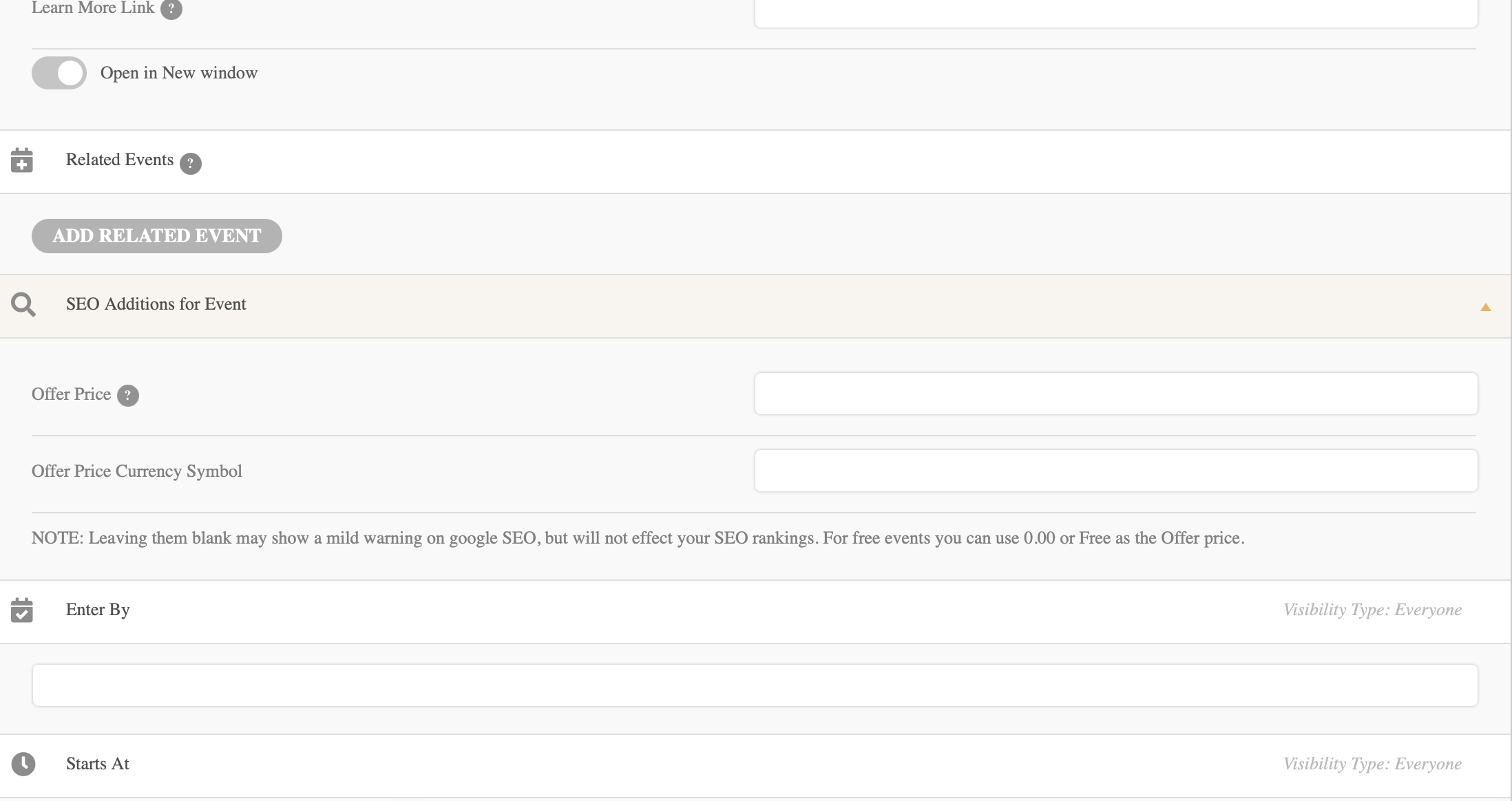
Event where it doesn’t populate related events even though another event related to this event has events tagged to it.
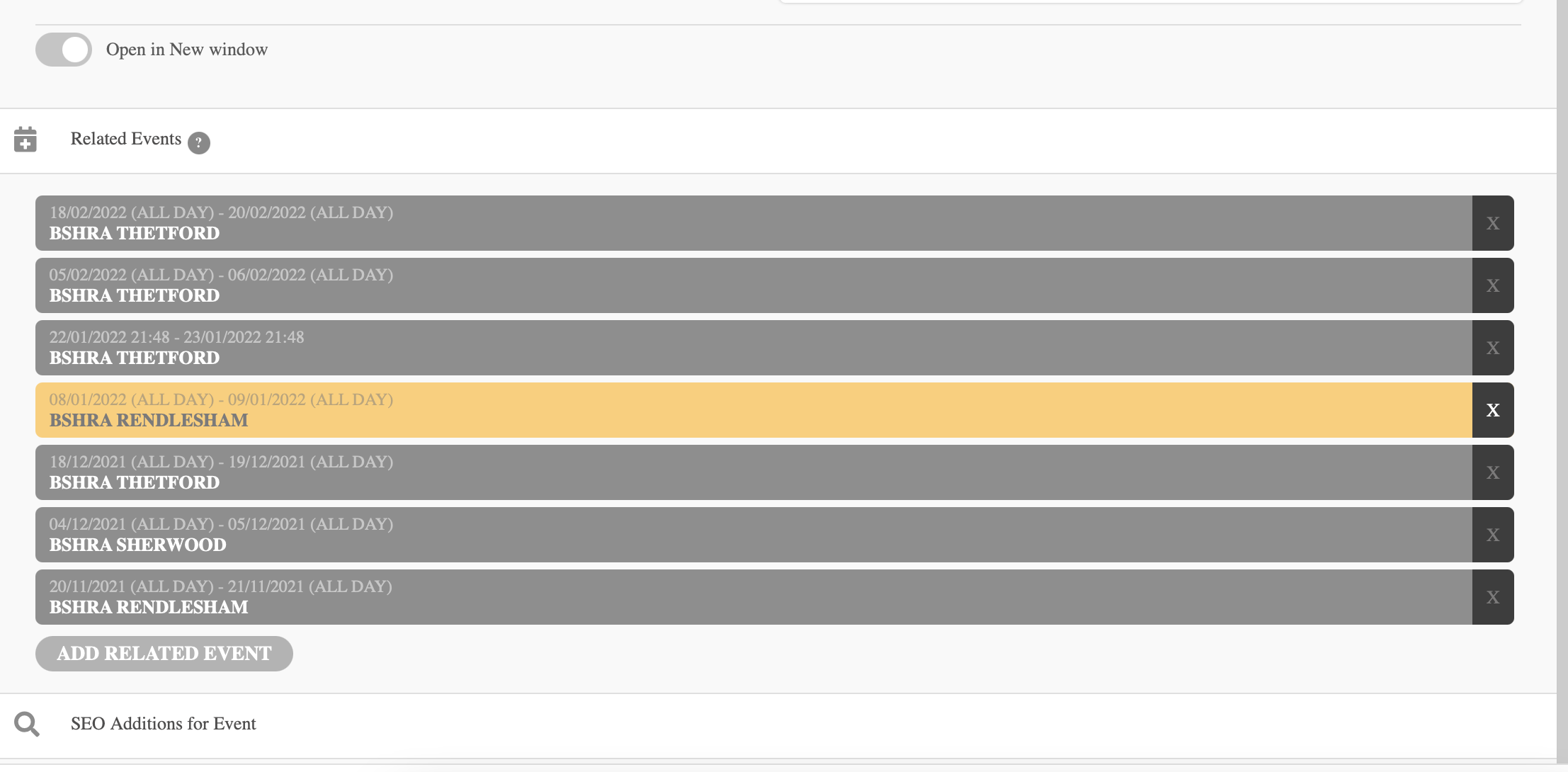
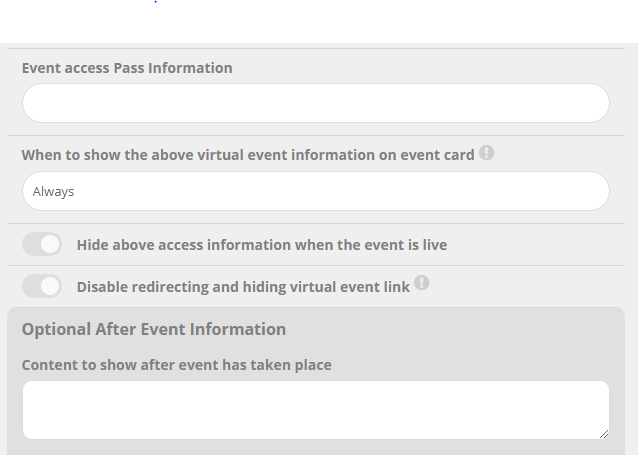
See attached image
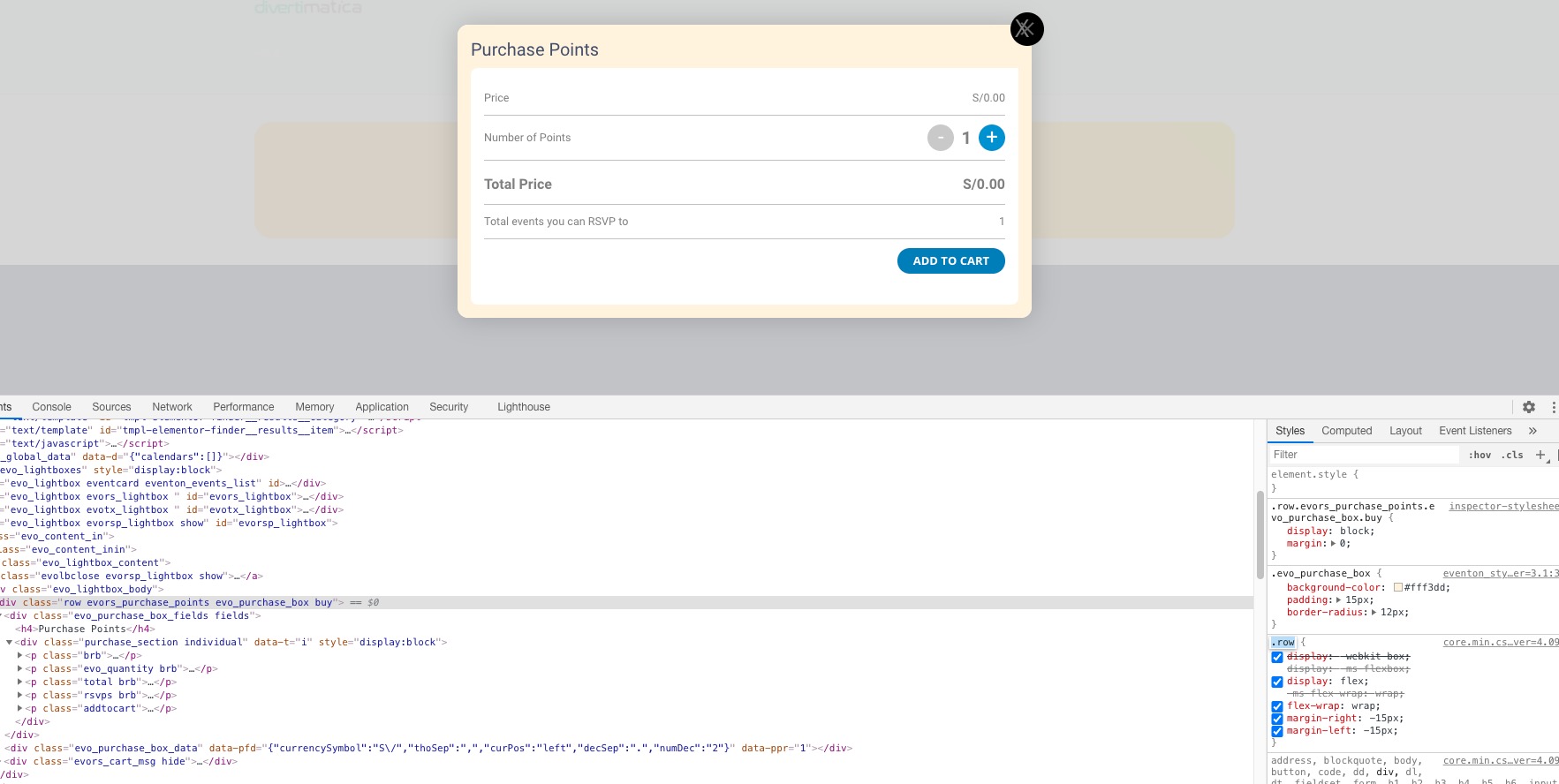
There is an incompatibility wth WPLMS theme. Please add this CSS code to EventON > Styles (If you don’t see any change, EventON > Scripts & Styling > turn off Write styles to header > save settings > turn on Write styles to header):
.row.evors_purchase_points.evo_purchase_box.buy { display: block; margin: 0; }
I still would like a refund on both. I will purchase the event slider again once it it fixed. But it’s already been a week and I am not paying for time I am not able to use the product.
Hello,
These lines say that you don’t enough available memory on the server:
[02-Mar-2021 15:46:12 UTC] PHP Fatal error: Allowed memory size of 297795584 bytes exhausted (tried to allocate 20480 bytes) in /home/bmwra/public_html/wp-includes/meta.php on line 1074
[02-Mar-2021 15:46:12 UTC] PHP Fatal error: Allowed memory size of 297795584 bytes exhausted (tried to allocate 294912 bytes) in /home/bmwra/public_html/wp-includes/functions.php on line 4673
[02-Mar-2021 15:46:12 UTC] PHP Fatal error: Allowed memory size of 297795584 bytes exhausted (tried to allocate 253952 bytes) in Unknown on line 0
Please try following this guide: https://docs.myeventon.com/documentations/increasing-wordpress-memory-limit/.
OR Contact your hosting provider and ask them to increase the memory limit.
No problems at all. I really appreciate you taking the time to help me with this as your plugin works brilliantly across the other browsers and it is exactly what the client wants.
Matt