That worked, thank you so much!!
Archives: Replies
Replies for tickets on suppota
Reply to: tickets(225293)
Thank you very much for this quick answer!
Could you please tell what did you change to make this exemple “https://www.sic-asso.org/events/60100/” work? I haven’t seen changes in event’s options or ticket’s options.
Reply to: tickets(224223)
Hello,
We are sorry for the delay.
1. Unfortunately, you cannot change date but you can change time format. Go to wp-admin > Settings > Time Format > select H:i > it should look like this:

…but it does not seem to hide it on the customers booking side.
This seems to be working correctly on my side. “Hide all booking block end time” also hides End Time in “Your selected time”:
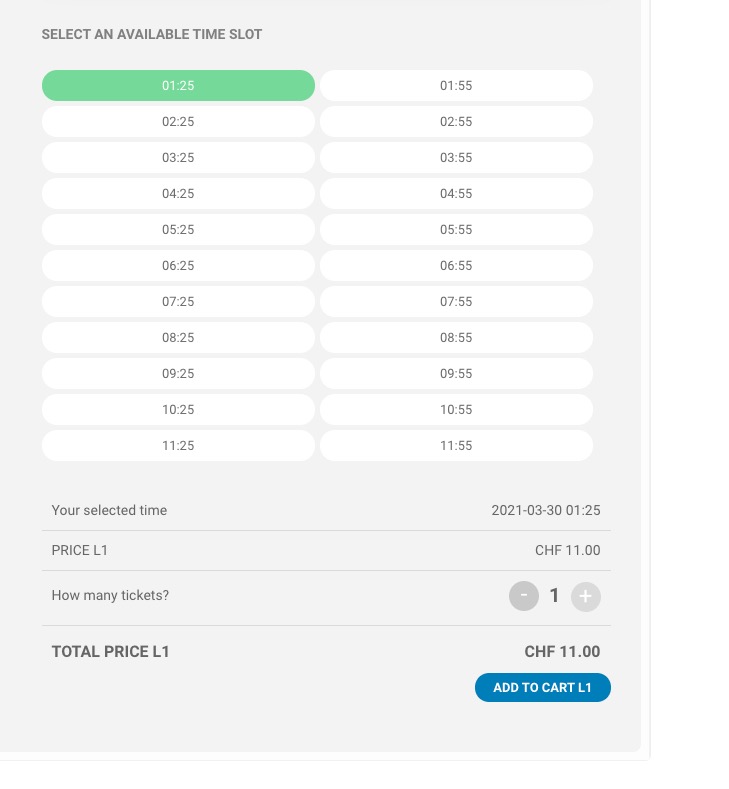
I cannot test this on your site because login redirects me to https://myheartcheck.org/df480-my-account/
2. Thank you for your great suggestion, at the moment it is not supported. However please create a new ticket and select Feature Request as category so others can vote on your idea and get it moved into development faster. OR You can send us a customization job request by creating a new ticket in here and selecting Customization Request as the category.
Reply to: tickets(224382)
Hey Basilis, thanks for the reply. Okay perfect no worries at all, ideally if we could implement this sooner rather than later that would be awesome! I think this is the last thing I need done before I go live! Woop woop
Reply to: tickets(221604)
Hey Ashan, okay not a problem at all! I will go with duplicating events and see how many clients struggle with it, if it is even a problem for them, and if it is then I will proceed on requesting a customisation request! Thanks so much for your help 🙂
Reply to: tickets(225338)
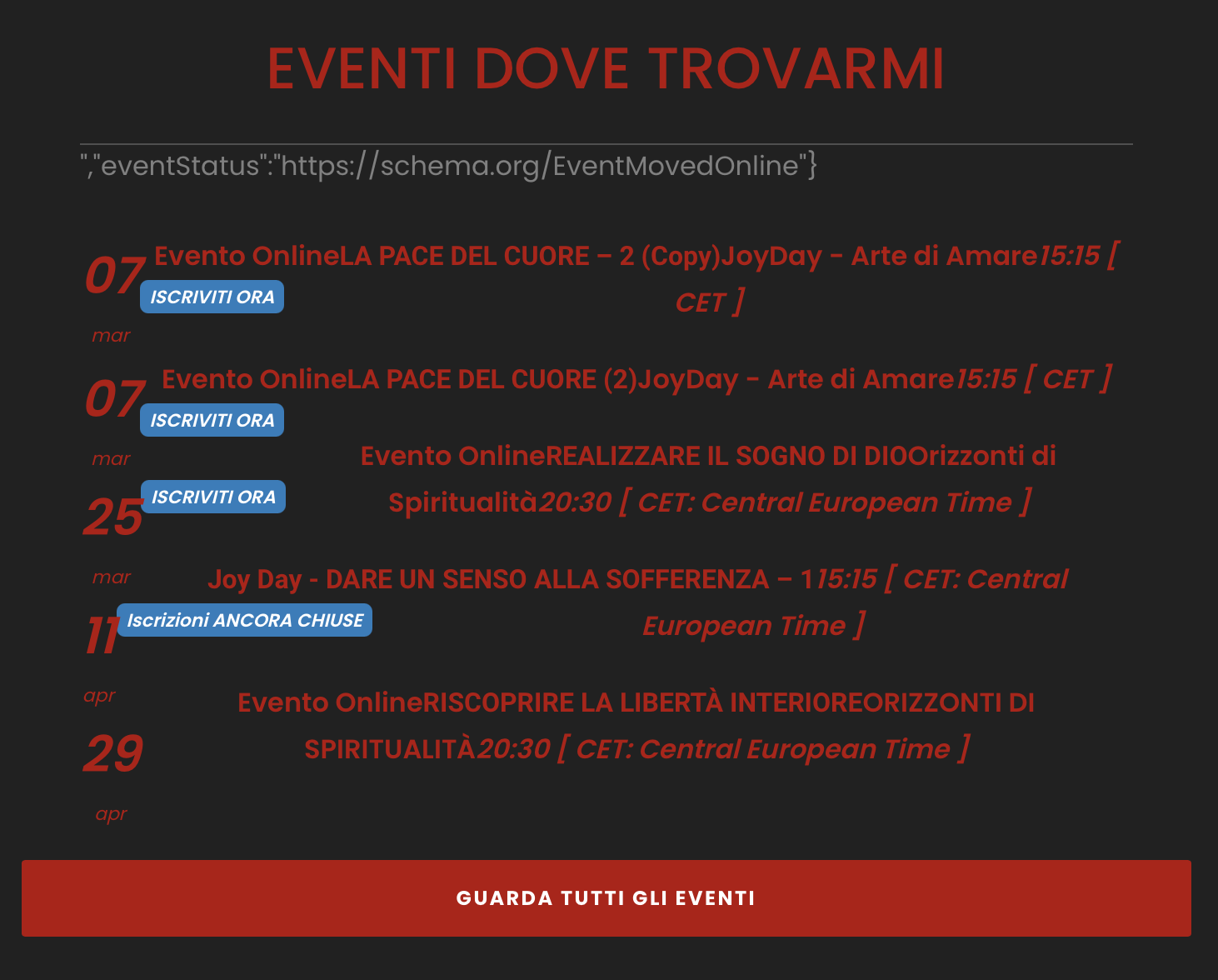
Reply to: tickets(225338)
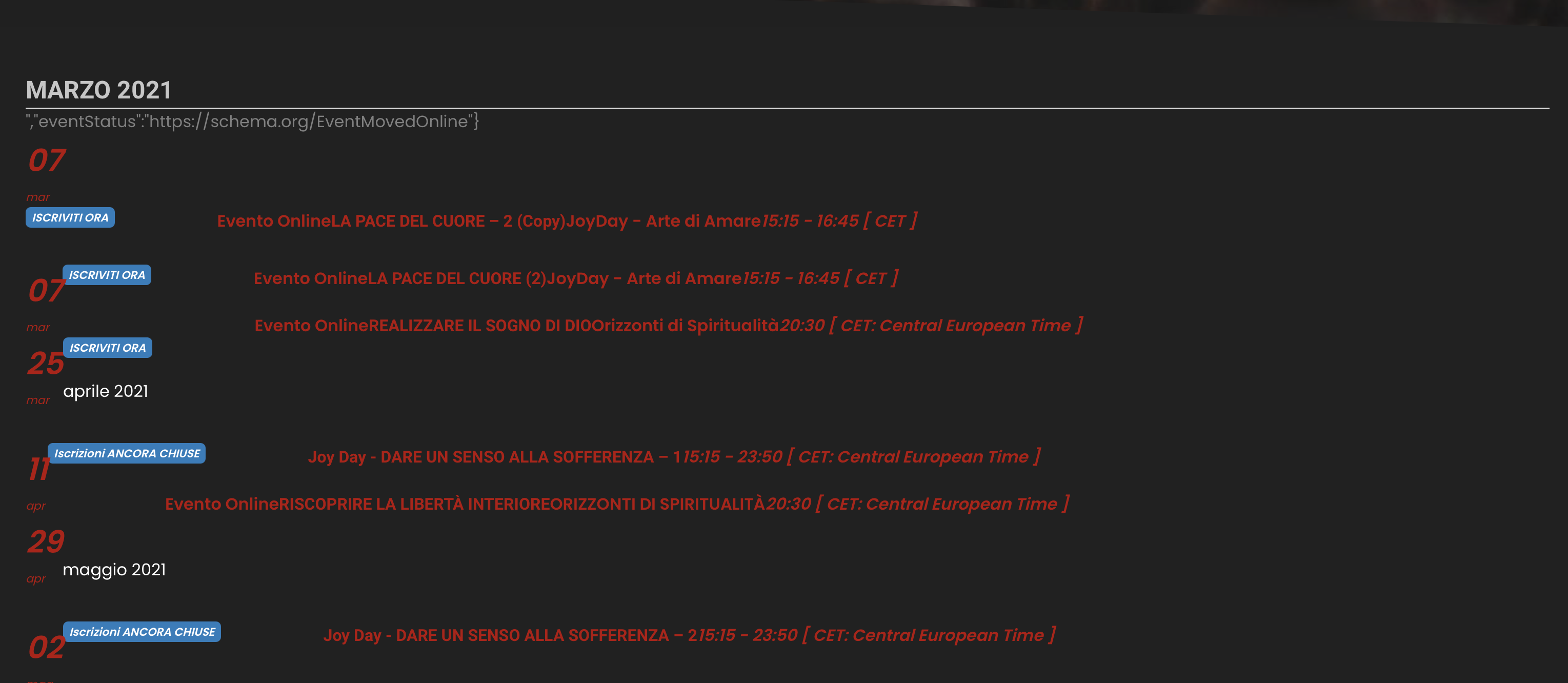
if I go to publish the event the formatting is also compromised
in the lists
Reply to: tickets(225338)
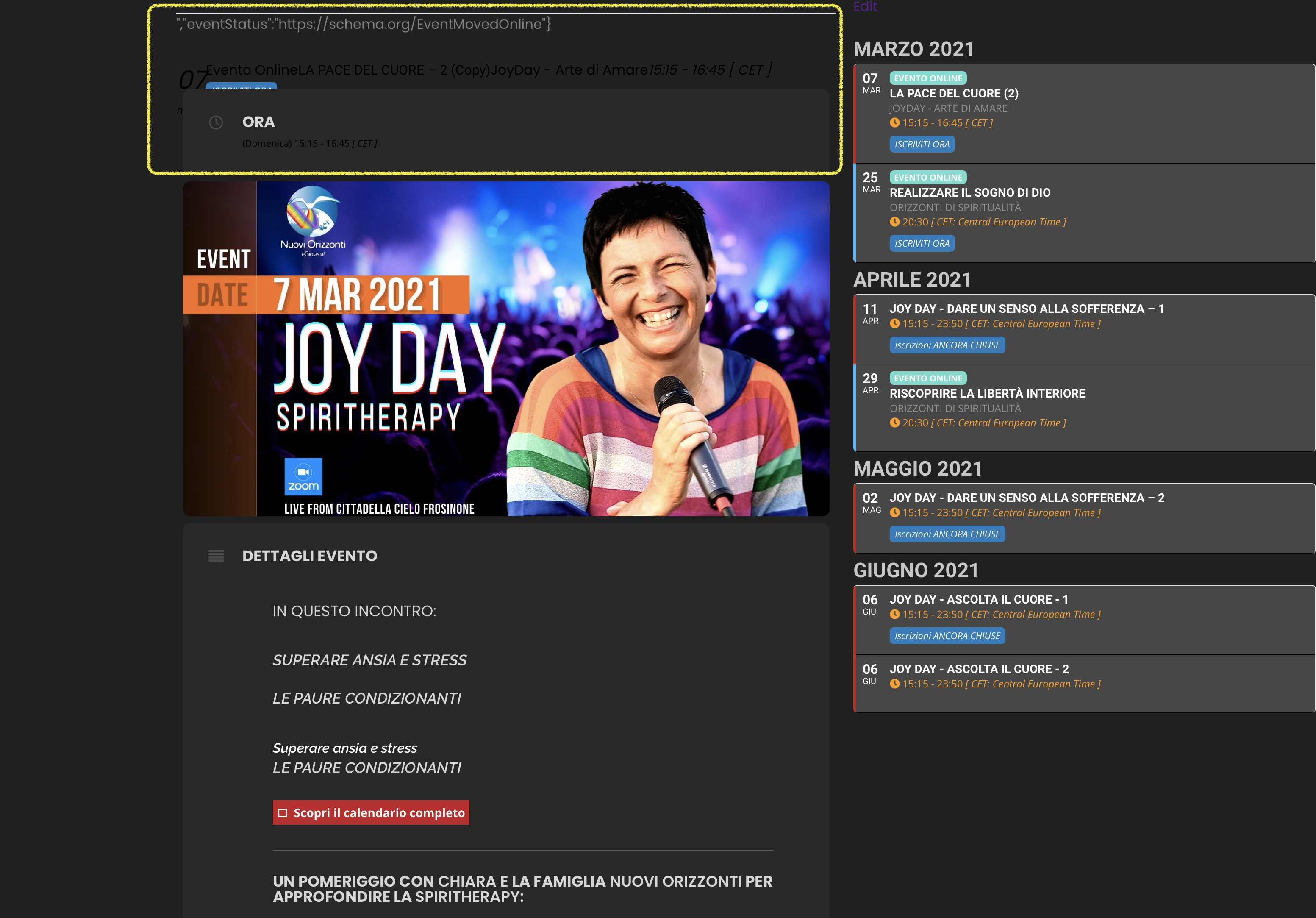
I did not mean a 404 error but an incorrect display
of the page elements as highlighted in the attached screenshot ...
Reply to: tickets(225338)
Hello,
I followed https://docs.myeventon.com/documentations/single-events-page-not-working-404-error/ so now Single Event Page is visible and don’t show 404 error:
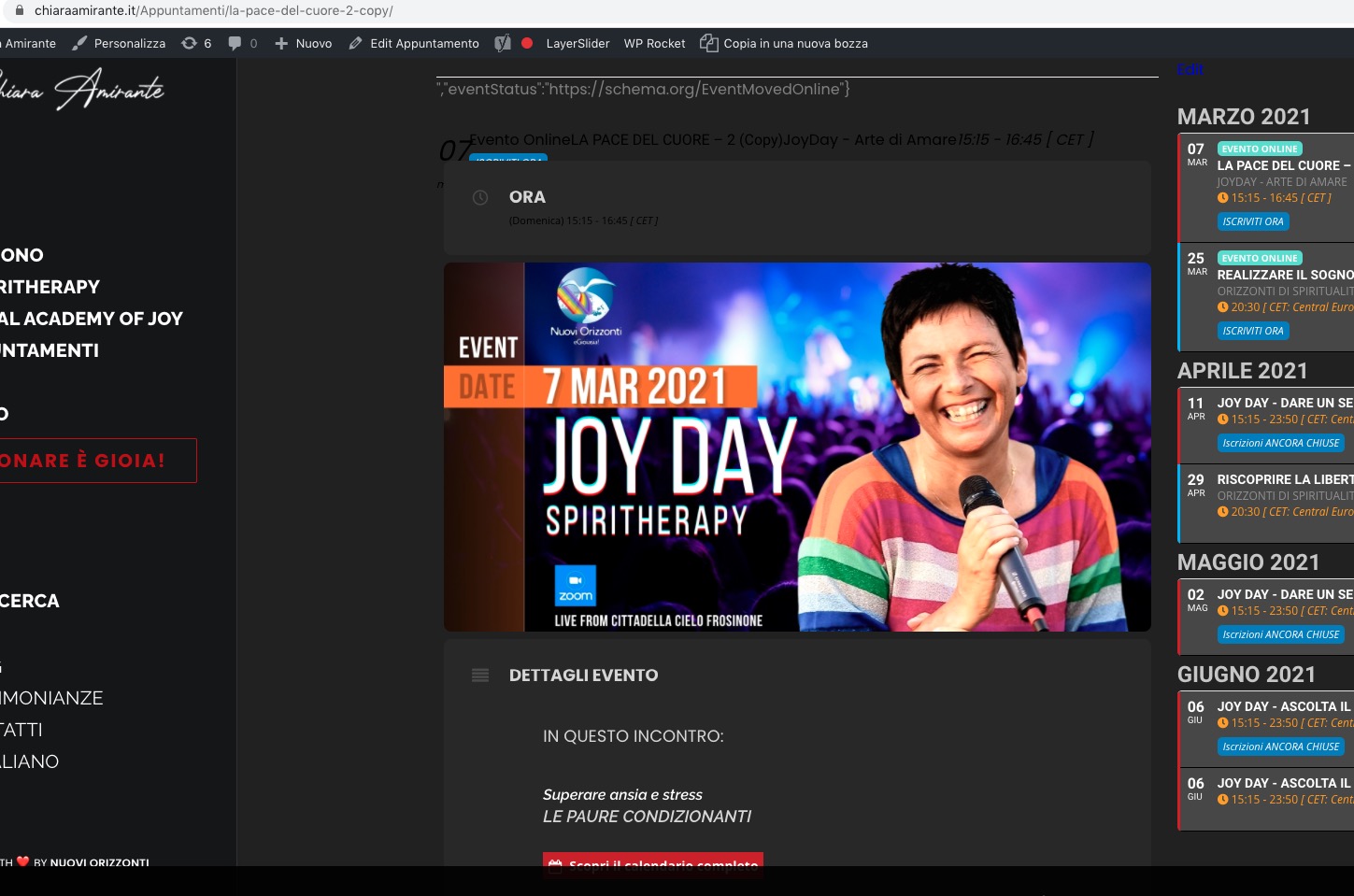
Could you tell us more about “is not displayed correctly if the Visual Composer of the Uncode theme is activated.”, with screenshots if possible?
Reply to: tickets(220300)
I think the problem was in this https://stackoverflow.com/questions/15880042/phpmailer-the-following-smtp-error-data-not-accepted
So I put From Email to From Name in SMTP Settings as well as to EventON Settings > RSVP > Emailing.
We are glad your issue is resolved, if you have any further questions or concerns please create a new ticket.
If you have a moment, we would greatly appreciate if you could kindly leave us a review at codecanyon! from your account > downloads. Cheers!