Hello Artem,
I do not understand your response, so I will try to clarify my questions.
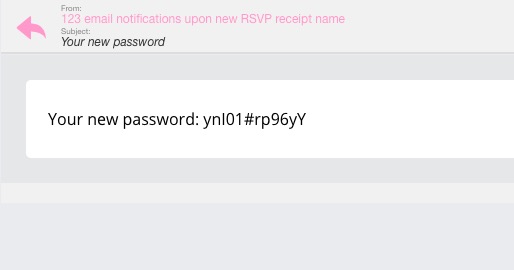
- When a viewer RSVPs for an event they receive an email with the subject line: Your New Password. And the only content of the email is: Your new password: lU)txue$CIB8. WHY? Is EventOn creating a WordPress user account for them? What is the password for? We need to stop this.
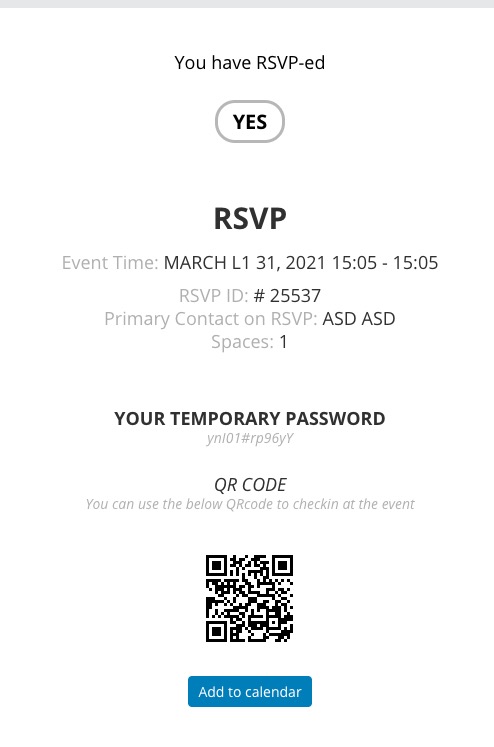
- When a viewer RSVPs for a Virtual event they should receive the details of the event, meaning the Zoom link, and other virtual event details in their RSVP (or ticket) confirmation email. That is not happening. WHY?
It seems as though you’re telling me that I need update your Email Template to include your Virtual Event block in the confirmation email. What? I think that’s your job. This functionality is the most basic part of a calendar.
From my perspective as the customer, this little non-profit is paying over $400 per year for your plugin and addons, and they can’t get a Zoom link in their confirmation emails. This is really, really frustrating.
What solution can you offer? Thank you.
Hello,
You can find available documentation on Hooks & Filters here https://docs.myeventon.com/documentations/hooks-actions-filters/
Unfortunately, we don’t provide support on customizations. You can send us a customization job request by creating a new ticket in here and selecting Customization Request as the category.
Could you send us a screenshot of the email you received?
Can we please try the instructions mentioned in this documentation?
Hello,
Login info stopped working. Could you re-send it?
Ok many thanks for your answer!
I have now a new question related to RSVP and Form Assembly webhook:
We are trying to create an RSVP to an event through a PHP script (the confirmations comes from a webhook from an external API we are using) but we cannot find informations about it in the documentation. Is there a possibility to achieve this using perhaps PHP classes from your plugin and if so could you please point us towards resources explaining it.
Thanks in advance,
Kind regards
Hello,
Please clean your browser cache and check once. How it looks on our test server with EventON 3.1:
 To update eventon to latest version: If you are unable to do autoupdate, you can go to codecanyon your account > download and get the latest eventon version as zip file. Then you can go to your website, deactivate old eventon, activate (Do not delete eventon settings & data when EventON is uninstalled) from eventon settings, delete old eventon, install new one and activate. This link will further explain the process it. Also you can follow us on twitter to get real-time announcements on updates!
Hello,
Please clean your browser cache and check again.
Ashan,
1. Is it possible to disable this email:
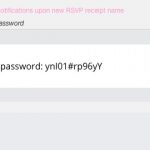
2. Didn’t we have Virtual Info in RSVP confirmation email by default? Because right now it’s just this:
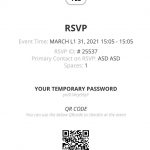
Could you check?
Hello,
1. You are referring to this email, correct?

2. Thank you for your messages, I am going to contact Ashan about this. However, it seems that the only solution is to customize email template by following https://docs.myeventon.com/documentations/customize-rsvp-emails/
If we can’t get the Virtual Event Button information to go in the confirmation email, is there a way to format the content in this box?
You can edit RSVP confirmation email template by following https://docs.myeventon.com/documentations/customize-rsvp-emails/