FYI it just happened again when saving for the last time (deleting words dates etc from the title) just now
an entry in the log
Hello
Version 4.9.8 installed hoping this my problem will be solved, but no improvement
Same error continues several versions later
The issue regarding Quform forms (specifically with dynamic logic and Google reCAPTCHA) still persists.
Enable”Activate event description content HTML validity check” in the Diagnostic section is disabled, if I enable it a message “Error: There are unclosed HTML tags in the event details. Please fix the content in the editor” appears.
Again here is the solution
Affected file: includes/calendar/views/html-eventcard-details.php
change
$fullEventDetails = html_entity_decode(stripslashes($object->fulltext), ENT_QUOTES | ENT_HTML5, ‘UTF-8’);
to
$fullEventDetails = stripslashes($object->fulltext);
Ahora todo funciona de nuevo
this waiting is not fair please process my refund! The last time there was a wait too. Why is this?
Many thanks, I’ll close the ticket.
like most user submit forms you want to give them image size instructions
if they upload vertically tall images there will be black on the side, where as if they upload horizontal high images they will look better
the issue is we can add css to make vertical tall images look better- but it puts the horizontal images out of wack
so its better to get them to upload a horizontal image
The admin account I sent you was an admin for only this site. This site is part of a multisite network, so I just gave that user full super admin access to the network.
The Health Check & Troubleshooting plugin is already installed – you will have access to it via the plugins panel now.
I”m encouraged to see that it does work as expected, and how it redirects, so Im hoping you can help us find what might be causing that link not to redirect to the meeting URL.
The error:
PHP Fatal error: Uncaught Error: Call to undefined function is_user_logged_in() in /www/htdocs/w00aca38/wp-content/plugins/wp-fastest-cache/inc/cache.php:823
Stack trace:
#0 [internal function]: WpFastestCacheCreateCache->callback(‘<!DOCTYPE html …’, 9)
#1 /www/htdocs/w00aca38/wp-includes/functions.php(5471): ob_end_flush()
#2 /www/htdocs/w00aca38/wp-includes/class-wp-hook.php(324): wp_ob_end_flush_all(”)
#3 /www/htdocs/w00aca38/wp-includes/class-wp-hook.php(348): WP_Hook->apply_filters(”, Array)
#4 /www/htdocs/w00aca38/wp-includes/plugin.php(517): WP_Hook->do_action(Array)
#5 /www/htdocs/w00aca38/wp-includes/load.php(1304): do_action(‘shutdown’)
#6 [internal function]: shutdown_action_hook()
#7 {main}
thrown in /www/htdocs/w00aca38/wp-content/plugins/wp-fastest-cache/inc/cache.php on line 823
I tried to import the file without the cache plugin, but still the same issue.
Could you please try the instructions mentioned in this documentation?
This whole ticket is private.
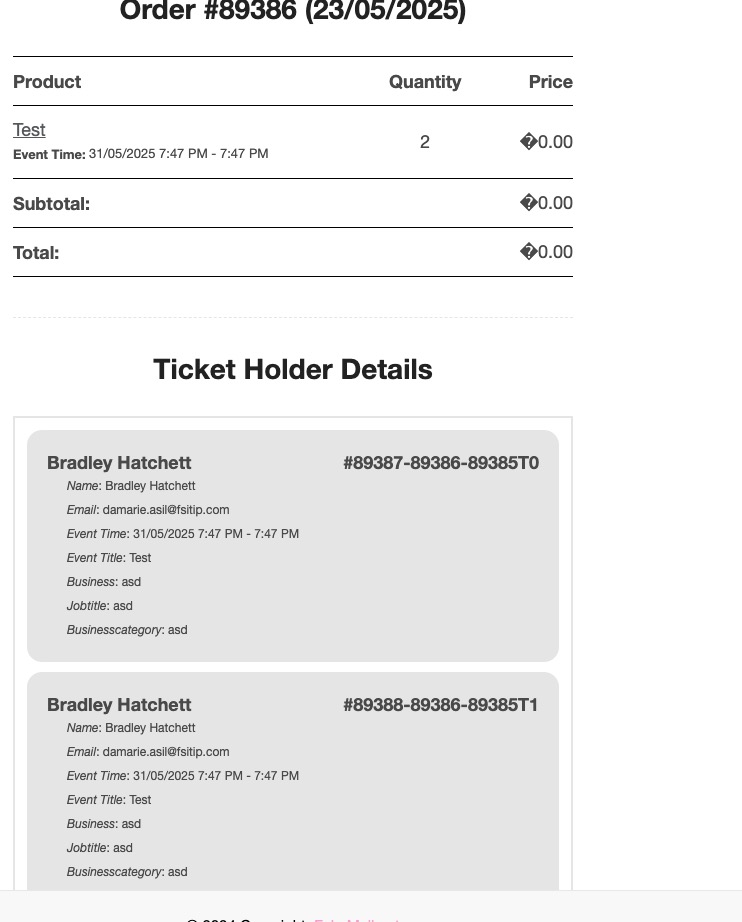
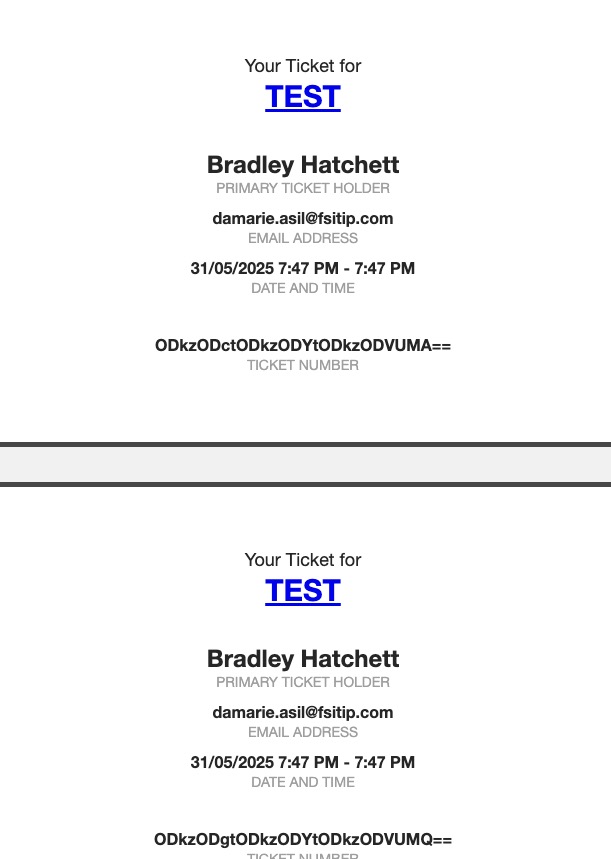
I created this test event:
https://www.networkmyclub.co.uk/events/test/
Made a test purchase and received these emails with correct time:
Which event can we test to see the issue?
Also try my event as well.
EventON 4.9.7: https://dev2.myeventon.com/surl/CC3c3vVLiBCq
Please downgrade while we are working on the issue.