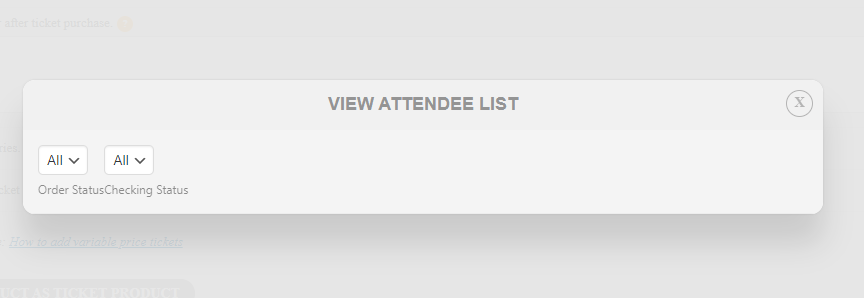
I have updated the plugins and the attendees list still does not show up.
Replies for tickets on suppota
I have updated the plugins and the attendees list still does not show up.
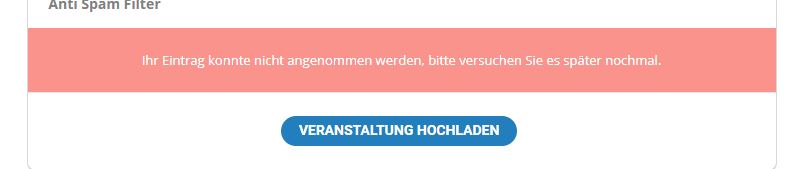
Sorry, it is still not possible to add an event!
For backend access I need your email address? Please send me your email, so I will add you as admin for backend access.
The first part is correct, but the users are zoom users that my company posesses.
We have 8 zoom accounts and currently only one is linked with EventOn, being the only one that can create zoom meetings at events.
We linked it by “Third party APIs” at myEventOn configuration.
Thank you!!
Michelle
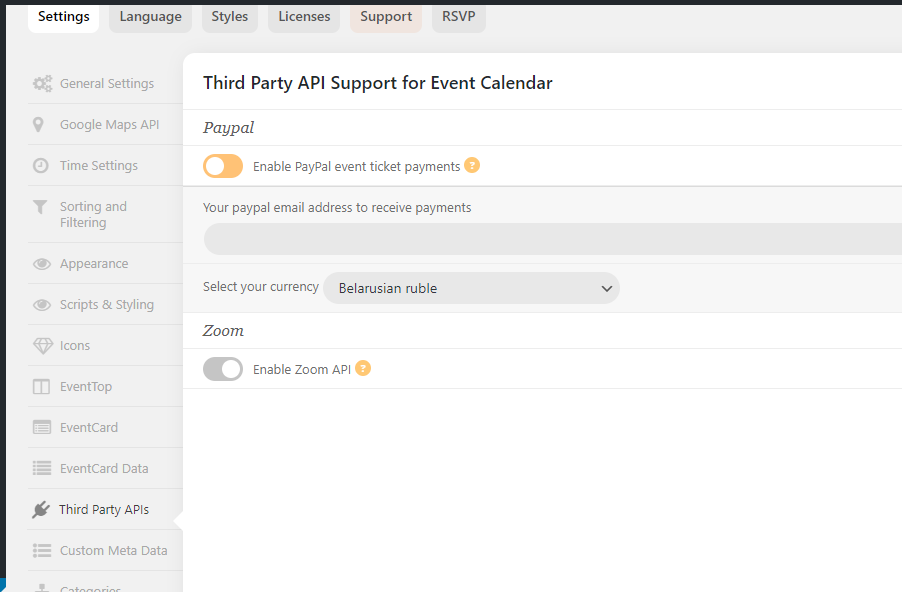
and another question is how will the ticket sale be implemented is it a transition to the PayPal service and there is payment or will it be a direct ticket sale in the Event On companion
Hello,
The app says response time is 48 hours but we haven’t heard from you since Monday morning. I really need to know if you understand what needs to be done and if you’ll be able to complete the job. If not please tell me so we can take steps to get this job completed elsewhere.
Thank you,
We are glad your issue is resolved, if you have any further questions or concerns please create a new ticket.
If you have a moment, we would greatly appreciate if you could kindly leave us a review at codecanyon! from your account > downloads. Cheers!
Hello,
Please update EventON to 3.0.8 and Tickets to 1.8.8.
To update eventon to latest version: If you are unable to do autoupdate, you can go to codecanyon your account > download and get the latest eventon version as zip file. Then you can go to your website, deactivate old eventon, activate (Do not delete eventon settings & data when EventON is uninstalled) from eventon settings, delete old eventon, install new one and activate. This link will further explain the process it. Also you can follow us on twitter to get real-time announcements on updates!
To update eventon addons: You can download latest eventon addons from myeventon > my account. Then you can go to your website, deactivate old addon and install new one and activate then delete the old addon. This link will further explain the process. Also you can follow us on twitter to get real-time announcements on updates!
Please go to EventON Settings > Third Party APIs > enable Enable PayPal event ticket payments > fill in Your paypal email address to receive payments.
Now go to Edit Event > Third Party APIs > fill in fields.
Hello,
Please go to EventON Settings > Search Events > disable Enable Search on all calendars by default. Also go to your shortcode and make sure that search=”yes” is not present.
In order to disable Filter please add this to the shortcode: hide_so=”yes”