Hello,
Please check https://docs.myeventon.com/documentations/terms-and-conditions-and-refund-policy/ > 7. Subscriptions & Automatic Renewal > 7.4 Subscription Refunds. A renewal reminder mail was sent before the charge was made. We had given you opportunity to cancel if you didn’t want the renewal.
Also note that you can cancel your subscriptions are any time by following:
https://docs.myeventon.com/documentations/how-to-cancel-addon-subscription-before-auto-renew/
Hello,
I cannot recreate this on our test site, so please follow the instructions in this documentation to activate debug in your site to see any PHP errors recorded that can provide insight on to whats going on. Please reply with a link to debug.log file. If you are not able to do this please send us FTP access to your site so we can do this for you.
EventON 4.9.7: https://dev2.myeventon.com/surl/CC3c3vVLiBCq
There is another option you can test out
in the very first tab calendar add this to the eventon shortcode (you only need to add it to the first calendar shortcode
cal_init_nonajax=”yes”
but if you do that you’ll also need to add the following to the page css
.evo_ajax_load_events.evodv_pre_loader_days {
display: none !important;
}
that can speed things up
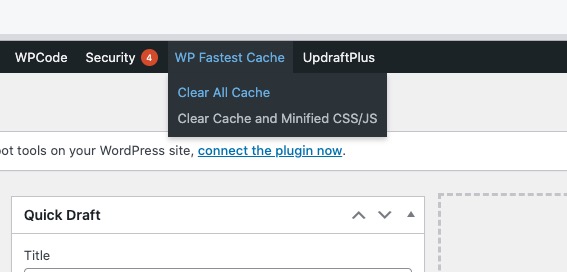
also I do not see a cache plugin- those really speed up websites
Hello,
In order to make sure that translations aren’t lost, please go to EventON > Language > Export & Import Translations > Export Using Vars.
As for the issue. Did you notice this after updating the plugin?
Please send us wp-admin access to your site as a private message for us to further assist your situation.
The calendar is loading when I am logged-in:
Could you please try the instructions mentioned in this documentation?
Could you elaborate more? Seems to be working:
Hello,
Please add this CSS code to EventON > Styles (If you don’t see any change, EventON > Scripts & Styling > turn off Write dynamic styles to header > save settings > turn on Write dynamic styles to header). You can also add this code to wp-admin > Appearance > Customize > Additional CSS.
span.cal_head_btn.evo-filter-btn { display: none !important; }
Hello,
Please send us wp-admin access to your site as a private message for us to further assist your situation.
Please take a look at this button: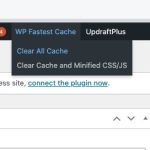
Hello,
thanks for reaching out. Yes, if it is possible we would like to disable the link function of tickets in all WooCommerce’s confirmation emails.
Thanks in advance for your efforts.
Best regards