Do you have access to a staging site? that way we can install the updated eventon to the staging site- and put in the patch fix and then at your convenience you make the staging site live
Archives: Replies
Replies for tickets on suppota
Reply to: tickets(217952)
could you post the correct login details as they didn’t work for us- we would like to check your shortcodes to see if there is any errors there
Reply to: tickets(217825)
Also el_type=”ue” isn’t working, it’s showing past events
Not sure but I think I’ve got it working now but something must have changed recently as my old shortcodes migrated from the old site just didn’t work
Reply to: tickets(217874)
Hello,
I was able to login but it says:
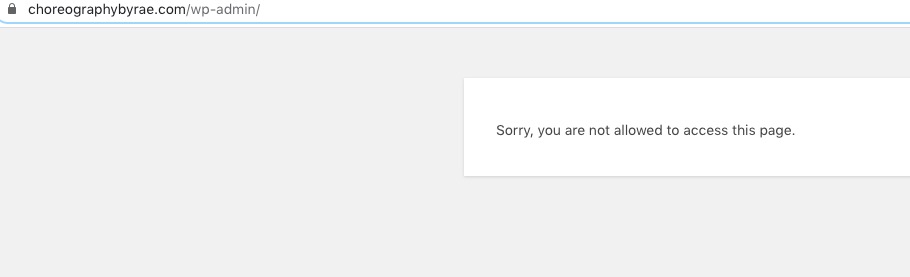
Could you extend our role to admin?
Reply to: tickets(217825)
Hello,
The shortcode on the main page is not Event Lists: Ext but basic Event Lists:
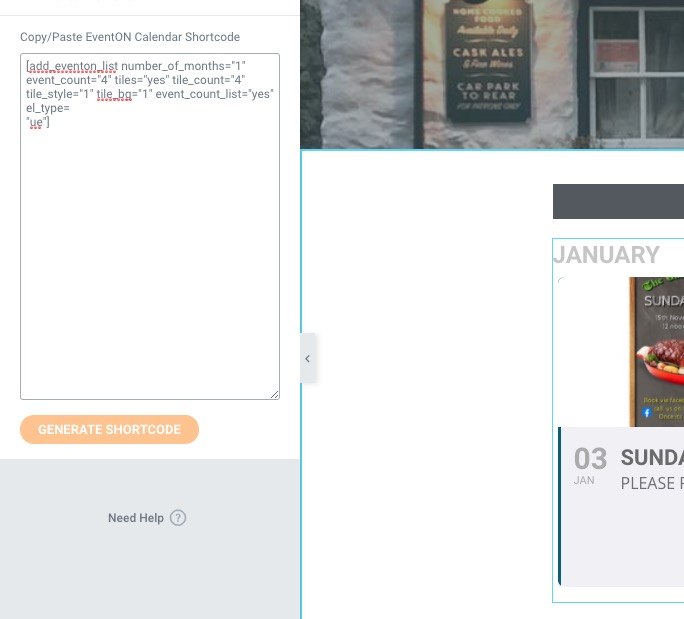
The one you need is this one:
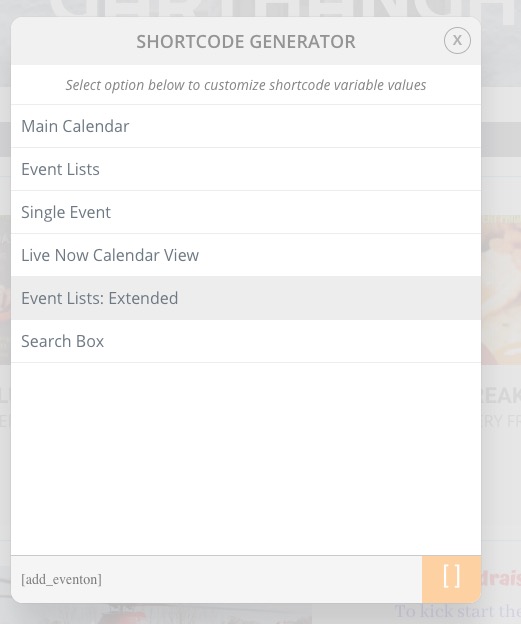
In order to limit the number of events for the whole calendar please add these two to the shortcode: event_count=”4″ event_count_list=”yes”
Like this:
[add_eventon_el event_count=”4″ event_count_list=”yes”]
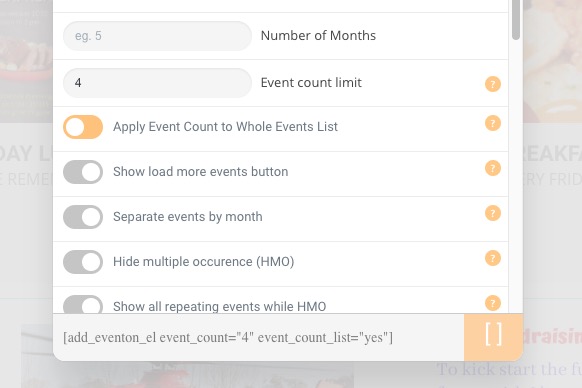
In order to hide past events please add event_past_future=”future”:
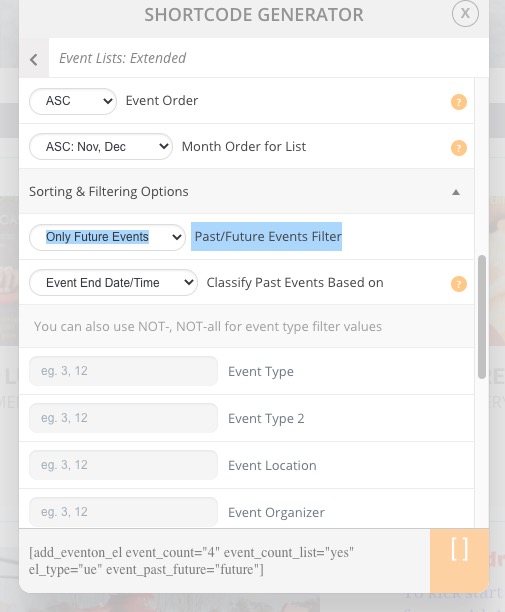
I keep ending up with “shortcode copied!” in the shortcode pane in elementor.
Now you need to paste the code from the clipboard to “I keep ending up with “shortcode copied!” in the shortcode pane in elementor.”.
Reply to: tickets(217926)
Ashan,
The same on dev2: https://dev2.myeventon.com/wp-admin/post.php?post=24946&action=edit
Reply to: tickets(217926)
Please discard my previous message.
I am going to assign this ticket to Ashan and he will be able to take it from here and find you a solution. Please allow some time for him to get back to you, we greatly appreciate your patience and thank you for being a eventon customer! Also please disable any IP blocking on your site if there are any.
Reply to: tickets(217926)
Hello,
Please send us wp-admin access to your site as a private message for us to further assist your situation.
Could you make sure that you aren’t using any plugins that allows you to automatically complete orders, ie https://wordpress.org/plugins/autocomplete-woocommerce-orders/?
Reply to: tickets(217715)
Did you see my message above about why it’s working? It’s because I had to downgrade the plugin to get it to work. If I upgrade to the latest version it’s broken and not working.
Reply to: tickets(217825)
Also el_type=”ue” isn’t working, it’s showing past events