I did do the theme switch and the plugin turn off before reaching out. I think it’s a php problem on my end with users. Thanks for checking. I’ll close this ticket.
Archives: Replies
Replies for tickets on suppota
Reply to: tickets(200667)
- all the classes should appear on this calendar https://www.americank9country.com/reg/
- but you can see the class scheduled for August 6th on there arena events calendar found here https://www.americank9country.com/about-us/news-events/
I will attempt to add the event on every monday and see how it appears
Reply to: tickets(217825)
OK, I’ve changed the front page to
[add_eventon_el number_of_months=”3″ event_count=”4″ event_count_list=”yes” hide_empty_months=”yes” show_et_ft_img=”yes” el_type=”ue” tile_count=”4″ tile_style=”1″ tile_bg=”1″ pec=”cd”]
But now I don’t get tiles, just a list
Reply to: tickets(213049)
Hello!
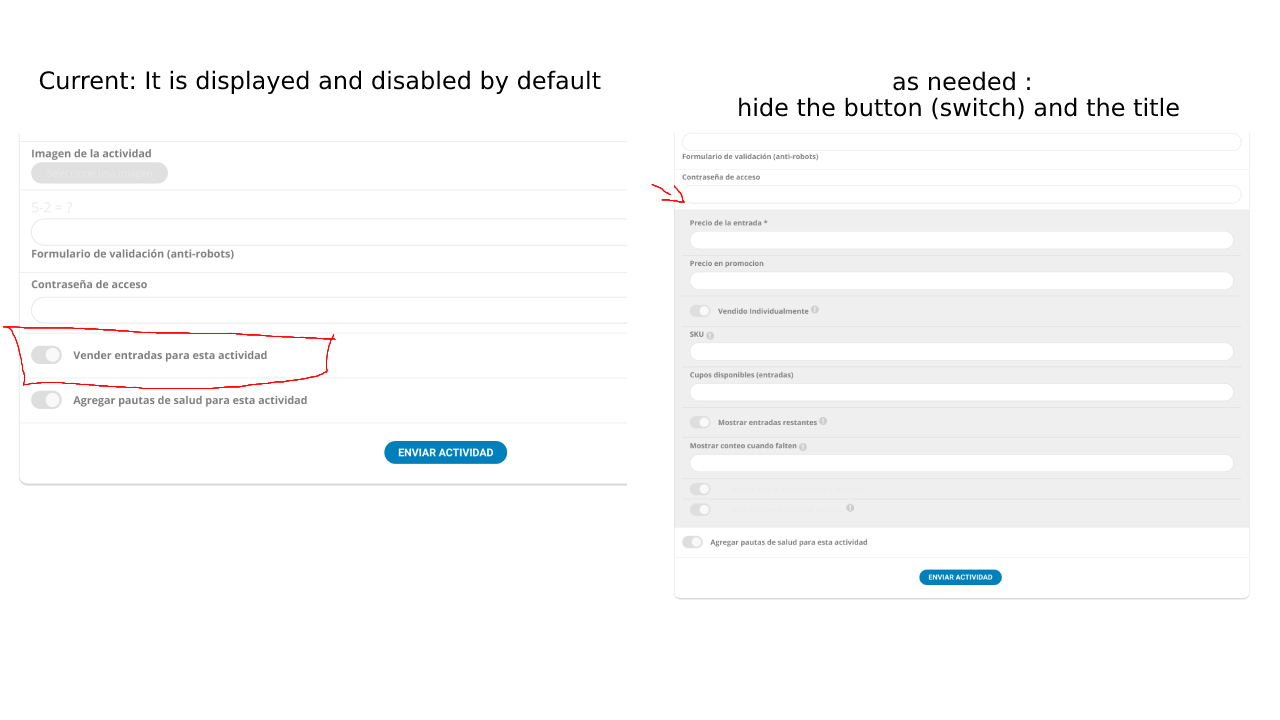
I just remove it , but now it looks like when we started , I have added an image of how I need it as you asked, I hope it helps
Reply to: tickets(217715)
it appears to be working now. Thanks!
Reply to: tickets(213049)
Remove it please, let me know if everything is visible now and THEN tell me what u need to hide with a screenshot, so I can see if possible
Reply to: tickets(213049)
yes , this
At css wordpress customization
.evotx_tix {
display: none !important;
}
Reply to: tickets(213049)
Antonio,
I have not done any change to the web site after I have finished the work.
Have you add any CSS rules to hide anything?
Reply to: tickets(218050)
We are glad your issue is resolved, if you have any further questions or concerns please create a new ticket.
If you have a moment, we would greatly appreciate if you could kindly leave us a review at codecanyon! from your account > downloads. Cheers!
Reply to: tickets(215544)
If you have multiple events with the same name please go to EventON Settings > ICS Import > disable Enable duplication event name check during importing.
As for the timezone issue. It seems that it’s working on our test server:
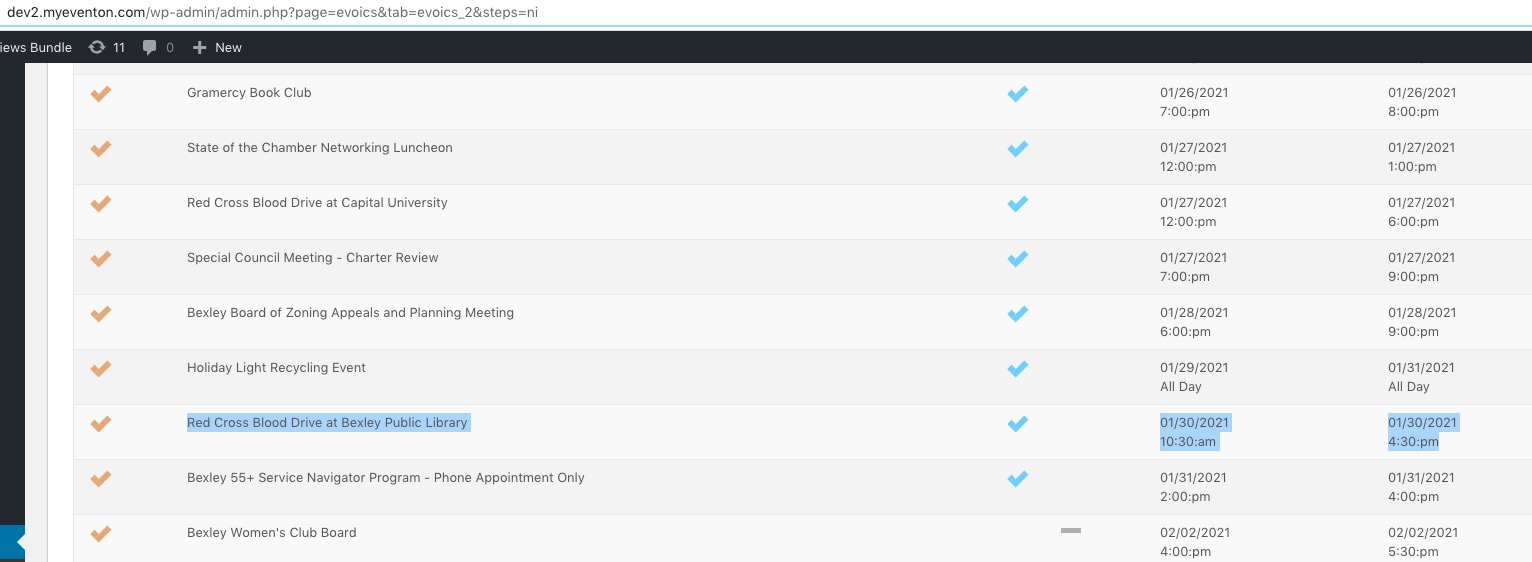
So could you please update ICS Import with the one from our test server and check if it helps: https://helpdeskx.s3.amazonaws.com/wp-content/uploads/2021/01/18030912/eventon-ics-importer-2.zip
To update eventon addons: You can download latest eventon addons from myeventon > my account. Then you can go to your website, deactivate old addon and install new one and activate then delete the old addon. This link will further explain the process. Also you can follow us on twitter to get real-time announcements on updates!