Ashish,
Please check messages from Reply to: 217307
It seems there is some kind of issue with EventON, Subscriber 1.3.6 and EventON – 147348 – Child.
Could you check?
Replies for tickets on suppota
Ashish,
Please check messages from Reply to: 217307
It seems there is some kind of issue with EventON, Subscriber 1.3.6 and EventON – 147348 – Child.
Could you check?
Hi EventOn Help Desk,
Last night I placed a full copy of the website on our development server at https://coloradooutside-debug.vistaworks.com/wp-admin/plugins.php and completely disabled all plugins except for the Woo Custom Emails Per Product and WooCommerce plugins and found that you are correct that there is a conflict between the latest versions of just those two plugins that are preventing the site’s owner Darren from assigning custom emails to any new ticket products.
This proves that the EventOn plugin and add-on duplicates issue has been resolved and I’ll turn my attention toward resolving the conflict between the Woo Custom Emails Per Product and WooCommerce plugins via either version or settings changes to the Woo Custom Emails Per Product plugin.
Thanks for your help resolving the EventOn product issues, you can close this ticket now as we’ll work with Woo Custom Emails Per Product plugin support on its issues going forward.
Thank you for your messages, I am going to assign this ticket to Ashish and he will be able to take it from here and find you a solution. Please allow some time for him to get back to you, we greatly appreciate your patience and thank you for being a eventon customer! Also please disable any IP blocking on your site if there are any.
Oh no. I didn’t see anything about the SMS project. I just checked spam and I don’t see it there either. Could you resend the questions here and I will respond today!
the theme is passing the buck
tell them to do their job and work on the issue instead of passing it onto others
whatever handles the navigation handles the breadcrumps
Thank you very much. That’s now working great.
Kind regards
James
for free events you’ll need rsvp https://www.myeventon.com/addons/rsvp-events/
for ticketed evetns you’ll need tickets
ok, done
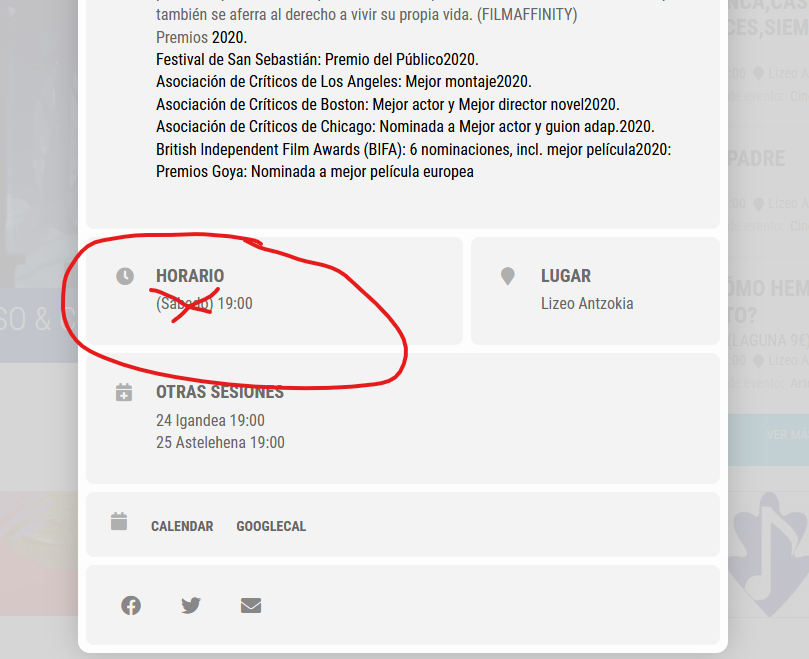
I attach anb imagen to show you better what i want
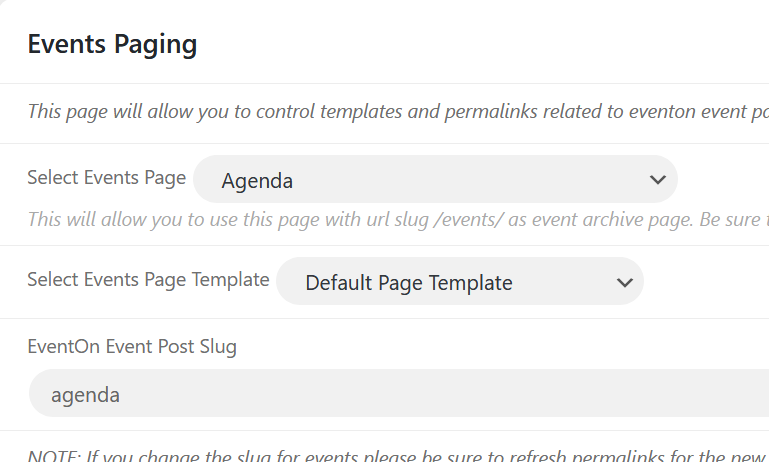
The theme says it’s a setting in the plugin. So, what do I do? I found a setting, but this does nothing, see screenshot.