Hi Reto,
Thanks for getting back to me.
Unfortunately, I could not login to your site. Could you please remove the IP restriction temporarily so that I can access the login page?
Alternatively, you can whitelist my IP 196.216.94.74
Thanks!
Replies for tickets on suppota
Hi Reto,
Thanks for getting back to me.
Unfortunately, I could not login to your site. Could you please remove the IP restriction temporarily so that I can access the login page?
Alternatively, you can whitelist my IP 196.216.94.74
Thanks!
Hello Ashan,
Yes i have that event for speaker so there is one in this case for your question:
https://standupist.co.il/events/%d7%90%d7%95%d7%a8%d7%99-%d7%91%d7%a8%d7%95%d7%99%d7%a8-%d7%91%d7%9e%d7%95%d7%a4%d7%a2-%d7%a1%d7%98%d7%a0%d7%93%d7%a4-%d7%9c%d7%99%d7%99%d7%91-%d7%91-zoom/
Is there any new update for the speaker addon too as can affect on that maybe ?
Thank you
NItzan
Ashan: customer insight is strange- looks as tho they have bought it twice, however one is activated- the other has no data displayed on it
Thank you for your messages, I am going to assign this ticket to Ashan and he will be able to take it from here and find you a solution. Please allow some time for him to get back to you, we greatly appreciate your patience and thank you for being a eventon customer!
eventon is purchased on codecanyon- they handle the payments so they are the ones to provide the refund
https://codecanyon.net/page/customer_refund_policy
how codecanyon works for sellers- we withdraw sales once a month – so they still have your money
we have been doing some testing and the reminders doesn’t take into account the individual timezones for each individual event- we are working on it, reminders would be sent based on the core calendar time
Until we fix it- unfortunately the only thing would be to disable the reminders for timezones that are not the same as the core calendar and use the built in email send and send the mass reminder that way manually (yeah we know- not as good as the reminder but in a pinch it will work)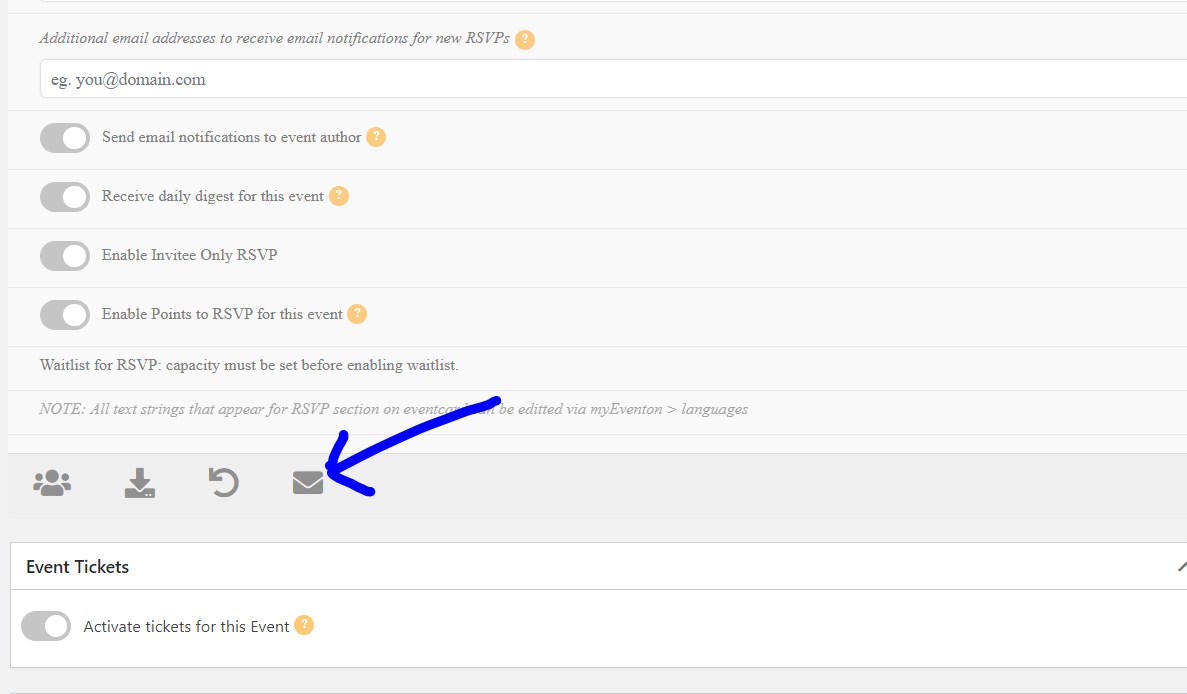
Hi all the emails were sent corectly before I moved server. What should I set the WordPress clock to? I set it to GMT.
But the proble is now that Eventon RSVP reminder is not adding the time difference.
So the event is set for 8:30 AM GMT+9 and it should send a reminder 15 minutes before. It sends the reminder at the server 8:30 AM and not Server Time + 9 hours as the GMT settings in the event
Something is wrong.
Should I compensate in the RSVP email settings and just add the 9 hours + 15 minutes there?
Kind regards
Nicolae
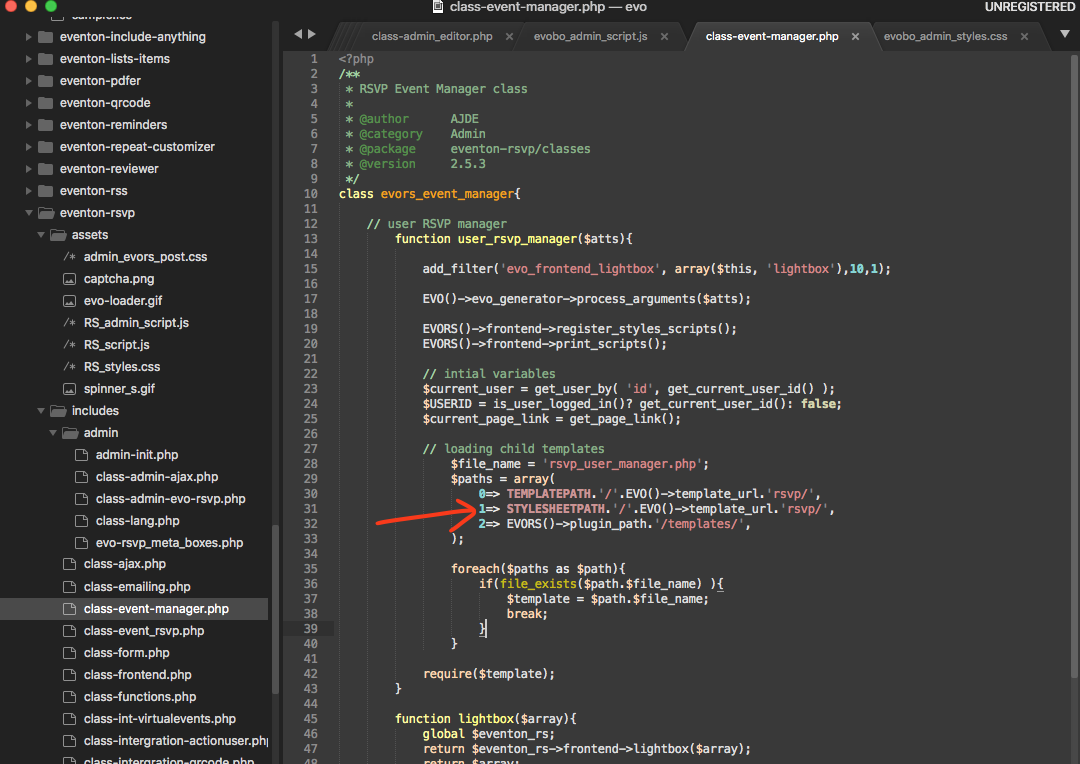
thank you for letting us know you can make the necessary update with stylesheetpath and we will include this in the next version update to rsvp addon.
Sounds good. If you have any more questions you know where to reach us 🙂 We will close this ticket for now.
Sander are you requesting a refund for the whole order or just booking addon? regarding ticket ID 216146