Sorry about that 45.40.146.38
Archives: Replies
Replies for tickets on suppota
Reply to: tickets(214632)
thank you We have addressed in version 3.0.7 which we are in final stage for release this week 🙂
Reply to: tickets(214904)
Thank you for reporting this we are doing final edits on version 3.0.7 once that is completed we will release it with this fix as well 🙂
Reply to: tickets(212616)
I went ahead and updated my site to have a ssl but I still cannot check out.
I have updated the domain and ssl
https://www.held2gether.com/checkout/
Reply to: tickets(211247)
Hi Ashish,
How do you access that folder through wordpress?
Can you please specify which code or part in that folder that you added?
Probably that folder has all kind of codes, and I just need the one that you added.
Thanks
romany
Reply to: tickets(214654)
Look like it is working on mobile- I’m sorry- Thank you!
Reply to: tickets(214654)
That’s not on mobile phone though. Yes- it looks good on a desktop- same for me, but on a phone the text from the title is cut off (whereas is does wrap for the rets of the info below, and it does wrap if you select the event on ta phone and it opens in a pop-up (like the screenshot I sent)
Reply to: tickets(214632)
I put your Ip to white list 37.132.249.96.
The access information are correct.
—————–
https://www.zante.info/wp-boinsbo
1° request of user/pass by server plesk ( PLESK REQUEST )
user : bolognaXeventi
pass : bologna6unica
1° request from wordpress ( WORDPRESS FORM )
user : events
pass : Uv%d(n&zL2(VC67)jUW!DH
waiting for your news
Reply to: tickets(215115)
So you need to purchase another add on just to be able to cancel one sequence of a recurring event? Ouch. I don’t see anywhere on the backend of an event where I can remove it from the backend sequence, unless of course that add on is required to see that. This might be cause to look for a different solution, but thanks. I don’t want to have to purchase additional add ons for what should be standard functionality, in my opinion.
Reply to: tickets(214640)
…Name Your Price area in the backend…
You need to change General Font Color for this. There is no option for the “Name your Price” part. So please use this code:
p.price.tx_price_line.nyp .evo_label {color: red !important}
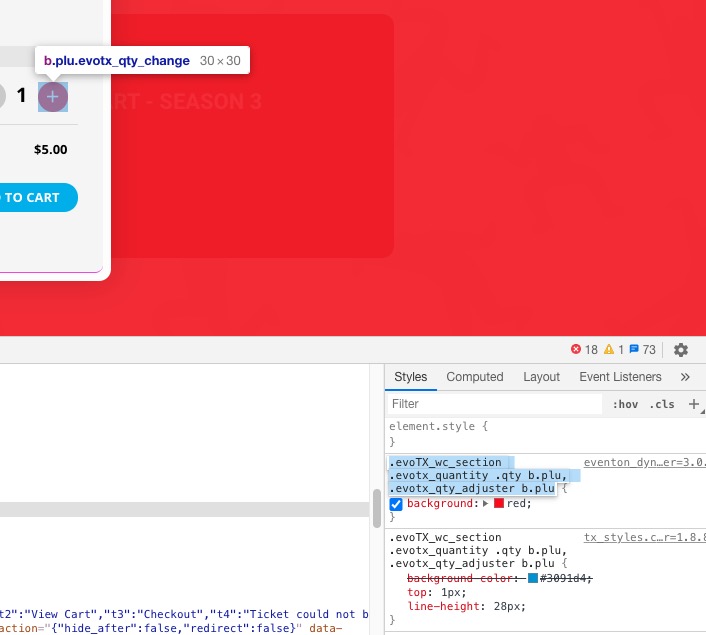
…any code to change the (+) on the buttons…
It seems that the code works:
.evoTX_wc_section .evotx_quantity .qty b.plu, .evotx_qty_adjuster b.plu { background: red; }