Hi,
Apparently since the latest update of EventOn Lists Ext. the shortcode parameter value ux_val=”3″ is not setting the events to open in a new window. I discovered by generating a new shortcode that this now should become ux_val=”4a” to have this behaviour.
Problem solved.
Hey Basilis,
Thanks for you reply
I have been through your php files
Thank you for this work
Basilis, I have been testing your work
I don’t get any email being sended.
none, for both event participants + teachers : did not receive anything.
I have tested both RSVP event + TICKET event
Neither is working from my end.
Any hint about that ?
please post an image – I looked on my mobile- looks OK what is actually missing
Of course you’ll have to do that for each organiser which is OK if you have 4-6 but if you have 50 organisers that can be tedious – I am unsure hwo many you have
Template for organiser- its an archive page but you can create your own and heres how
Hey Ashan,
Thanks for your reply
hum. that’s intriguing.
I’m about 99% sure Event On was actually able to have 2 RSVP on the same page !
Now I doubt about my self !!
I will try that piece of code in there anyway… hope it works
ya for now, I’m planning to have very few participant on the classes… ! so no big deal.
Many thanks man
Marc.
Hallo,
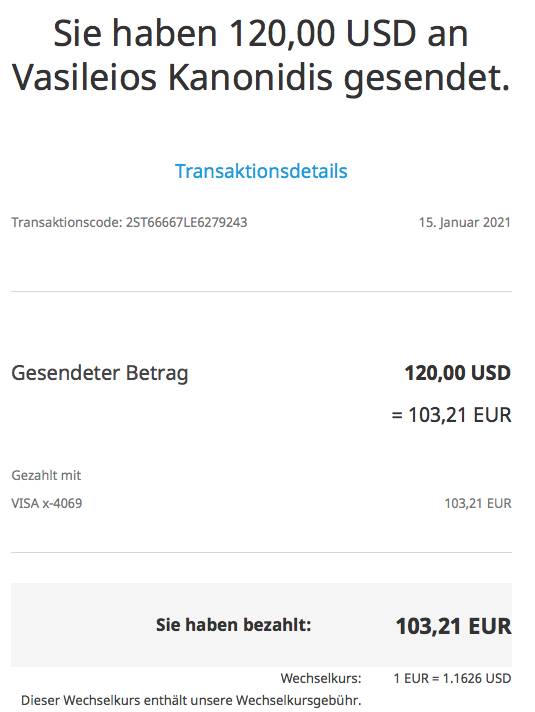
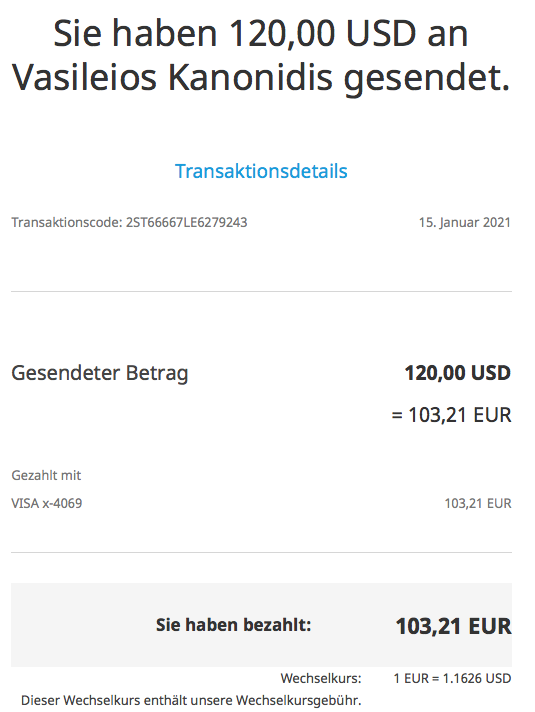
I am not sure if my my payment reached you. Can you please check?
Here is the image of the transaction code.
Thanks
Hi Cheryl,
I’m glad that this fixed the issue for you.
You can enable automatic updated in the plugin by following the steps on this page: https://docs.myeventon.com/documentations/how-to-get-new-auto-updates-for-eventon/
If you have a moment, we would greatly appreciate if you could kindly leave us a review at codecanyon! from your account > downloads. Cheers!
Hi Carol,
Thanks for the additional details.
1. how can I wrap the title for long title names
The titles will wrap long titles by default but if this is not working please change a link to your page so that we can help to override this.
2. reduce font size
3. make proper case and not upper case ie each word starts with capital letter
Please add the following CSS to the myEventOn > Settings > Styles:
#evcal_list .eventon_list_event .evcal_desc span.evcal_event_title{
text-transform:none!important;
font-size: 12px!important;
}
Please add this CSS code to EventON > Styles (If you don’t see any change, EventON > Scripts & Styling > turn off Write styles to header > save settings > turn on Write styles to header):
Once very very last thing where can I find the template for the organiser page please? I want to change the layout Thank you
The organizer archive page will be automatically generated by the plugin, would you mind letting me know the kind of changes that you would like to make?
You can however create your very own calendar list and filter the options using the id of a specific organizer as shown below:
[add_eventon_list event_organizer=”12″ number_of_months=”5″]