Hi EventON support,
We updated EventON and all of its add-ons. Unfortunately, our site owner, Darren Stokes, is still reporting the bug.
From: Darren Stokes <coloradooutside@gmail.com>
Sent: Monday, January 18, 2021 2:47 PM
To: sean@vistaworks.com
Subject: Re: [EventON Help Desk] New reply for ticket #216348
nope, if I open a spot in the May course, it opens a spot in the March course.
On Jan 18, 2021, at 11:08 AM, Sean <sean@vistaworks.com> wrote:
Hi Darren (coloradooutside.com site owner),
We manually updated the EventOn plugin and its add-ons.
Please try giving these two events unique SKUs and then make updates to the one event to see if the other event remains unchanged:
https://coloradooutside.com/wp-admin/post.php?post=1509&action=edit
https://coloradooutside.com/wp-admin/post.php?post=1149&action=edit
No, this is not supported right now at all.
There is no current plan for how to make it happen.
Yes basically i can use theme builder and build a template and then set a condition to use it on all single events
Thanks, I just scheduled a meeting, speak to you tomorrow!
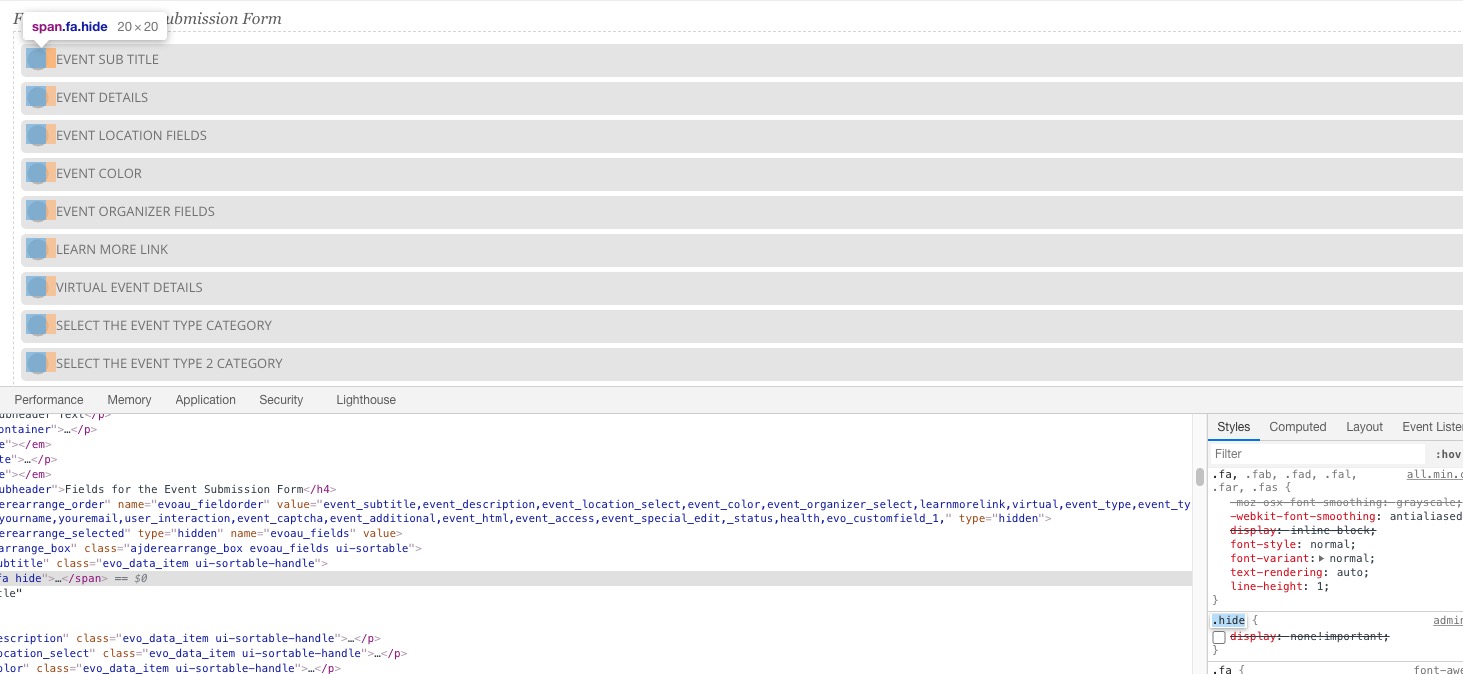
The problem is in this CSS style from the theme:
Please go to /wp-content/plugins/eventON/ajde/ajde_backender_style.css and add this custom style:
#ajdeEVC_arrange_box p span {display: inline-block !important;}
Clean your cache and check.
Hello,
The best solution is to go to the event and purchase a ticket with the customer’s data yourself.
WooCommerce handles orders so please check this https://wordpress.org/support/topic/how-to-create-customer-account-when-manually-adding-new-order/#post-12431298
In order to make sure that your order is correct please make a purchase of EventON’s ticket and then compare yours order with the one from EventON.
Hello,
Could you go to EventON Settings > EventCard > make sure that Feature image display style is set to Direct Image.
Please also update EventON to 3.0.7.
To update eventon to latest version: If you are unable to do autoupdate, you can go to codecanyon your account > download and get the latest eventon version as zip file. Then you can go to your website, deactivate old eventon, activate (Do not delete eventon settings & data when EventON is uninstalled) from eventon settings, delete old eventon, install new one and activate. This link will further explain the process it. Also you can follow us on twitter to get real-time announcements on updates!
Hello,
Could you tell us more? Are you referring to be able to customize Single Event Page with Elementor?
Hello,
Please send us wp-admin access to your site as a private message for us to further assist your situation. This seems to be working correctly on our test server: https://dev2.myeventon.com/24837-2/