Hi Ashish,
We have just made the payment. What’s next now?
Kind regards,
Arnaud.
Replies for tickets on suppota
Hi Ashish,
We have just made the payment. What’s next now?
Kind regards,
Arnaud.
Customer completed payment of 800 for the job.
Hi Nitzan,
Thanks for reaching out and sorry for the issue.
I’ve been able to reproduce the issue and this has been submitted to the developer for closer investigation.
For now, you can apply the following CSS fix to change the direction of the arrows:
#evcal_prev{
 float: right!important;
}
#evcal_prev > i{
  transform: rotate(135deg)!important;
  left: 11px!important;
}
#evcal_next > i{
  transform: rotate(-45deg)!important;
  left: 11px!important;
}
Follow the css customization guide for more details about how to add this CSS to the plugin.
I hope this helps!
Hi Nitzan,
Awesome! We really appreciate it 😊
Feel free to contact us if you have any further questions or concerns!
Hi Ashan,
There is a conflict with the latest version of Elementor free preventing the loading of the page builder. On this customer’s site the builder loads but not the widget area but on the dev site the Elementor builder will not load at all.
Thanks.
Hi Hector,
Thanks for your follow-up & sorry for the inconvenience caused.
I’ve been able to reproduce this conflict on my end too and this issue has been submitted to the plugin author for closer investigation.
We will be getting back to you in a short while.
Hi Juan,
Thanks for getting back to us.
You can enter the event details when editing a single event and this will display the info when the pop up is loaded:
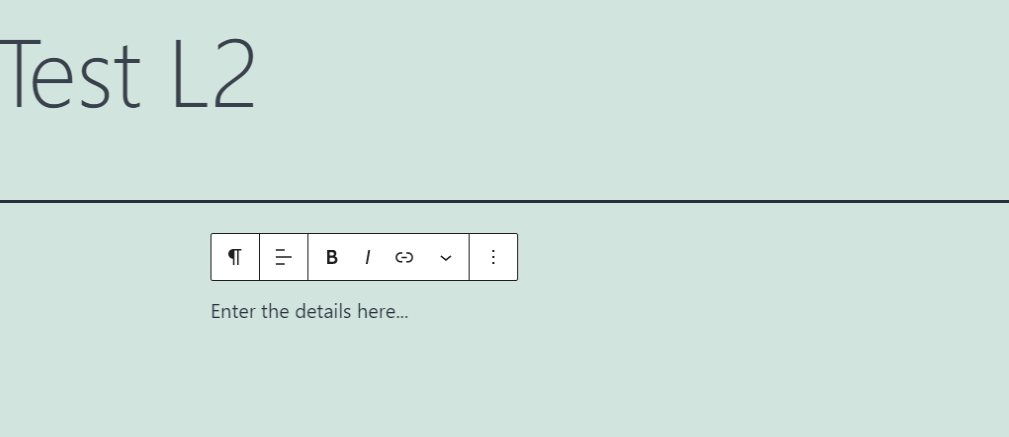
To answer the second question, you can enable “Sorting & Filtering Options” options on the calendar when generating the shortcode as shown below:

I hope this helps.
Hello Artem,
Sorry but the plguin not working well for the colors, Please check
I going to remove the CSS you gave me now
Thank you
NItzan
1 more month passed.
Any update?