Hey Antonio,
> Currently if user try to send an event it will ask them to enable
Where can I see this? Which page is can you give me the link?
Replies for tickets on suppota
Hey Antonio,
> Currently if user try to send an event it will ask them to enable
Where can I see this? Which page is can you give me the link?
Positive review is on it’s way.
Thanks!
Great! It works. I guess it will be fixed in the next update.
Hi there
That was short lived.
I have tested again today and it has reverted back to the incorrect month. It is not showing the current month on the page.
Pleas ecan you help fix it?
WP: https://ejsny.wpengine.com/wp-admin/
username: eventon
password: nB0!00Qoi00Y$K@)$g1yEGtt
Since this sis a development domain, we are not utilizing absolute urls. Instead, we are using relative urls which is why the domain is not added to the media urls. This does not cause the issue. The issue is definitely the :// being added to the end of the urls.
The main site works perfectly. EventON plugin is amazing 🙂
I actually think SEO would benefit from that, but I understand that it was prepared differently.
Thx
Oh, so structured data can’t be shown on other websites also?
It’s already visible on the main website, no? From this line: Sends everything correctly to google: https://search.google.com/structured-data/testing-tool#url=https%3A%2F%2Fwww.fusion360.cz%2Fskoleni%2F
I don’t think that duplicating the same events on multiple websites is the good thing for Google Ranking.
Thank you for your messages, I am going to assign this ticket to Ashan and he will be able to take it from here and find you a solution. Please allow some time for him to get back to you, we greatly appreciate your patience and thank you for being a eventon customer! Also please disable any IP blocking on your site if there are any.
Ashan,
I tried testing with this event: https://dev2.myeventon.com/wp-admin/post.php?post=24797&action=edit
But didn’t receive any notifications.
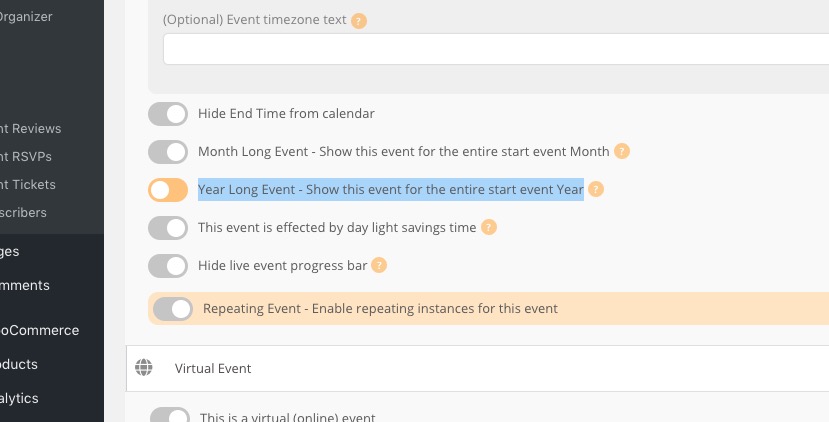
If the event is for the whole year please go to Edit Event > enable Year Long Event – Show this event for the entire start event Year:
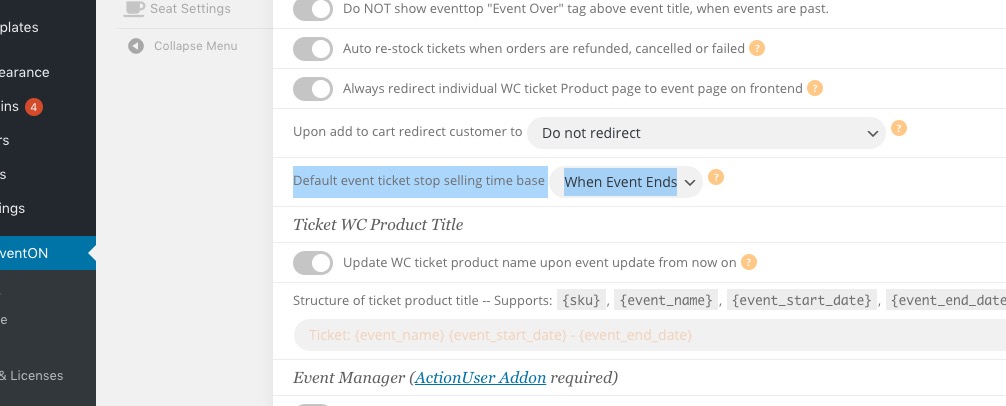
Please also go to EventON Settings > Tickets > select Default event ticket stop selling time base: When Event Ends