Hello,
Thank you for your messages, I am going to assign this ticket to Ashan and he will be able to take it from here and find you a solution. Please allow some time for him to get back to you, we greatly appreciate your patience and thank you for being a eventon customer! Also please disable any IP blocking on your site if there are any.
(I didn’t know that it was necessary to translate from Italian to Italian)
We are sorry about this. This is necessary because Event Types are dynamically created content.
However the plugin doesn’t like the apostrophe
Could you try putting a backslash before the apostrophe?
Hello,
1. Please make sure that you shortcode doesn’t have evc_open=”yes”.
2. There was an issue with the handlebars.js file. I added it so it should work now. Please check and let me know.
3. You cannot change Single Event Page with Elementor since EventON uses it’s own template for this. You can customize Single Event Page template by following https://docs.myeventon.com/documentations/customize-single-events-page/
Just do the same as with 1 tile. Add cal_id=”cal1″ to the shortcode and add this CSS code to EventON > Styles (If you don’t see any change, EventON > Scripts & Styling > turn off Write styles to header > save settings > turn on Write styles to header):
#evcal_calendar_cal1.ajde_evcal_calendar .calendar_header p.evo_month_title { display: none !important; }
This way the code works for this particular calendar only.
Hello,
You need to use Event Lists: Ext add-on https://www.myeventon.com/addons/event-lists-extended/ with this shortcode:
[add_eventon_el el_title=”12″ event_count=”6″ event_count_list=”yes” tiles=”yes” tile_count=”4″ tile_bg=”1″]
Try on http://dev.myeventon.com/wp-admin/
Good morning Basilis,
I hope you had a good start to the new year.
Just touching base.
Thanks
Daniel
Solved, thanks!
(I didn’t know that it was necessary to translate from Italian to Italian)
However the plugin doesn’t like the apostrophe
This worked but i changed the box to 1 instead of 2 and it works perfectly. Maybe add this to the next update. Think others might like it.
On this code
.ajde_evcal_calendar .calendar_header p.evo_month_title { display: none !important; }
Which removes the month above the tile. is there a way we can remove this but only on the live events not globally? I’d like to have it show on the calendar view. if its not possible i know how i can work around it.
BTW thank you for all your help so far.
Hi there,
Thank you for your reply. Before send you the payment, where can we send you PDF file? We need to tell us if the demand is clear and validate it. This is a summary of the functional specs. detailed in our first message.
Kind regards.
Hello,
1. Please check https://docs.myeventon.com/documentations/how-to-translate-calendar-front-end/ and https://docs.myeventon.com/documentations/translating-eventon-backend/
2. You should be able to find how to do this by following https://docs.myeventon.com/documentations/how-to-translate-calendar-front-end/
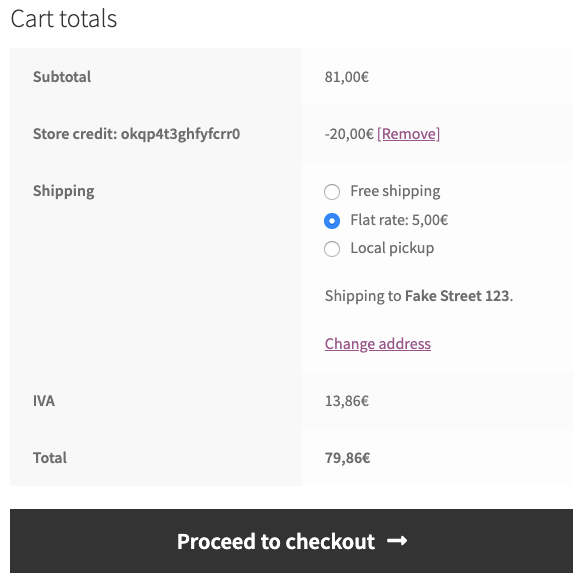
3. Since the plugin works on the checkout page https://woocommerce.com/wp-content/uploads/2011/11/wc-store-credit-cart-discount.png, there is shouldn’t be any issues using it.
4. The same as with Store Credit, only on the checkout page.
5. WooCommerce handles this so you can just go to wp-admin > WooCommerce > Order > Edit > set it’s state to Canceled.
6. We do have RSVP Waiting List add-on https://www.myeventon.com/addons/rsvp-events-waitlist/, but it only works with RSVP and not Tickets, unfortunately. Cancelation is the same as in 5.
7. You handle this process, so customers cannot cancel everything by themselves.
8. Please go to EventON Settings > Tickets > TICKET SALES REPORT.