Hello Nick,
That is only if you want the user to have the event times to change based on Timezone that the user is!
Replies for tickets on suppota
Hello Nick,
That is only if you want the user to have the event times to change based on Timezone that the user is!
Hello,
We apologize for the issue.
How it looks on our test server:

Could you clean you cache and check again?
Please check now https://newcjjt.cowboysjukejoint.com/20772-2/
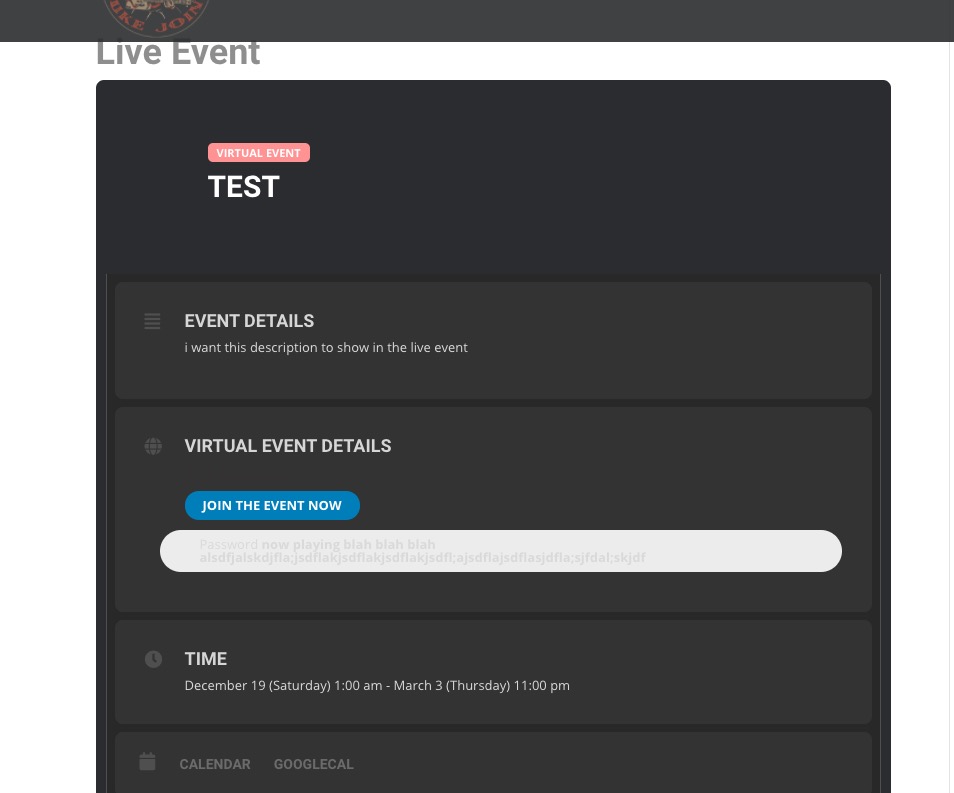
Sometimes when you don’t see any changes please go to EventON > Scripts & Styling > turn off Write styles to header > save settings > turn on Write styles to header.
Please also check https://docs.myeventon.com/documentations/how-to-show-various-information-in-eventtop/
In order to change Event Top background color please go to Edit Event > Event Color.
Hey Tony,
That to be honest has happened previously for us also, and it is a little bit strange how it does happen, as the files are generated ( the CSS files ) have nothing to do with the events that happening with the updates.
If you remove and re-add the CSS, do u see the issue fixed?
Hi Bill,
Can you please disable the caching solutions and give it a try again?
Yes those are CSS customizations in the stylesheet of our theme.
Could you tell us who added them?
Hey Kurt,
can I process payments live so I do not ask u each time?
Everything seems to be working correctly now: https://staginghrs.wpengine.com/wp-admin/post.php?post=43477&action=edit
Added “Pacific” and it shows like it supposed to:

The thing is that you don’t really need to use “(Optional) Event timezone text” with EventON 3.0.6. Just go to EventON Settings > Time > enable Apply default timezone to all events > enable Enable “View in my time” button on frontend events. So users can localize event time > make sure that “Hide GMT value from frontend” is disabled. This way every event shows the correct timezone and allows users to localize it.
Hey Brandy,
Cancellation is going automatically to the payment provider and it will be cancelled from there, so you do not have anything to worry about.
Ok thanks for confirming this.