Hi Ashish
I m sorry I thought is on the ticket is cytiva-virtual.com but I need an email address you receive in case you need to reset the password.
On this calendar view with booked RSVP and non rsvp events are you able to hide any cancelled and past RSVP?
Basically I m using the calendar to have visitors building their own schedule. Some events are free for all and some are RSVP. When someone RSVPs something it appears in their weeekly view. This is what I m aiming for.
Kind regards
Nic
Hi Harriet!
I’m glad that this is now resolved!
Don’t hesitate to contact us should you run into any other problems. 😊
Happy holidays!
Hi Pasabon,
Thank you for your feedback.
We really appreciate the suggestion and I’ll pass this to our internal team. Would you mind adding this as a new feature request so that other users can vote on it?
Have a good one and happy holidays!
Hi Manuel,
I can suggest that you enable Custom Fields via the preferences when editing an event.
This will expose all the custom fields that are registered by the plugin to save event data as shown on the attachment.
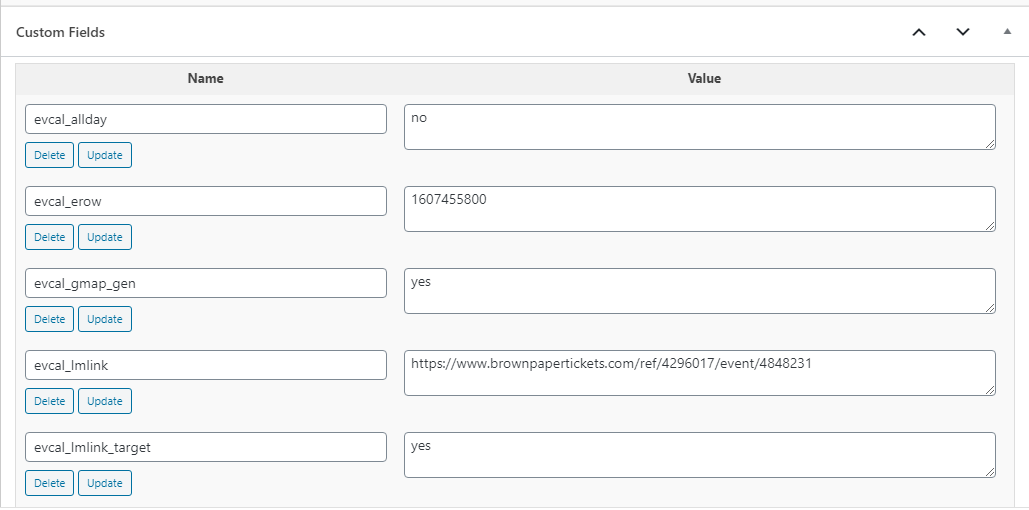
Alternatively, you can also install the WPAllExport plugin and use this to export a sample Event which will expose all the columns that are required for succesful imports. https://wordpress.org/plugins/wp-all-export/
I hope this helps. 😊
Hi Darren,
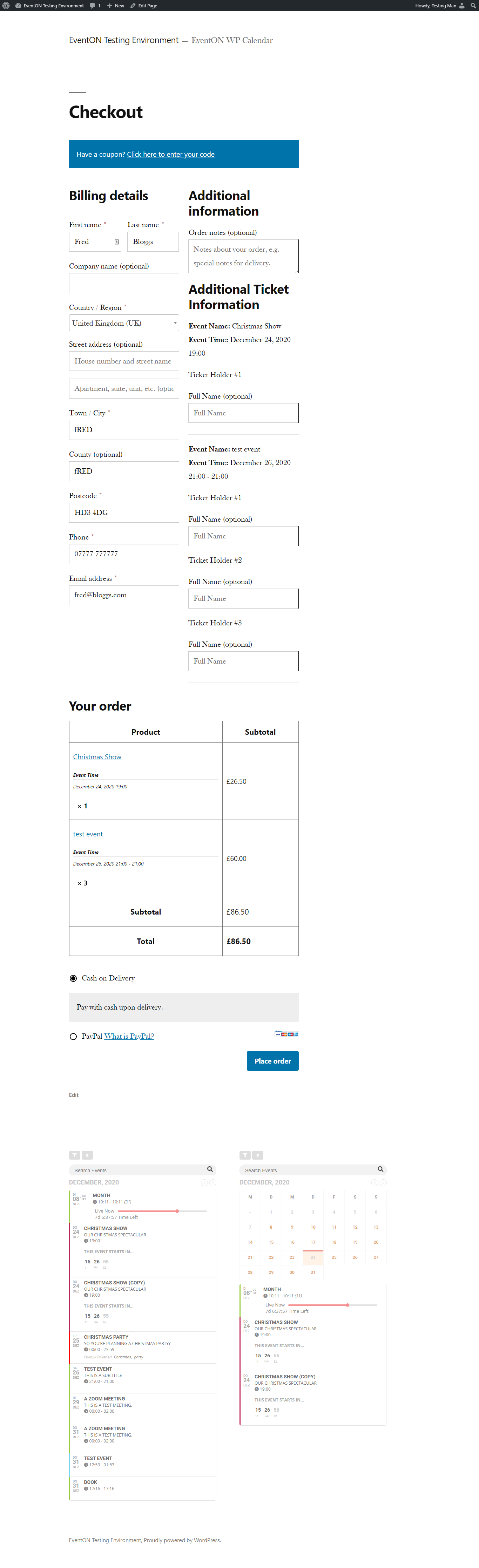
Sorry about that. Our demo site needs a few updates, it looks like some permalinks were modified, you can view the checkout page here: https://dev.myeventon.com/fred-2/
Attached below is a screenshot of how the checkout page looks after adding the ticket to cart.
We will be updating the demo site in a short while.
Thanks.
Hi. Thank you for the Feedback.
Licence: cada9f28-ae71-469e-8ce6-5a23310202fc
WP Login Demopage
secc01.ch/login
support
%Vpx2*2yT8tH2MlQ!IYVYSVJ
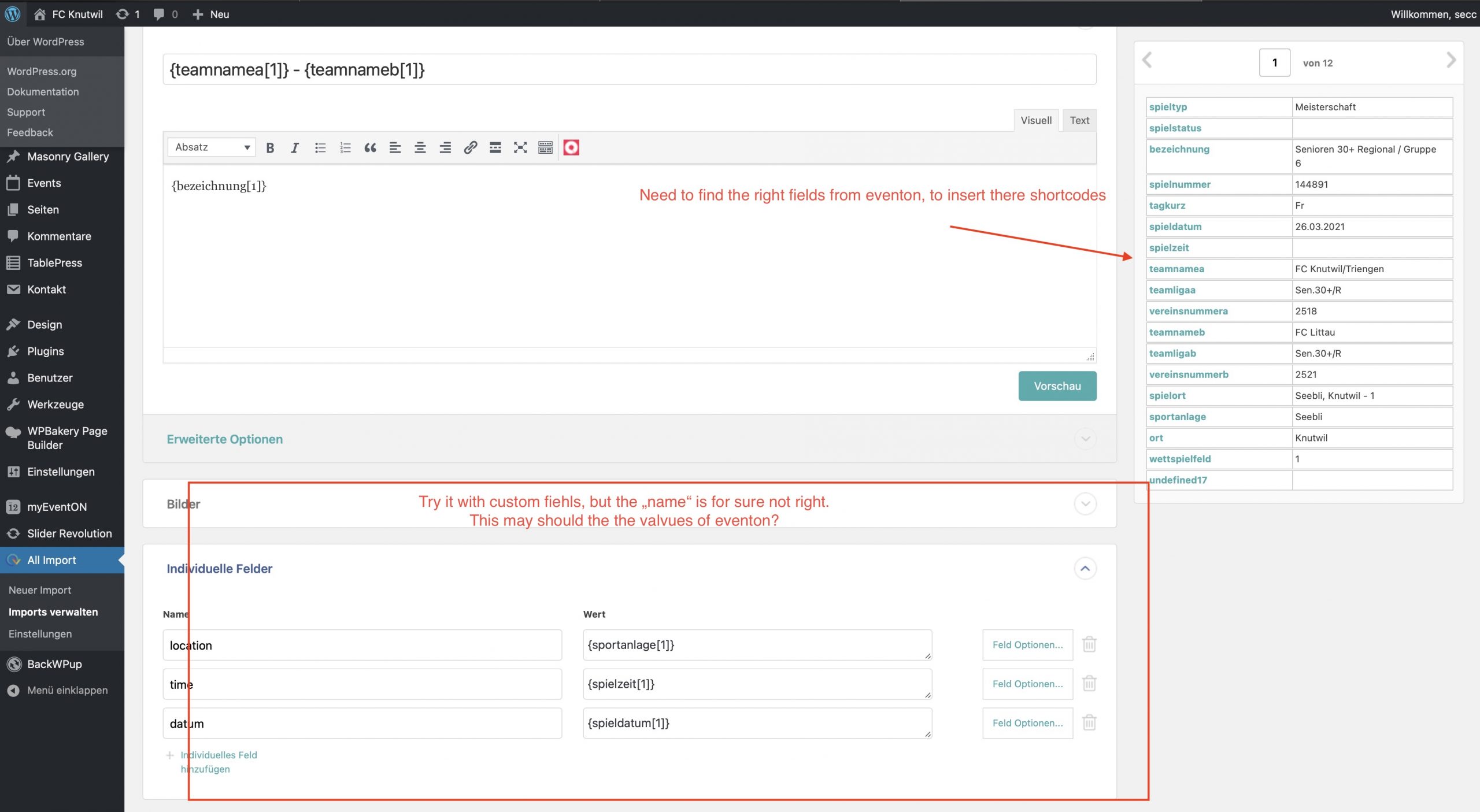
Attached a screenshot of the importoptions. I need to find a way to match the values from the csv with the right fields in eventon. With the titel it works pretty well and new events are created. also with the description.
Best regards.
Manuel
$300 it is just a lot for me, also still need some modifications as I point out early , any way of solving this more cheap ? cant afford the $300 usd also need some modifications, any suggestion ?
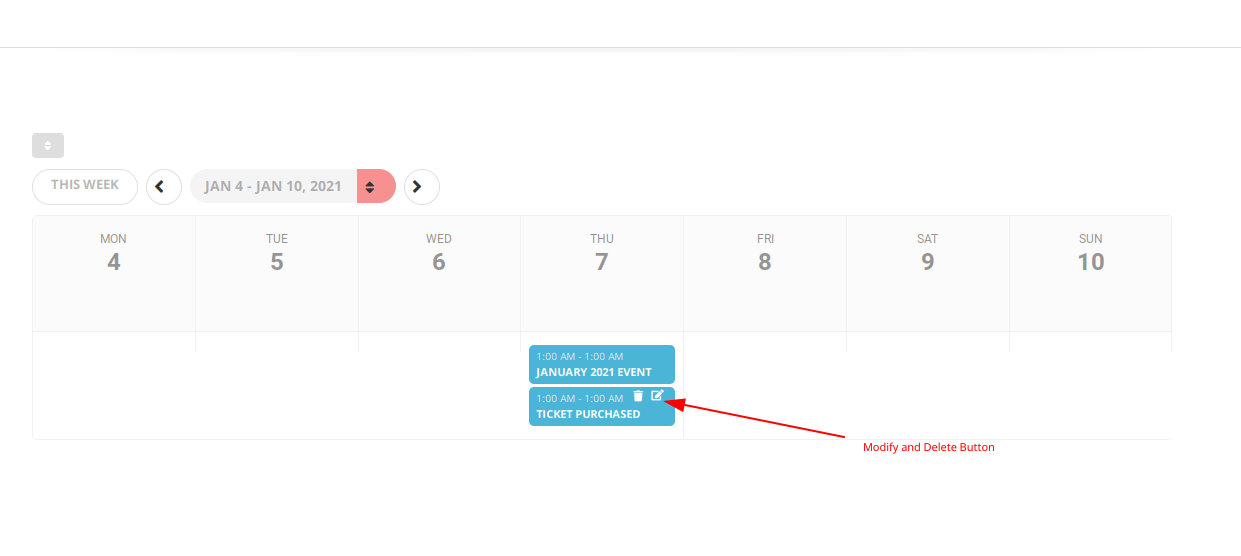
# Added edit buttons to those events that user have purchased tickets (only those events).
# How user wants to achieve edit or deletion of tickets????
http://380.momothemes.com/211412-weekly-view/
User: ticket / ticket
Hi Nic,
What is the website url? I could not log in.
Unfortunately, it is not a simple task and will certainly not be possible to be done with just css