Please add this CSS code to EventON > Styles (If you don’t see any change, EventON > Scripts & Styling > turn off Write dynamic styles to header > save settings > turn on Write dynamic styles to header). You can also add this code to wp-admin > Appearance > Customize > Additional CSS.
.evo_taxlb_main.evodfx .calendar_header {display:none !important}
I believe that it’s working now:
Could you check?
Ashan,
The same on dev2:
https://dev2.myeventon.com/events/test-var/
You are exactly right! Thank you for your messages, I am going to assign this ticket to Ashan and he will be able to take it from here and find you a solution. Please allow some time for him to get back to you, we greatly appreciate your patience and thank you for being a eventon customer!
Hello,
WeeklyView shows all events that available during the week all at once on load.
You can add this to your shortcode to hide calendar events until a date on the week strip is clicked by the visitor:
hide_events_onload=”yes”
Maybe you need to use DailyView add-on instead:
https://www.myeventon.com/addons/daily-view/
Please check and let me know.
We are glad your issue is resolved, if you have any further questions or concerns please create a new ticket.
Raquel,
We can login to your site.
QR Codes are important to you. In order for it to work you need EventON v4.9.7, QR Code addon & Tickets addon. (Artem provided links to those)
>>I truly cannot understand why it has been so difficult to get assistance, even after paying for support and expressing my willingness to pay for any necessary addons.<<
There is nothing else we can do. You need to purchase the addons and install it in your website. — that will get the QR Codes working.
You have not prodvided proof of purchase for addons for us to install updates. — So a new purchase is required.
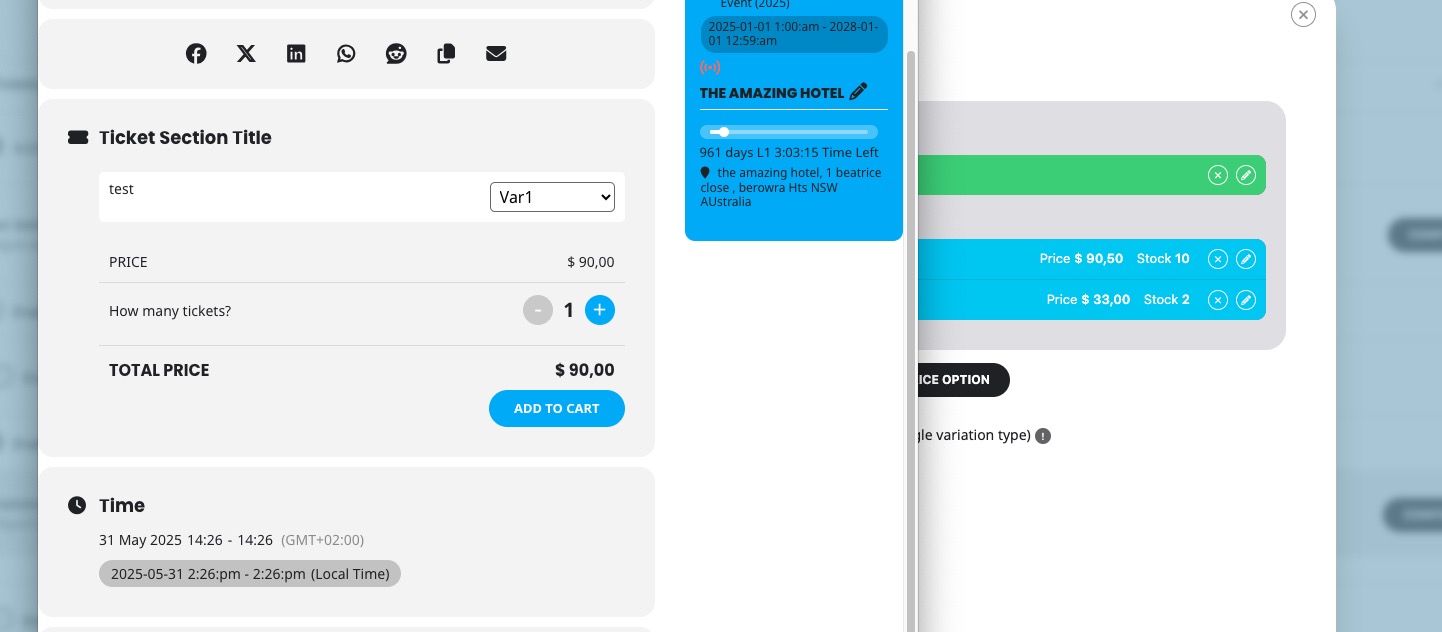
You need to set up ticket variations with prices like 90,50 and check how they are displayed in the frontend. I cannot see the section for ticket sale in your test side, since login is needed for this. Do you have a test user I can use to log in?
Hello Again,
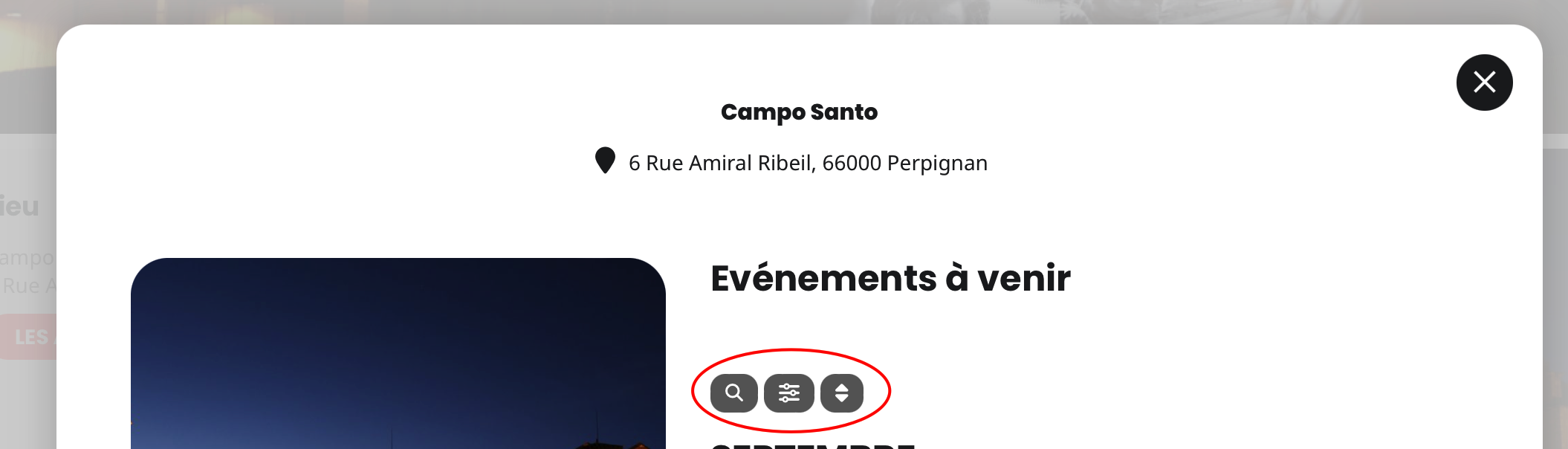
I deleted the cache and now it works! I have a bug. the filters options and search don’t work on the upcoming events ligthbox. How to disable those options ONLY when the lightbox upcoming events is displayed?
Thank you