Access has been shared.
Archives: Replies
Replies for tickets on suppota
Reply to: tickets(390776)

As shown in the Screenshot. I want to have the Date in the Format of M j (SEP 24 / Month Day) between the Clock Icon and the Time.
It would be perfect to seperate them with an “|”
Best!
Reply to: tickets(391426)
Hello,
Can you please send us a direct link to where the actual issue is happening?
Reply to: tickets(391401)
You didn’t enable translations for Events here:
https://nishexpo.com/wp-admin/admin.php?page=tm%2Fmenu%2Fsettings
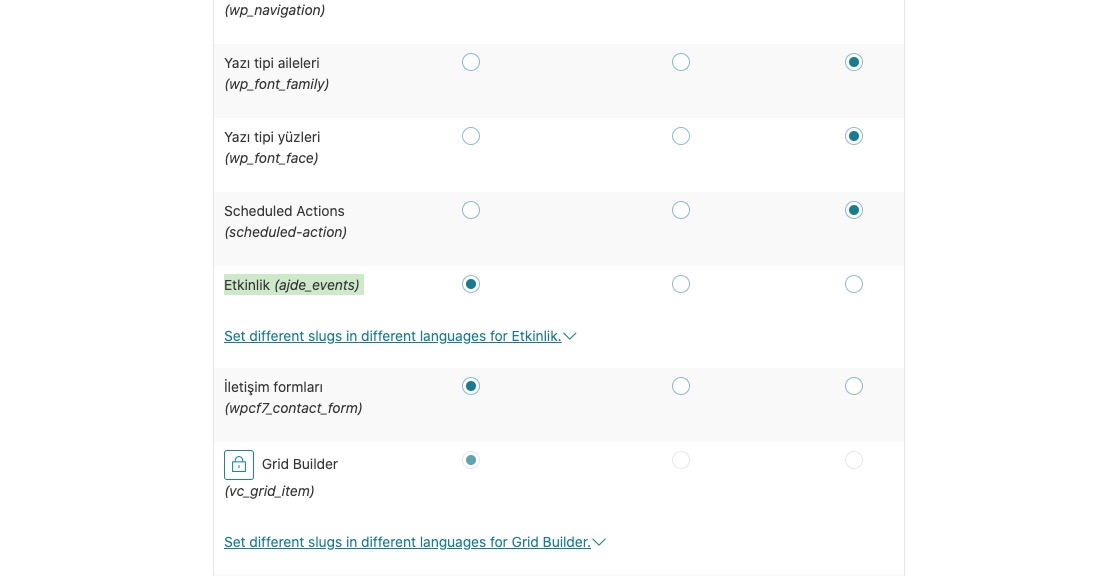
I also disabled “Enable language corresponding events” in EventON Settings.
Test event I created in EN and TR:
https://nishexpo.com/wp-admin/post.php?post=8165&action=edit
https://nishexpo.com/wp-admin/post.php?lang=tr&action=edit&post_type=ajde_events&post=8164
Do the same with your others events.
Page in TR and EN:
https://nishexpo.com/wp-admin/post.php?post=8168&action=edit
https://nishexpo.com/wp-admin/post.php?lang=en&action=edit&post_type=page&post=8166
You need to have an event and page for each translation. Here’s where you need to select them:
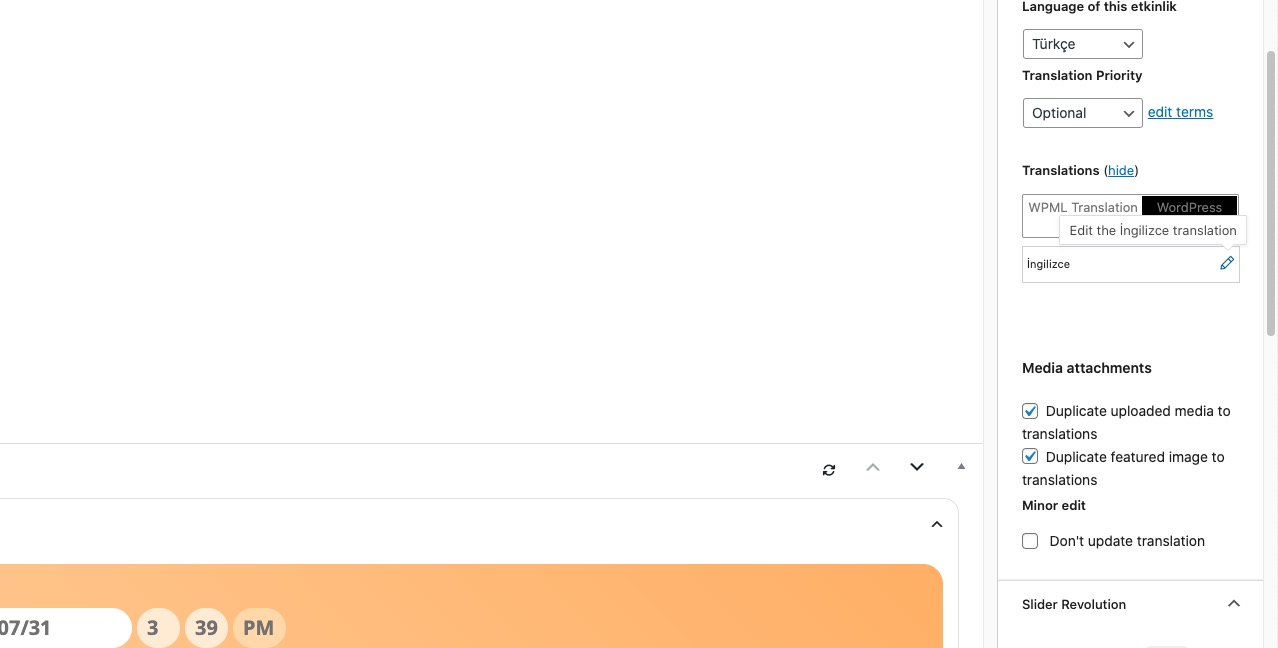
Events page:
https://nishexpo.com/event-tr/
https://nishexpo.com/en/events-en/
Reply to: tickets(391435)
Hello,
Please send us wp-admin access to your site from “Access Info” box on right side menu, to further assist your situation.
Reply to: tickets(391401)
It would be easier if you made a video 🙁
Reply to: tickets(391401)
It would be easier if you made a video :(
Reply to: tickets(391401)
I did it and it still doesn’t show up
[add_eventon wpml_l2=”tr” wpml_l1=”en”]
Reply to: tickets(391401)
Please I beg you I did not understand anything! I did L1 English and L2 Turkish but it disappeared again
https://docs.myeventon.com/documentations/wpml-eventon-front-end/
Reply to: tickets(391342)
I believe that the only solution is to update the plugin. If you cannot do that, please keep using the plugin unactivated for now.