answering my own: did the patch, fixing the max 4, not the mandatory clicking. Would be happy with another patch to solve that (still have 200 events to do)
Archives: Replies
Replies for tickets on suppota
Reply to: tickets(209633)
I’ve also a problem with repeating events (since the last update). I started an event at 7 december and I chose a gap with 1 week and 1 number of repeats. And now the end date is strangely 21 december, but I like to have 14 december. I can not change the number of repeats to zero.
Reply to: tickets(207157)
Does this solve the clickety click 104 times, or also allows for manual input ?
Reply to: tickets(209214)
Hi Artem, thank you very much. This works fine in order to see only translated items :). The only problem that I have is that I can not see more then one month of events: present and future events.
And to have an option to see the past events. Because if I put more then 1 months of events, there is not an option (arrows) to se past events:
- Here, http://suizos.hostingtoluca.com/eventos/ it is assumed that I have to see present and future events… and I can see only event of December: [add_eventon_list number_of_months=”12″ hide_empty_months=”yes” tiles=”yes” tile_count=”4″ tile_bg=”1″ wpml_l1=”es” wpml_l2=”fr” wpml_l3=”de”]
- And another code is for the past events, but is not working properly too: [add_eventon month_incre=’-6′ show_upcoming=’1′ number_of_months=’4′]
Reply to: tickets(209384)
Hi Artem,
All those advice already done, (seasoned Eventon user here, 4-5 years), will try caching though, wp-rocket. I think there is something else.
Server: as mentioned Cloudways, Vultr HF, php 7.4, Mariadb 10.4. (am developing on Local, Mamp and direct on cloudways, but does not matter where i put it, its slow)
Tried a 1, 2 and 4 GB server (moved with updraft, i have 5 VPS in total)
Reply to: tickets(207157)
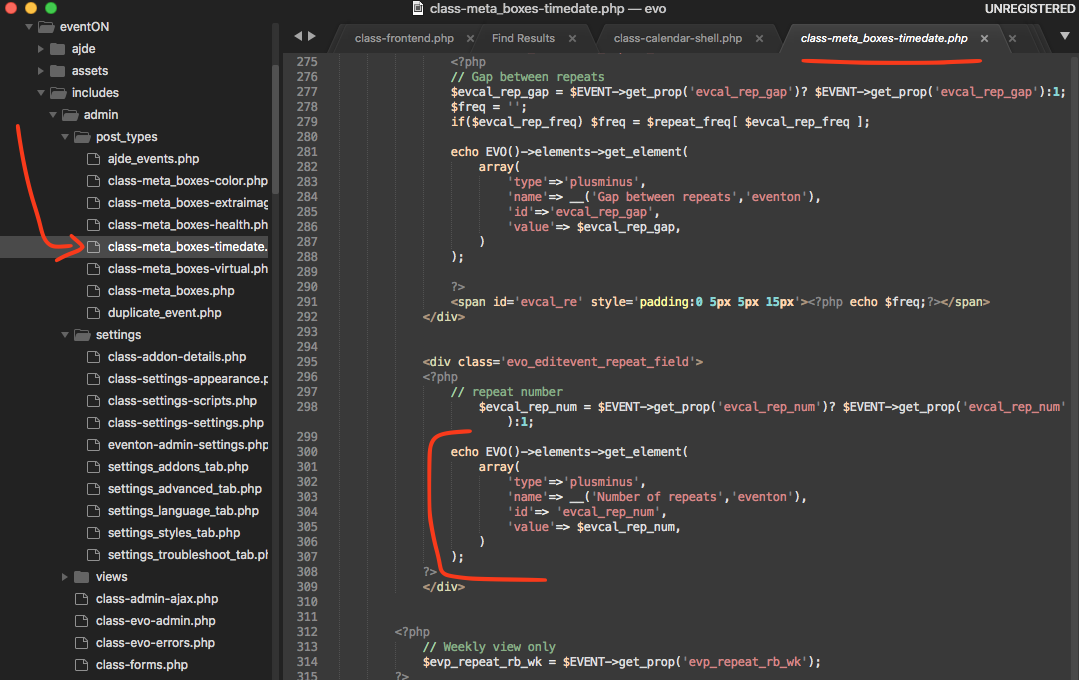
my apologies, the 3.0.5 update went out without the fix for this issue. Here is the patch fix which will be in version 3.0.6
Make sure your code look same as in the patch fix.
Reply to: tickets(207807)
Thank you Kenneth. Silas, are you able to send us wp-admin access to your site? because we can not replicate this on our end. Setting disable google map stops google maps API from loading everywhere it is called on eventON.
This is where the conditional map loading take place in the code.
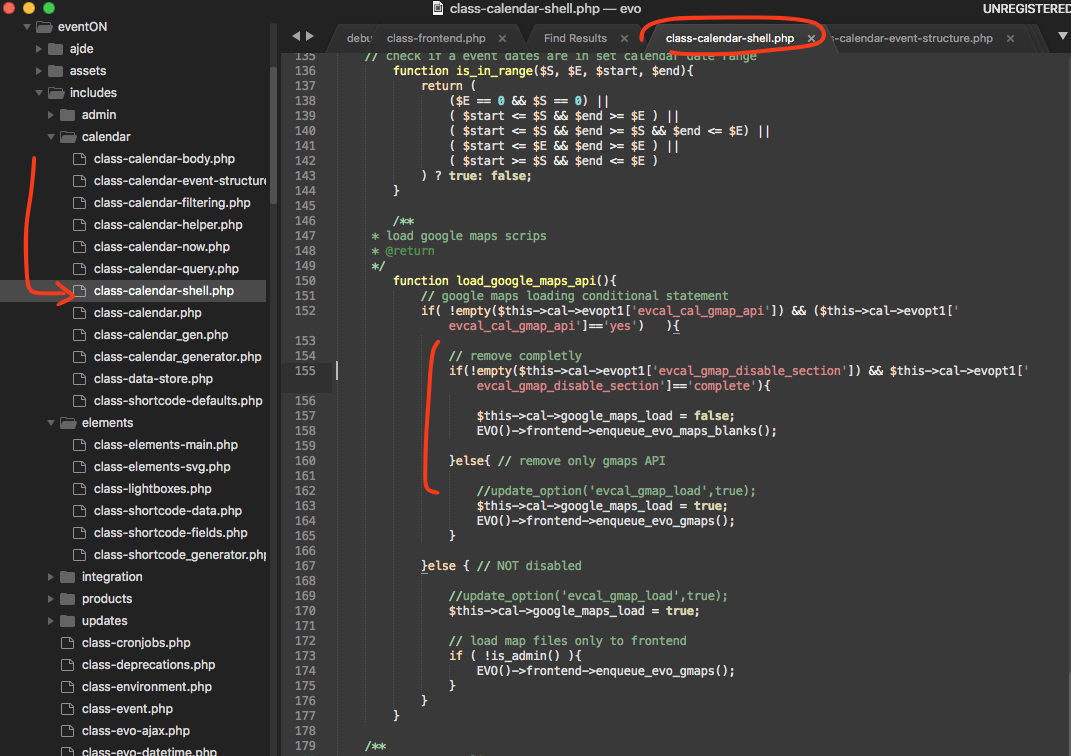
I wonder if your saved settings – which are saved to wordpress options table , are not loading correct. Perhaps a cache plugin might be loading old options values?
Reply to: tickets(205497)
I am still seeing the unexpected identifier error still on the page.

How is this pinpoint calendar loaded? can you add that to your staging site so we can test it? https://staging.tolerant-vzw.be/test/
Reply to: tickets(209615)
also, I have updated the text in L1 and the shortcode is generated for L1,
https://prnt.sc/vtuwzj
The text from L1 is not reflected in the frontend. Thank you!
Reply to: tickets(209471)
Hello,
Please check this answer on the same issue from Ashan:
“Yes there is a small bug in the code … and we can help out and we are going to release an update soon which address this.”
You can find his answer here: https://codecanyon.net/comments/25665944