Hello,
Please use this shortcode instead:
[add_eventon_list number_of_months=”12″ hide_empty_months=”yes” tiles=”yes” tile_count=”4″ tile_bg=”1″ wpml_l1=”es” wpml_l2=”fr” wpml_l3=”de”]
Replies for tickets on suppota
Hello,
Please use this shortcode instead:
[add_eventon_list number_of_months=”12″ hide_empty_months=”yes” tiles=”yes” tile_count=”4″ tile_bg=”1″ wpml_l1=”es” wpml_l2=”fr” wpml_l3=”de”]
Hello,
After WordPress 5.5 some themes stopped working because of this js error:
Uncaught TypeError: $(…).live is not a function
at HTMLDocument.<anonymous> (post.php?post=17550&action=edit:3094)
at i (load-scripts.php?c=0&load[chunk_0]=jquery-core,utils&ver=5.5.3:2)
at Object.fireWith [as resolveWith] (load-scripts.php?c=0&load[chunk_0]=jquery-core,utils&ver=5.5.3:2)
at Function.ready (load-scripts.php?c=0&load[chunk_0]=jquery-core,utils&ver=5.5.3:2)
at HTMLDocument.J (load-scripts.php?c=0&load[chunk_0]=jquery-core,utils&ver=5.5.3:2)
Could you installing and enabling https://wordpress.org/plugins/enable-jquery-migrate-helper/?
This is because EventON loads it’s calendars with AJAX dynamic requests, so sometimes Google cannot load them.
The best solution is to use Yoast plugin, so it create a sitemap or add /events URLs with this tool: https://www.google.com/webmasters/tools/submit-url
Hello,
Could you send us a screenshot of the issue?
Are you referring to this part:
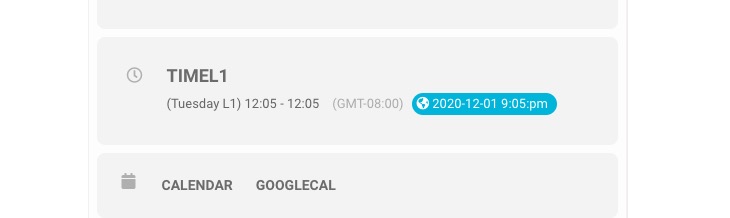
I am sorry, the access information you have provided did not work for us. Please check them and post the correct login information as a private message, thank you!
Ashan,
The same on dev2 when you disable Seats plugin:
http://dev2.myeventon.com/wp-admin/post.php?post=24141&action=edit
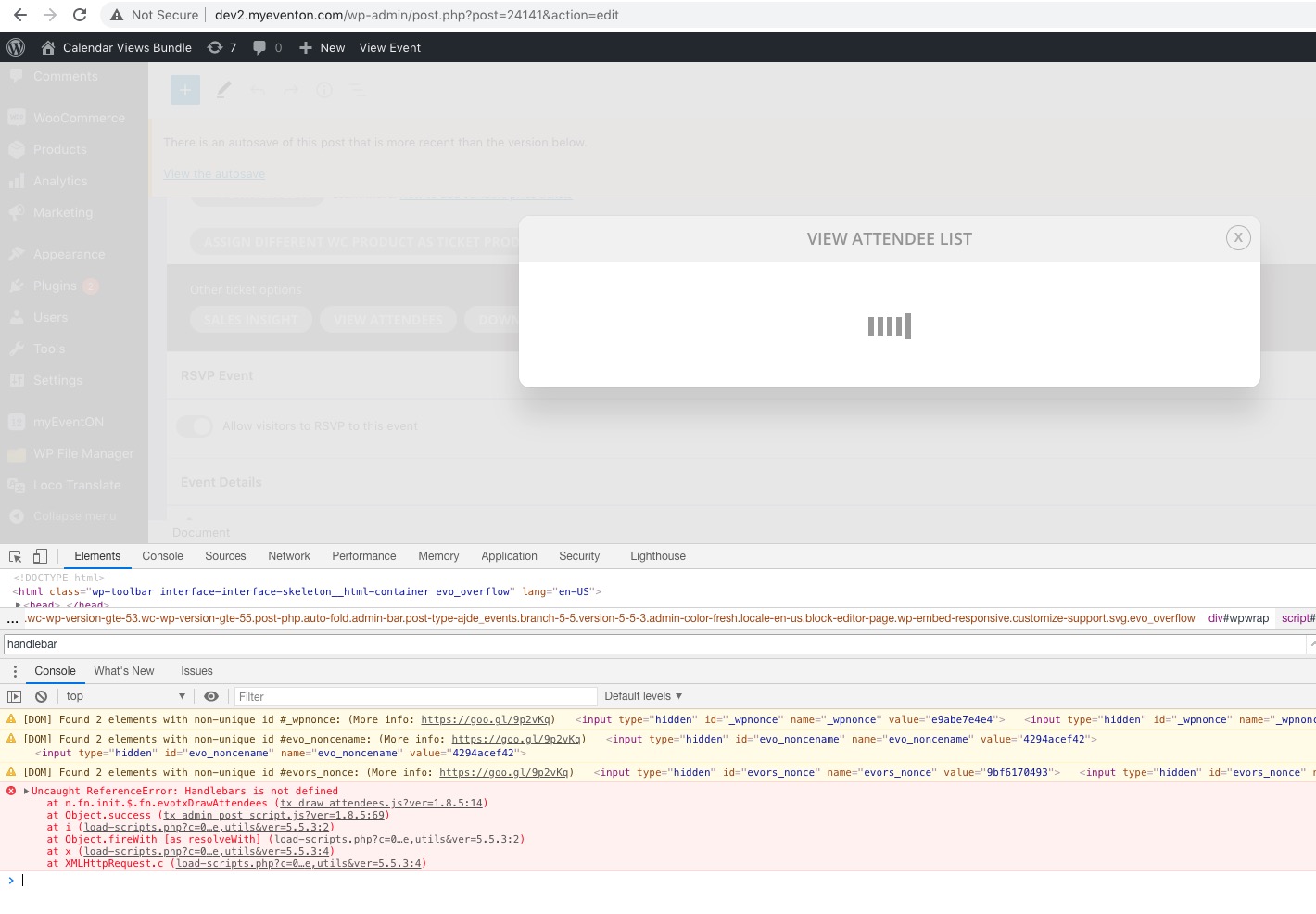
Uncaught ReferenceError: Handlebars is not defined
at n.fn.init.$.fn.evotxDrawAttendees (tx_draw_attendees.js?ver=1.8.5:14)
at Object.success (tx_admin_post_script.js?ver=1.8.5:69)
at i (load-scripts.php?c=0&load[chunk_0]=jquery-core,utils&ver=5.5.3:2)
at Object.fireWith [as resolveWith] (load-scripts.php?c=0&load[chunk_0]=jquery-core,utils&ver=5.5.3:2)
at x (load-scripts.php?c=0&load[chunk_0]=jquery-core,utils&ver=5.5.3:4)
at XMLHttpRequest.c (load-scripts.php?c=0&load[chunk_0]=jquery-core,utils&ver=5.5.3:4)
Thank you for your messages, I am going to assign this ticket to Ashan and he will be able to take it from here and find you a solution. Please allow some time for him to get back to you, we greatly appreciate your patience and thank you for being a eventon customer! Also please disable any IP blocking on your site if there are any.
Hello,
Everything seems to be working correctly with this new purchase:
https://dev.natasha-sikand.com/wp-admin/post.php?post=3411&action=edit
Could you tell us if the purchase was made before EventON 3.0.5?
Please also try going to https://dev.natasha-sikand.com/wp-admin/post.php?post=3353&action=edit > try sending the ticket to your email to see if the customer got one using Send Ticket(s) Email to custom Email.
Hello,
Please add this CSS code to EventON > Styles (If you don’t see any change, EventON > Scripts & Styling > turn off Write styles to header > save settings > turn on Write styles to header):
.ajde_evcal_calendar.boxy .evcal_list_a span.evcal_event_types.ett2, .ajde_evcal_calendar.boxy .evcal_list_a span.evcal_event_types.ett3, .ajde_evcal_calendar.boxy .evcal_list_a span.evcal_event_types.ett4, .ajde_evcal_calendar.boxy .evcal_list_a span.evcal_event_types.ett5 { display: block; }

Tile Design has limited space so we removed some content.
Hello,
EventON doesn’t expire, only CodeCanyon support subscription does. Please refer to this document: https://codecanyon.net/page/item_support_policy
Please check this page:
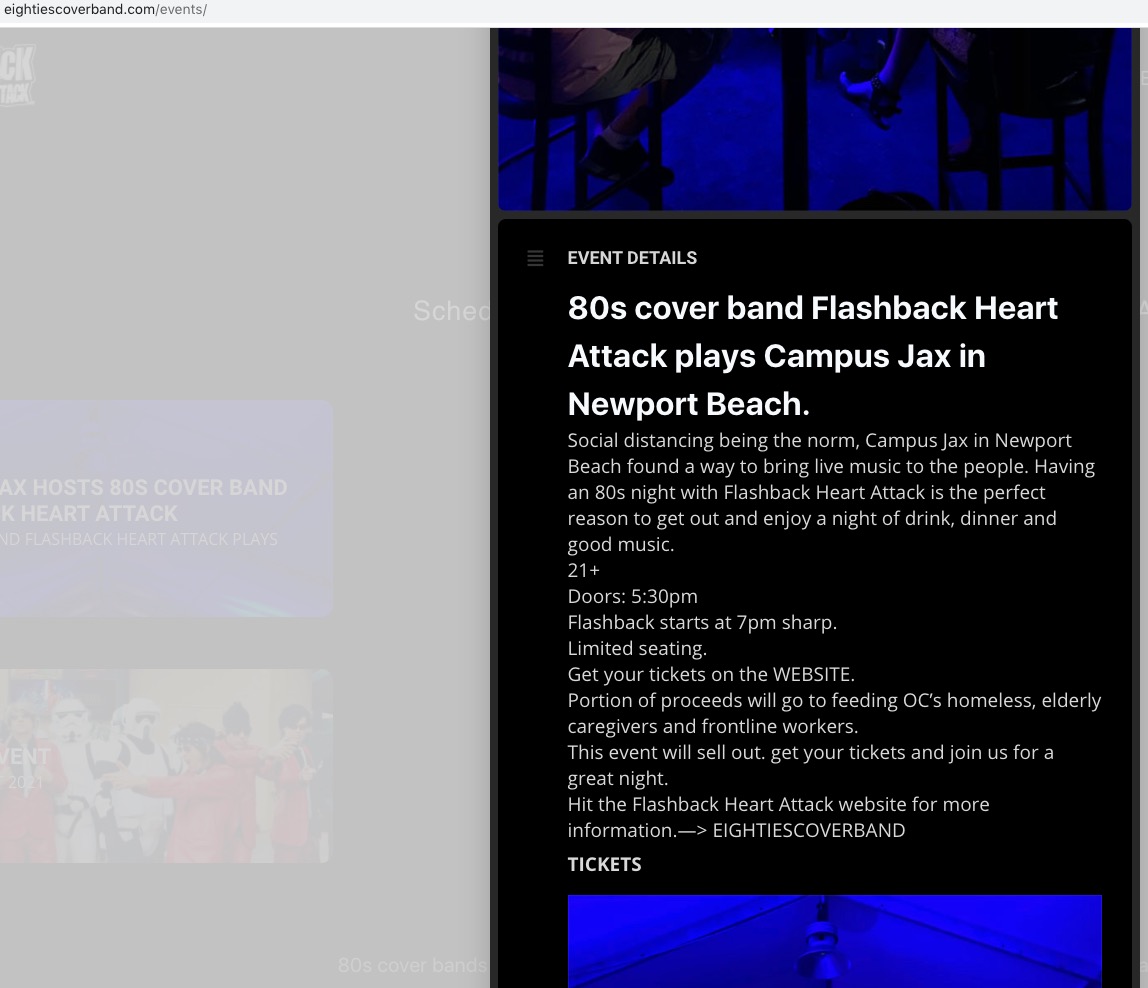
As you can see the text is white but the background is black so it seems that the issue is fixed. Please let me know.
When “Show full event description” is disabled you cannot see full Event Details when open as Lightbox, like on the screenshot.
Why is there two? Which one should be used for edit?
/events-directory is for Events Archive page only. We usually use this when there is an issue with the theme or a third-party plugin.
/events slug is for Single Event Page, wp-admin > Events > Edit Event and so on, unless you go to EventON Settings > Events Paging > change EventOn Event Post Slug.