1. Please use this code:
body .eventon_list_event .evcal_list_a .evors_rsvpiable span:hover, body .evo_pop_body .evors_rsvpiable span:hover { background-color: red; } /*Yes on hover*/
2. & 3. Please use:
.evoRS_status_option_selection span, .evors_rsvped_status_user, .evors_change_rsvp span.change { color: red; }
.eventon_rsvp_rsvplist p a.update_rsvp { color: red; }
4. In the video you showed us Single Event Page and wanted to add a sidebar (or “narrow this”), correct? So in order to do so you need to follow my suggstion.
Also what do you mean by “there is no way to exit this”?
This issue as well
https://www.dropbox.com/s/vlbzha749c9izvb/Enregistrement%20de%20l%E2%80%99%C3%A9cran%202020-11-23%20%C3%A0%2017.57.05.mov?dl=0
When you click on related events it opens Single Event Page. You cannot change this, I am afraid. Please send us a customization job request.
Is it possible to update a RSVP (change a YES to NO) directly in the header ?…Instead of doing it in the RSVP NOW area ?
Thank you for your great suggestion, at the moment it is not supported. However please create a new ticket and select Feature Request as category so others can vote on your idea and get it moved into development faster. OR You can send us a customization job request by creating a new ticket in here and selecting Customization Request as the category.
here is a link to a recording:
https://www.loom.com/share/7ae8b64bcd0e437da42c1b8fbcc19d4d
Hi there,
Please send us wp-admin access to your site as a private message for us to further assist your situation.
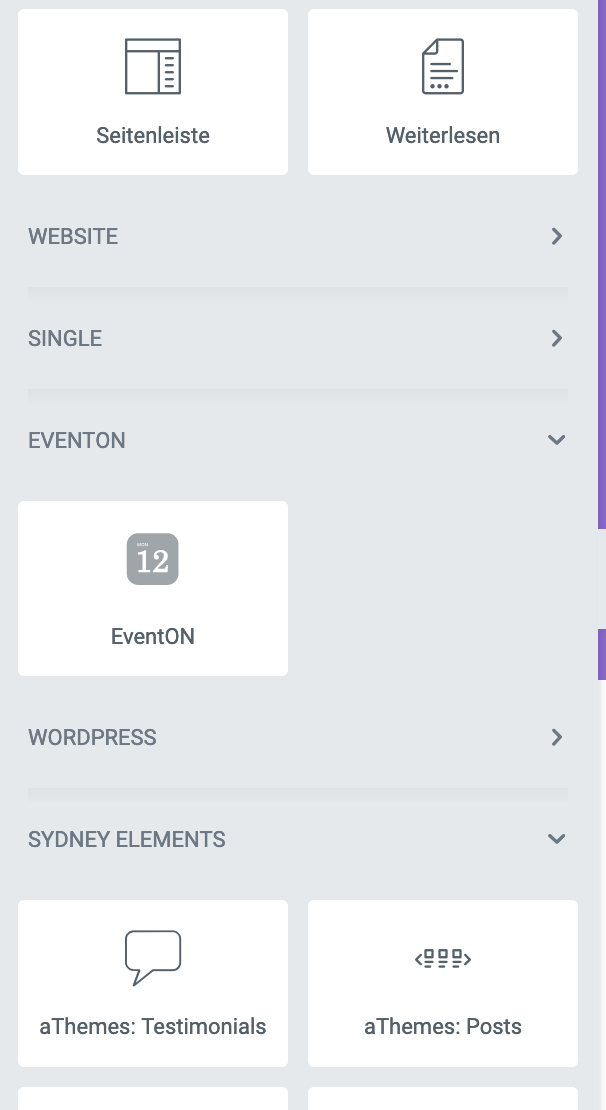
I found the solution!
The Eventon shortcode MUST NOT be inserted via the normal HTML code widget or the WP HTML code widget which is included in Elementor.
It works ONLY by inserting the EventOn shortcode via the EventOn HTML widget, which is also available in the widget repository on the left in the Elementor widget library (see screenshot).
We are glad your issue is resolved, if you have any further questions or concerns please create a new ticket.
If you have a moment, we would greatly appreciate if you could kindly leave us a review at codecanyon! from your account > downloads. Cheers!
Ashan,
The same issue on dev2: http://dev2.myeventon.com/wp-admin/post.php?post=23950&action=edit
We’ve had similar issue long time ago, but it looks like it’s back.
We apologize for this. We already had similar issue a year or so ago, so I thought that we’ve fixed it. It seems that it started to happen again.
Thank you for your messages, I am going to assign this ticket to Ashan and he will be able to take it from here and find you a solution. Please allow some time for him to get back to you, we greatly appreciate your patience and thank you for being a eventon customer! Also please disable any IP blocking on your site if there are any.
[24-Nov-2020 11:39:35 UTC] PHP Fatal error: Allowed memory size of 268435456 bytes exhausted (tried to allocate 45056 bytes) in Unknown on line 0
This message states that it tried to allocate 268.435456MB and it failed, so 256MB is not enough.
Hello,
Unfortunately, our plugin doesn’t support IE11.
Plus if you check this message Reply to: 202793 you can see that the issue is in the theme and our plugin works completely fine when using with Twenty Twenty.
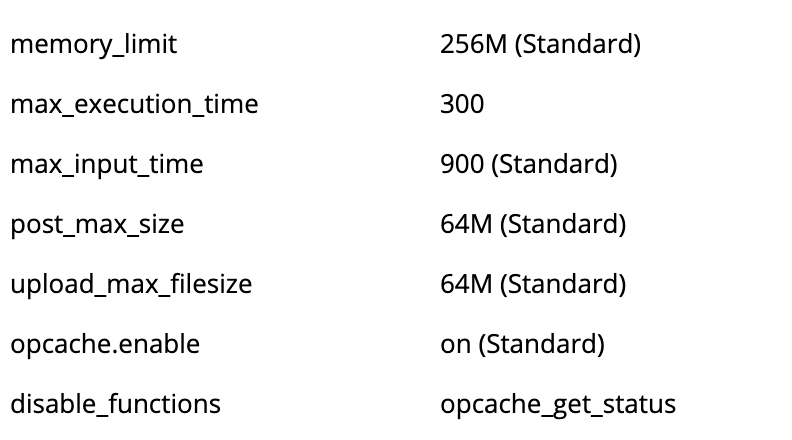
Also, I have direct administration access to my hosting server and also there in the PHP settings the machine says 256M of memory space (see screenshot).