Gotcha! Is there a cost to this customization?
Archives: Replies
Replies for tickets on suppota
Reply to: tickets(206758)
Please use
eventonadmin
jiAUcGZFQl1bEfN1fYADFTUZ
Reply to: tickets(206961)
Sorry, the job title is not yet in the form but it should be.
https://www.cparityevent.com/checkout/
If you can’t visit the link try this:
https://www.cparityevent.com/events/registration-epc-project-contract-risk-management-group-discount/
And after select one ticket than go to the cart.
Thank you
Reply to: tickets(206982)
can you update to 3.0.4
To update eventon to latest version: If you are unable to do autoupdate, you can go to codecanyon your account > download and get the latest eventon version as zip file. Then you can go to your website, deactivate old eventon, activate (Do not delete eventon settings & data when EventON is uninstalled) from eventon settings, delete old eventon, install new one and activate. This link will further explain the process it. Also you can follow us on twitter to get real-time announcements on updates!
if it already is 3.0.4
Please send us wp-admin access to your site as a private message for us to further assist your situation.
Reply to: tickets(205446)
Thanks, It resolves it!
Reply to: tickets(206777)
Hello Artem,
I think this message in not related to me as this is not the login / pass I provided to you.
Mine is healings.one
Website login: staging.wilayatrust.org
Reply to: tickets(206961)
Ashish has accepted the job for 100
Reply to: tickets(205822)
Hi Artem,
Thanks for the suggestion – I got it 🙂
Best,
Reply to: tickets(206959)
alright the manual update to 3.0.4 fixed it, thank you!
Reply to: tickets(206959)
No issues on our test site: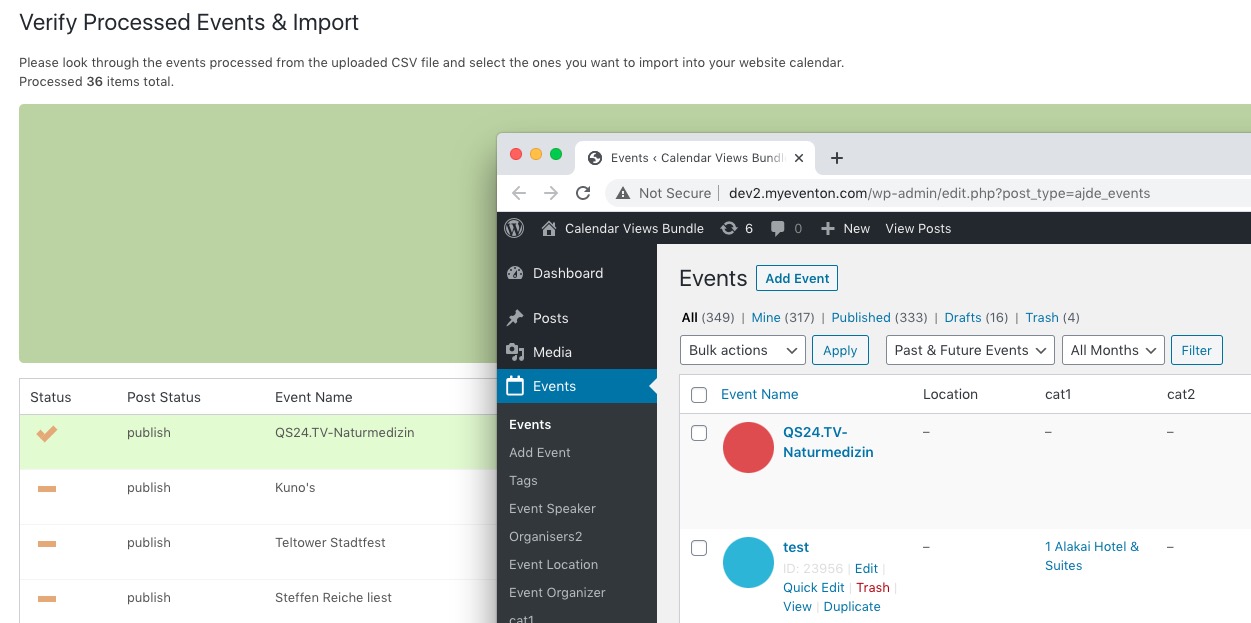
Could you try updating EventON to 3.0.4?
To update eventon to latest version: If you are unable to do autoupdate, you can go to codecanyon your account > download and get the latest eventon version as zip file. Then you can go to your website, deactivate old eventon, activate (Do not delete eventon settings & data when EventON is uninstalled) from eventon settings, delete old eventon, install new one and activate. This link will further explain the process it. Also you can follow us on twitter to get real-time announcements on updates!