I’m still waiting for a response from Ashan. Any updates on getting a refund on the RSVP Event. Waitlist add on?
Archives: Replies
Replies for tickets on suppota
Reply to: tickets(203355)
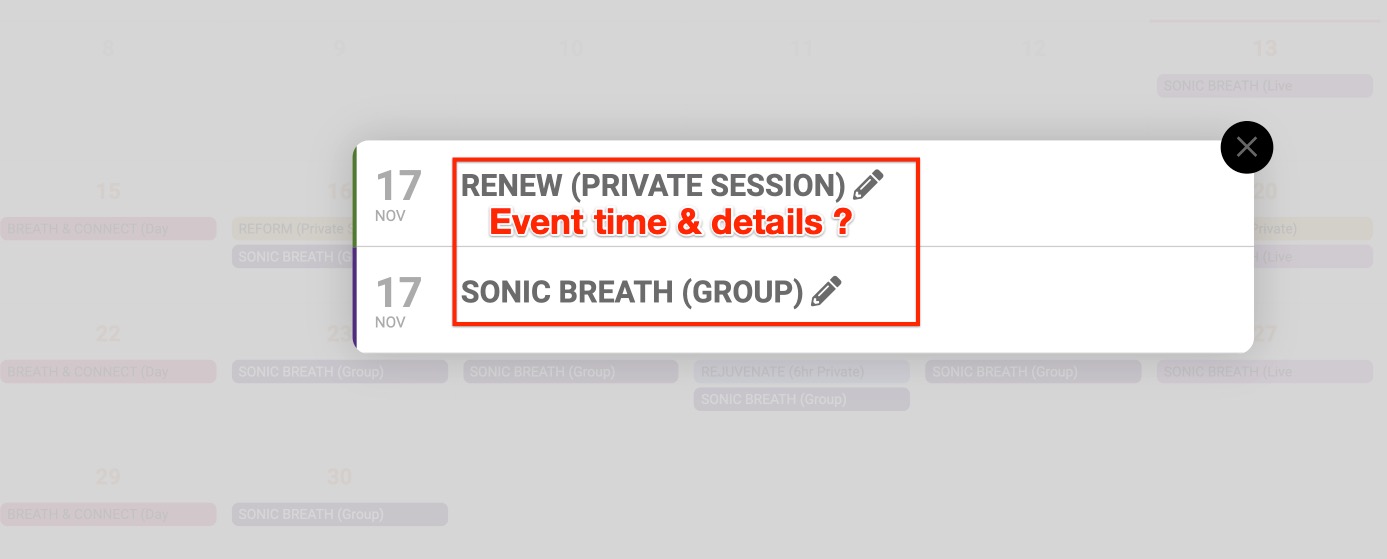
Also, how do I show the event time and details on the quick glance? It currently just shows the name of the event.
Reply to: tickets(203355)
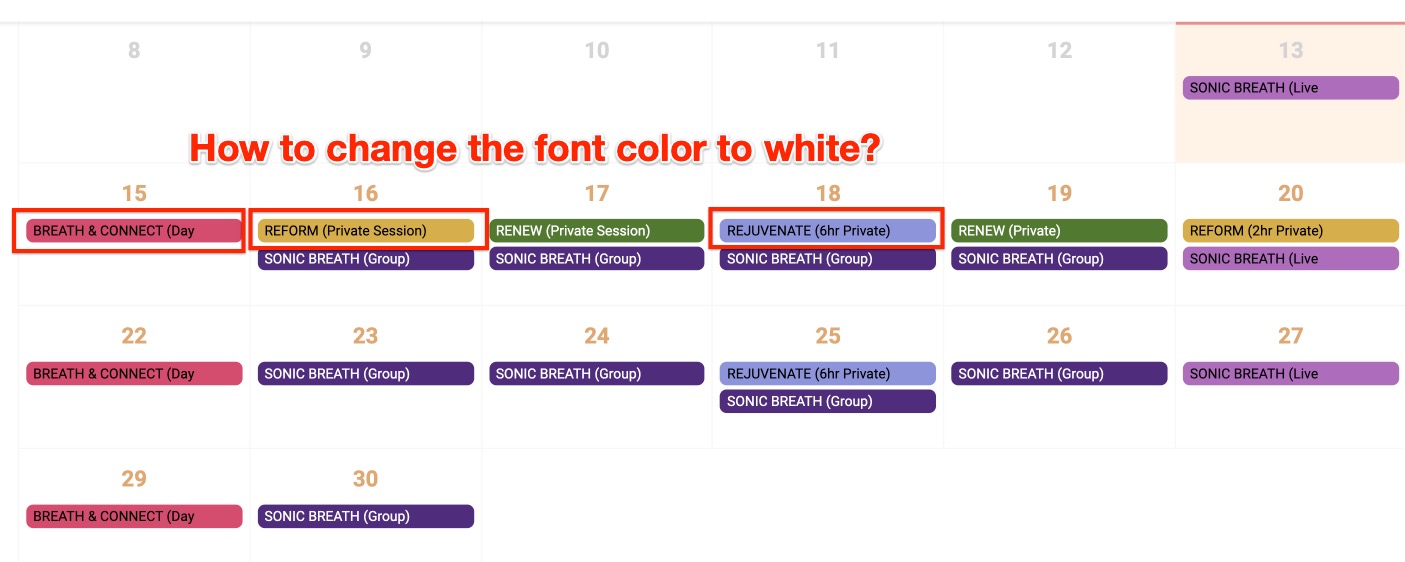
Thank you, the quick glance is now working, and I was able to change the event color.
However, how do I change the font color to white on the event quick glance? For some reason, there isn’t a consistency of white on the colored background, instead each event switches from black to white. *See screenshot.
Reply to: tickets(205248)
OK – – but WHERE do I paste the code?
Reply to: tickets(204281)
hi
Added this code and I could live with this solution (since this code doesn’t show anymore the nice vertical Navi)
if the dates would go downwards from the latest event. date 30, downwards eg, September 30, 29 28, etc. Just take a look. Looks a bit odd how the dates jump up and down in the month. Can you adjust the code to display this and share it please. thank you
https://helsinkiphotofestival.com/photoevents/
Reply to: tickets(205626)
Reply to: tickets(205628)
Reply to: tickets(198168)
Yes I got it. Thank you!
Reply to: tickets(204908)
Hi there, I have an emergency. You sent me an update for the plugin to get the time zone working, and I think it did the trick, however, we were only just told that now no one can actually rsvp for the event. We just tested it, as we were supposed to have an event tomorrow but were wondering why no one was booking, and see that when they go to rsvp, the registration form doesn’t go away and they get no confirmation email, it doesn’t remain the info or anything
Please help. This is really starting to effect things for us. We have missed 2 really important deadlines to have these events now and are losing money on Facebook ads.
Here is the link https://bbknetwork.com/live-webinars/
Reply to: tickets(205568)
the css worked but I just noticed that time and location is one item not two half items that it puts next to each other. Is there a way to do that?