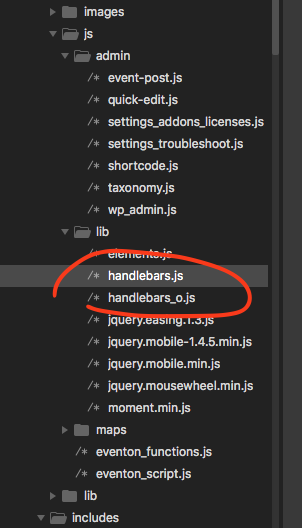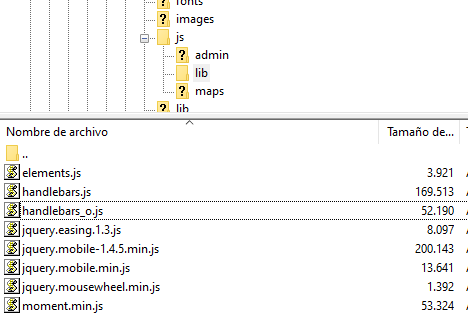
Hi,
I’ve done that, and I continue to have the same problem. This is a capture of the files as they are now
Thanks
Replies for tickets on suppota
Hi,
I’ve done that, and I continue to have the same problem. This is a capture of the files as they are now
Thanks
please redownload eventon from codecanyon.
I can’t tell without waiting for an event to be live. I just didn’t see a way to turn that off, and also how is it showing if the event is not setup as a virtual event anyway?
Nope, it isn’t
Please provide 2-3 short codes how this could work.
An ordered list, that shows the latest event of the year ‘on the top’ and earlier events DESC
Don’t understand why I should send up another page, please explain
https://helsinkiphotofestival.com/photoevents/
kind regards
Rafael
It is working now… but pls make sure everything is okay.
Thanks !
Where do I reference that file in eventOn?
THIS is the website
https://l-association.ch/wp-admin/
This is the page
https://www.l-association.ch/calendar-test-page/
Sorry I send you the wrong link before
Hello,
Please follow this guide: https://docs.myeventon.com/documentations/how-to-get-started-2/
I want it to send a email so we know someone was added to the waitlist.
Thank you for your great suggestion, at the moment it is not supported. However please create a new ticket and select Feature Request as category so others can vote on your idea and get it moved into development faster. OR You can send us a customization job request by creating a new ticket in here and selecting Customization Request as the category.
You can also go to EventON Settings > RSVP > Emails > enable Receive email notifications upon new RSVP receipt, so that you get notified when someone RSVPs to events.
I logged-in to https://abc.l-association.ch/wp-admin/ and it seems that the shortcode is working: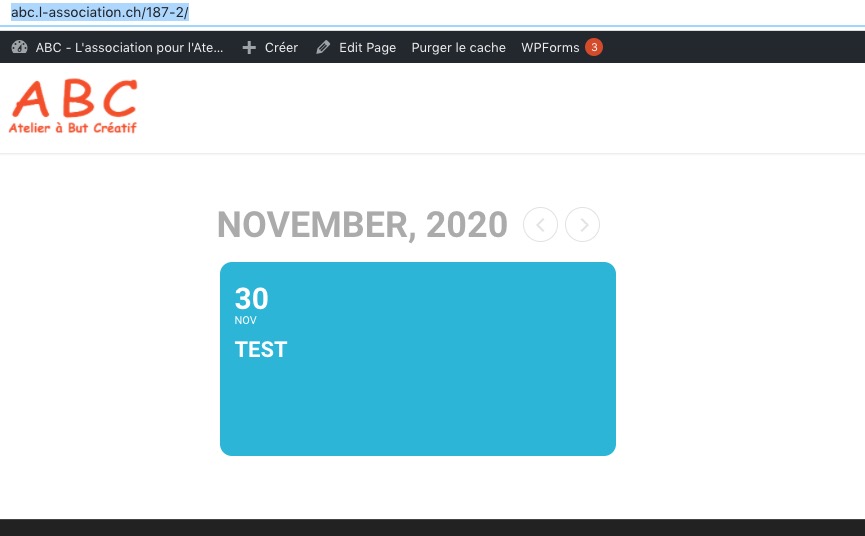
So the issue is in Action User Submission Form, correct?
yes it does, the new handlebars.js has some compile errors.
Can you please switch these files in eventon/assets/js/lib folder