Please copy the code from this document https://pastebin.com/cfb1yKg2 and use it to enable WP_DEBUG on the server.
Archives: Replies
Replies for tickets on suppota
Reply to: tickets(205531)
Hello,
The only way of adding this is to follow https://docs.myeventon.com/documentations/add-additional-fields-actionuser-event-submission-form/.
You can also send us a customization job request by creating a new ticket in here and selecting Customization Request as the category.
Reply to: tickets(205249)
Hello,
Could you try going to EventON Settings > Scripts & Styling > enable Write dynamic styles to header?
Reply to: tickets(205497)
It seems that the issue is in Pinpoint Booking System PRO plugin. It produces a js error which stops the calendar from loading. The thing is that Pinpoint is also not loading on Single Event Page:

So if you could make it work again on Single Event Page, it should fix the calendar as well.
Reply to: tickets(205249)
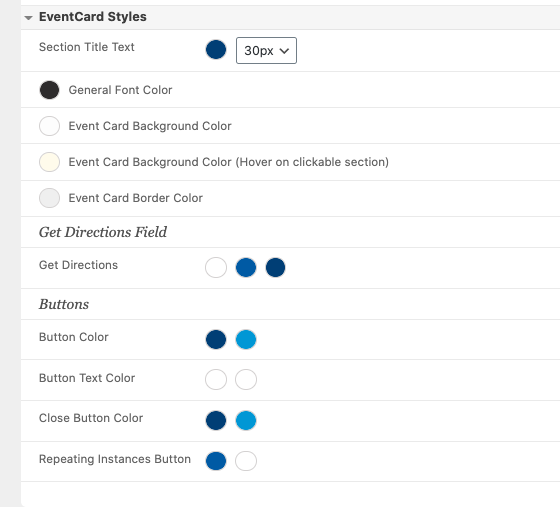
Yes, we have gone and changed all the colors to our branding. The buttons wont change.
Reply to: tickets(200952)
can you give me an approximate? please?
Reply to: tickets(205449)
Hello,
It seems that the problem can be solved by going to EventON Settings > Scripts & Styling > enabling Write dynamic styles to header > saving settings.
We are glad your issue is resolved, if you have any further questions or concerns please create a new ticket. If you have a moment, we would greatly appreciate if you could kindly leave us a review at codecanyon! from your account > downloads. Cheers!
Reply to: tickets(205497)
As a reference, this is a corresponding page on the production site where the booking calender is working.
https://tolerant-vzw.be/vaarkalender/
Production was rolled back to 3.0.1.
Reply to: tickets(205449)
Hi,
yeah, it’s OK now.
Could you tell me, what I need to change if style goes to dark mode with the next update?
Thanks
Reply to: tickets(205497)
Yes, no problem. Please do if it can help to locate the problem.
Thanks,
Dirk