Please go to Edit Event > disable Event Completed. Also go to EventON Settings > disable Set all past events as completed.
Archives: Replies
Replies for tickets on suppota
Reply to: tickets(203914)
Hello,
Have you managed to fix this?

Reply to: tickets(203902)
Hello,
It seems that you put the shortcode inside of H2 title tag:
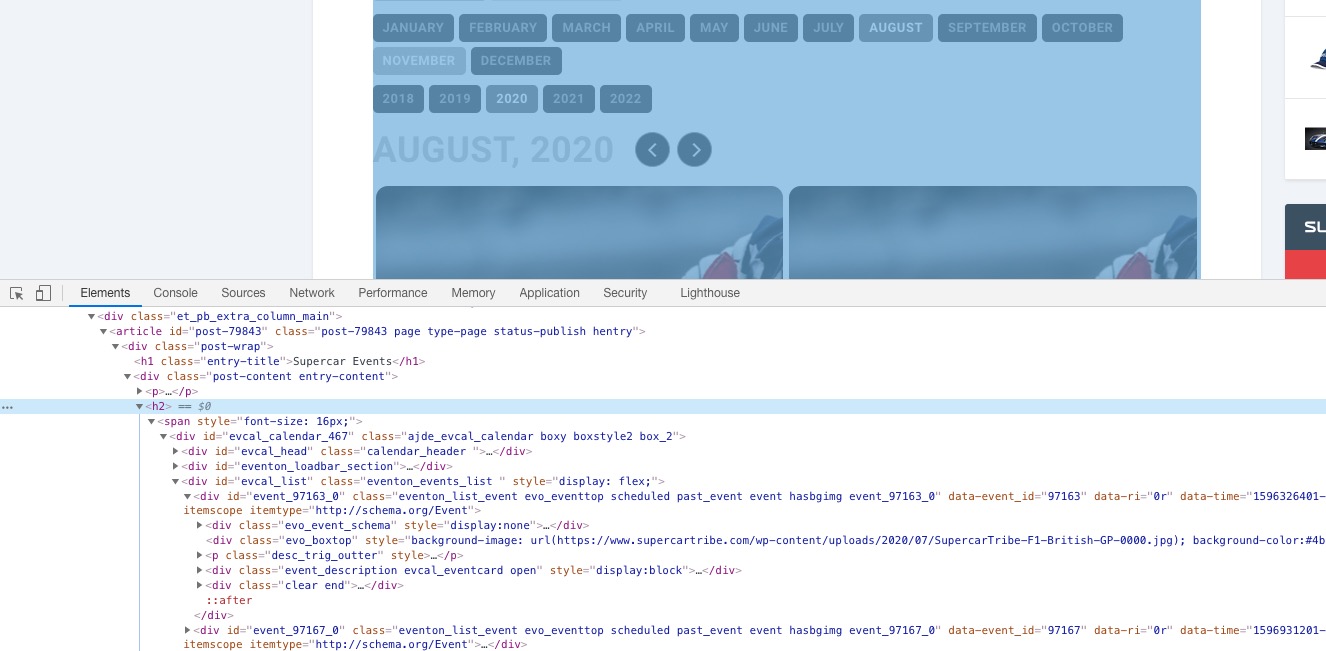
Could you try moving it?
Reply to: tickets(203801)
It seems that there is some kind of fatal error on your server:
Si è verificato un errore critico sul tuo sito web. Controlla la casella di posta dell’amministratore del sito per istruzioni.
Please follow the instructions in this documentation to activate debug in your site to see any PHP errors recorded that can provide insight on to whats going on. Please reply with a link to debug.log file. If you are not able to do this please send us FTP access to your site so we can do this for you.
Reply to: tickets(201611)
Hi, I also don’t understand why it doesn’t work.
FTP access:
Host name / Adres: web0113.zxcs.nl
User name: u49896p47046
Password: P014leIE
You can find the site in this file:
/domains/tamaraspiekstra.nl/public_html/womanlink
Thank you for checking!
Reply to: tickets(203605)
Thank you. Is there a setting to avoid the Title from being crossed out? I’ve fixed using CSS, but just curious if there was a setting I could toggle that I did not see?
Reply to: tickets(202721)
Hi Ciara,
Not yet, as the refunds have a specific process to go through.
We appreciate your patience while we go through it.
Reply to: tickets(202354)
Hi elena, first of all glad to hear you are using RSVP for a big event. So this is the errors I am getting.
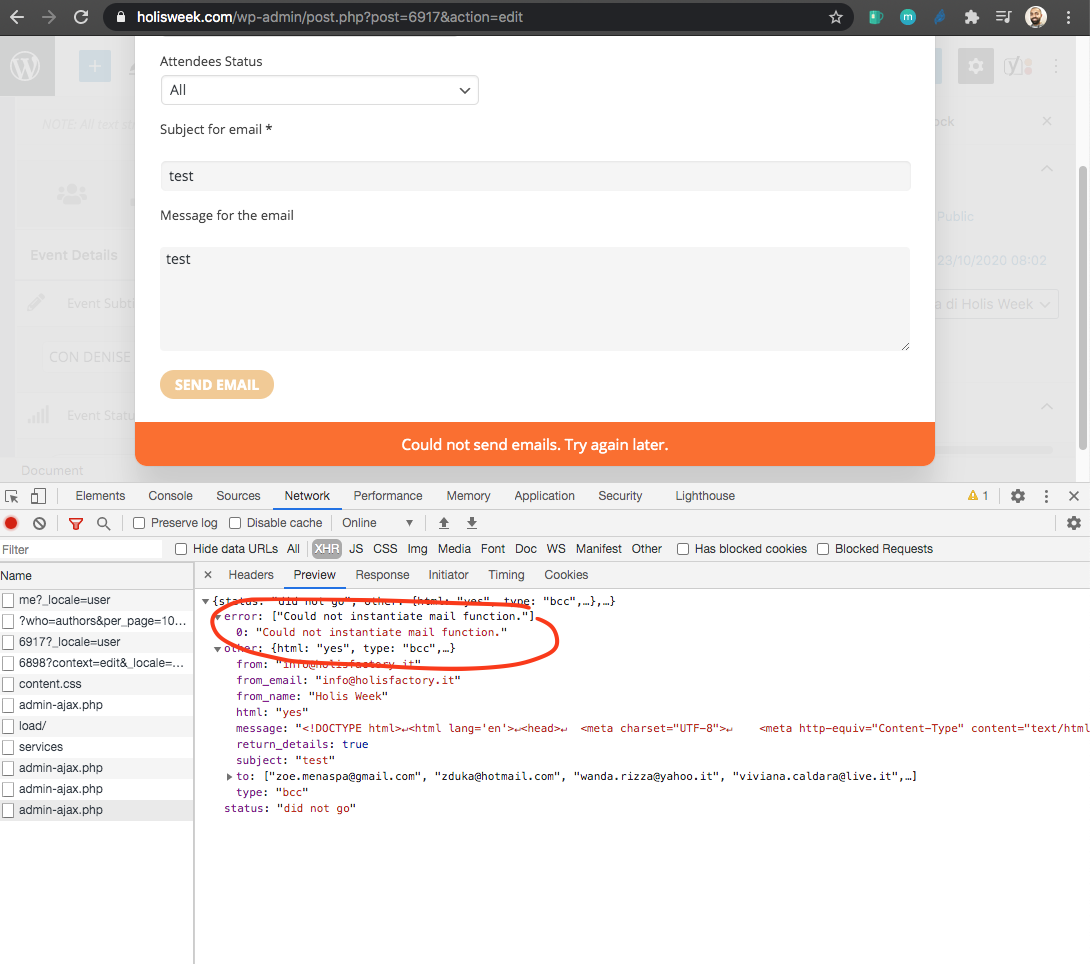
seems like the mail function is not able to initiate. You can test email function at https://holisweek.com/wp-admin/admin.php?page=eventon#evcal_013 on your site.
You can contact your web host and see if there are mail client restrictions or php mail() function issues on the server.
We use wp_mail() send emails, alternatively you can try other 3rd party SMTP email plugins. https://docs.myeventon.com/documentations/using-a-smtp-mail-plugin-to-solve-email-issues/
Another option is to download the attendees emails as CSV file from here.
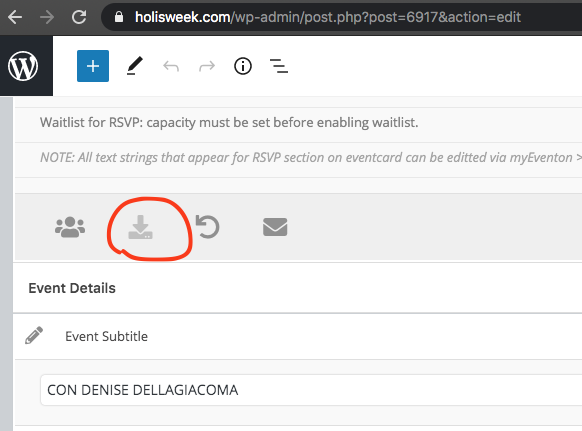
and then you can use those emails to email using a mail client outside of your website.
Those are couple of options for you to try so you are not stuck on this 🙂
Let us know if you need any more help.
Reply to: tickets(203177)
Hi Mats,
Unfortunately not yet.
We are checking this to be shorted out somehow, but we just need some time to solve it.
Ashan, our CEO and main developer is already working on the issue.
Reply to: tickets(202029)
Yes i mean the seat map editor.
Yes, we use Duplicate Post plugin. But if you know better duplicate plugin, we can try out that too, to duplicate events.