I ve saw that I can update the plugin. It can be associate with this problem? do I need to update?
Archives: Replies
Replies for tickets on suppota
Reply to: tickets(203176)
I believe this feature is very important. It should be implemented soon.
A competitor of yours has it … but I prefer your plugin because it is really very powerful and really beautiful from an aesthetic point of view.
There are actually a few small details that would make Eventon the absolute best.
Ciao e grazie
Reply to: tickets(203525)
Ashan- the date picker- the client wants the date picker to be based on the wordpress time- why? because they are anal (like, how does that effect anything??? its backend not front end)
I don’t know if theres a setting for it or it requires customization
gees I hope this is private
Reply to: tickets(203525)
Thank you for your messages, I am going to assign this ticket to Ashan and he will be able to take it from here and find you a solution. Please allow some time for him to get back to you, we greatly appreciate your patience and thank you for being a eventon customer! Also please disable any IP blocking on your site if there are any.
Reply to: tickets(203559)
Please send us wp-admin access to your site as a private message for us to further assist your situation.
we need to see whats going on- if you could also provide a direct link to the event
and the calendar so we can check the shortcode
Reply to: tickets(202029)
Hello, we need to sell tickets for an upcoming event, please update ticket ASAP if you have any news!
Reply to: tickets(203525)
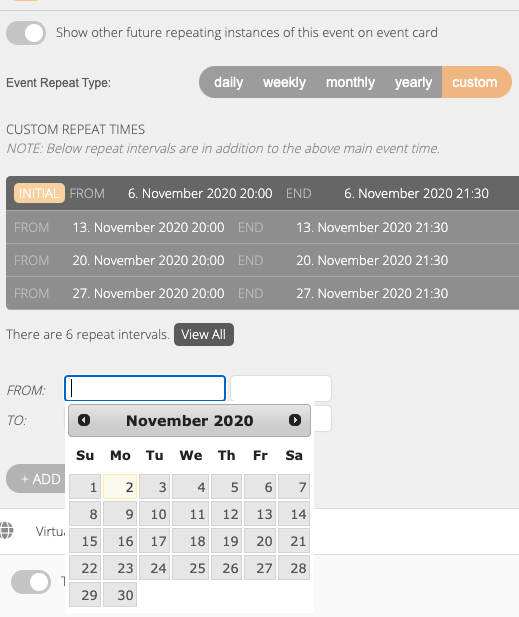
It works on the site, but not in WP editing custom calendar. See image.
As for license, this is copied of myeventon.com:
License Key
EVO6993a93d-243b-40c3-a287-ad72b9d0b0a2
Order ID99283
Addon IDEVOFC
License TypeSingle Site
Subscription StatusActive
Next PaymentOctober 26, 2021
License Expire DateNot yet ended
Website Activation Limit1
Email Address for Licensebi@flyt.digital
Reply to: tickets(203103)
OK – but I’m still unclear about my 2nd question from my last post:
“As far as adding the code, do I add that where the other css code is currently? And do I keep that code? Do I just include this new code below that?”
Reply to: tickets(203371)
cannot login the demo
Reply to: tickets(203066)
Hi Artem, sorry for my delayed response.
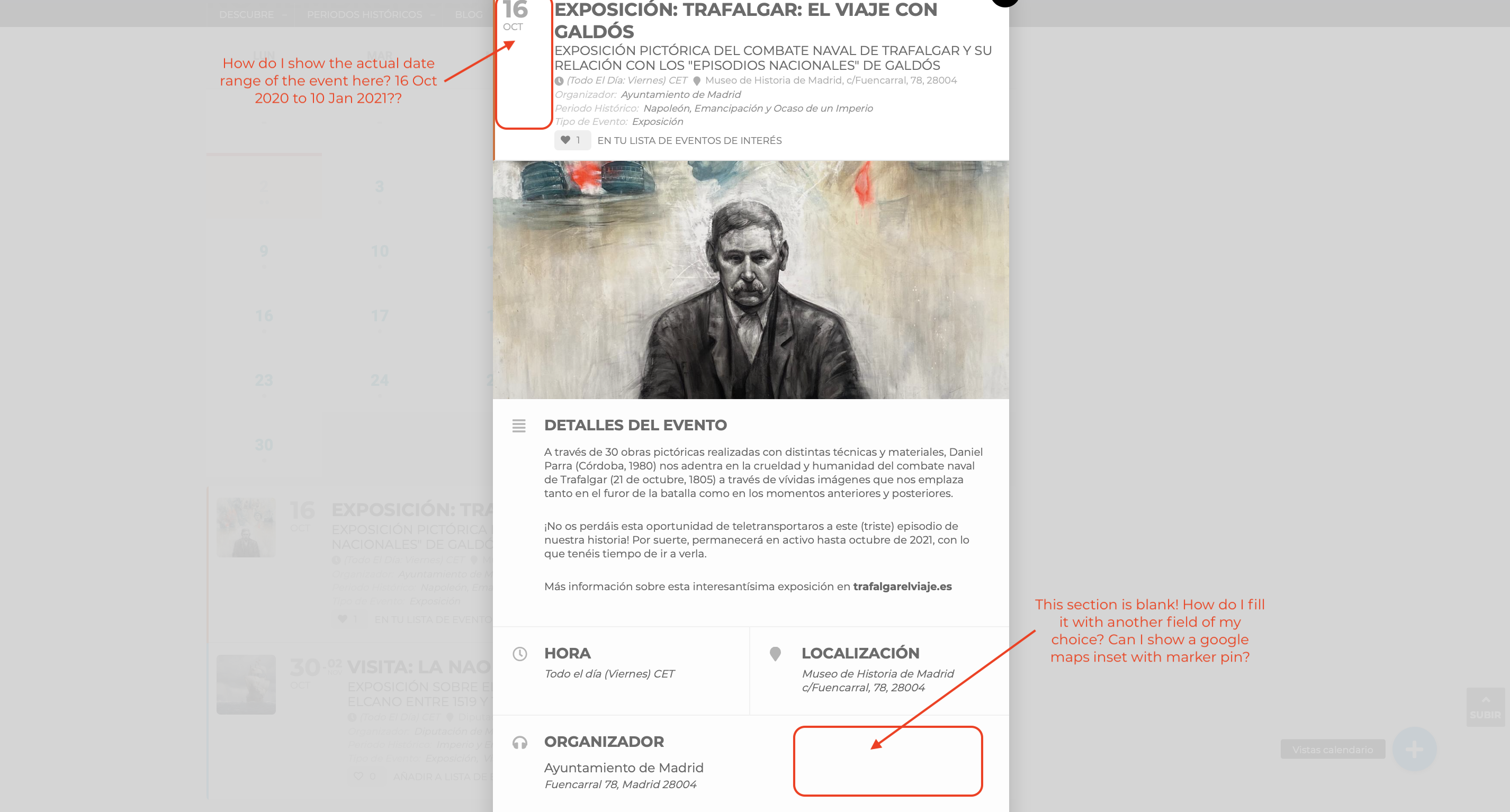
Ok, I’ve disabled the google maps API and now I do see the directions bow. However, please see attached image.
- Notice that blank section under “Localización” section (location). Why is it blank and how can I add say a google maps inset with marker icon for example? Or some other type of info?
- How can I fix the date range at the top so it shows the event’s correct date range, which in this case is Oct 16 2020 thru Jan 10 2021?
I’ve aded the hide_mult_occur=”yes” to the shortcode but the individual events continue to appear (see here: https://www.spainonyou.com/calendario-de-eventos-almanaque/). It is the Trafalgar event. Reason? I mean, if an event is three months long, you’d want to specify the date range at the top of the event card, but perhaps not show eeeeeevery single occurrence on the event calendar, as it would clutter it. Imagine if you have 10 events that span 3 months daily; the calendar would look totally saturated. How is this typically handled?
Thanks Artem,
Omar