Hello,
Please follow the instructions in this documentation to activate debug in your site to see any PHP errors recorded that can provide insight on to whats going on. Please reply with a link to debug.log file. If you are not able to do this please send us FTP access to your site so we can do this for you.
Usually the issue is with memory limit:
https://docs.myeventon.com/documentations/increasing-wordpress-memory-limit/
Hello,
By individual styles do you mean EventON > Appearance or custom CSS styling you put to EventON > Styles?
After you imported the .json file please make sure to go to EventON > Scripts & Styling > turn off Write dynamic styles to header > save settings > turn on Write dynamic styles to header.
Hello,
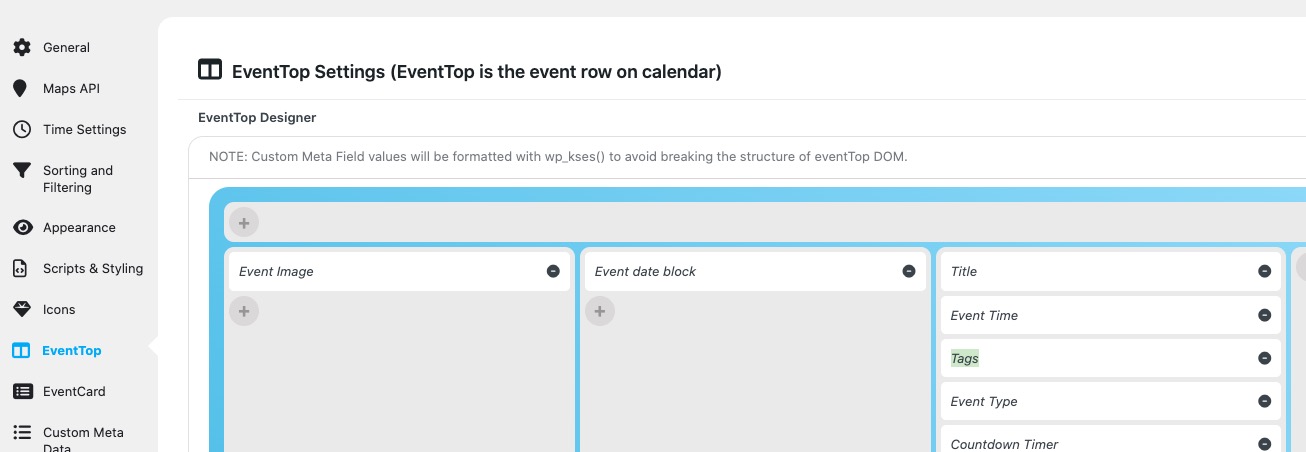
Please go to EventON > EventTop > make sure that Tags is added:
No issues on our test site:
https://dev2.myeventon.com/events/k1123k2k/
If the issue continues, please send us wp-admin access to your site from “Access Info” box on right side menu, to further assist your situation.
Hello Ashan,
thank you for fast reply! I upgraded fullCal to version 2.2 but it did not help.
Yes, at that position in the sidebar I dont have no more space as for 6 events.
As there are much more events for today (22.6.25) it should not show the number 6 but the actual amount of events on that day.
Also events are only shown 6 for today and only 1 for tomorrow. The next days are not there…
Thank you for Help!
Bernd
Hello Richard, Let me get this added to emails, that seems like a better place to add that. It will take a bit of time for us to get this implemented Much appreciate your patience! — tickets and seats addon updates will be needed or it to show correctly. 🙂 — will update you in here when we get this implemented.
Bernd, it is showing events from the day before. Are you wanting to show maximum 6 events for each date?
We also released a new version of fullCal 2.2 — kindly give that a try and see if that will resolve the calendar for showing correct events on correct date.
See the fullCal demo on our website — https://addons.myeventon.com/?view=basic-fullcal
We just released a new version of fullCal 2.2 which adds loading animations inside each date box.
Once you update to new version please make sure to clear cache.
Hi Artem & Ashan,
I wanted to check and see if you have any solution on including the Seat number to the Attendee Download or Emailing methods… It seems to be a crucial bit of info to include when you use Seat chart..
Thanks for the assistance,
Rick
thank you for guiding me.
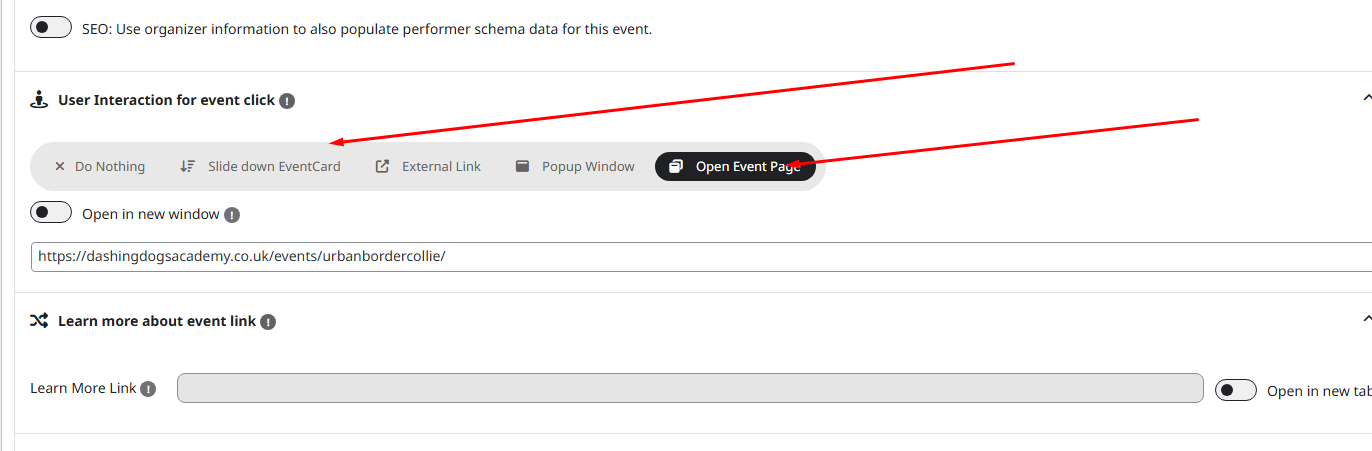
Hi, after further exploration the event/purchase ticket button is not appearing when we have “slide down event card” selected. If I change the way the events are viewed, when clicked (as in the screenshot attached), the purchase ticket button is visible. The client prefers the “slide down” option. It looks nicer. Can you advise how to make the button show when this interaction is chosen please. The purchase buttons were working but have stopped. This may have coincided with an update.