Hello,
1. Thank you for your great suggestion, at the moment it is not supported. However please create a new ticket and select Feature Request as category so others can vote on your idea and get it moved into development faster.
2. Thank you for your messages!
I am going to escalate this ticket to development to help in here. Please allow us some time to address this, and we truly appreciate your patience. Thank you for being a valued EventON customer!
Thank you for your great suggestion, at the moment it is not supported. However please create a new ticket and select Feature Request as category so others can vote on your idea and get it moved into development faster.
It seems that one of CSS styles from your theme causes the issue. Thank you for your help figuring it out!
Please add this CSS code to EventON > Styles (If you don’t see any change, EventON > Scripts & Styling > turn off Write dynamic styles to header > save settings > turn on Write dynamic styles to header).
You can also add this code to wp-admin > Appearance > Customize > Additional CSS.
.evo_lightbox.show { position: fixed !important; }
The page you sent us shows Main Calendar shortcode.
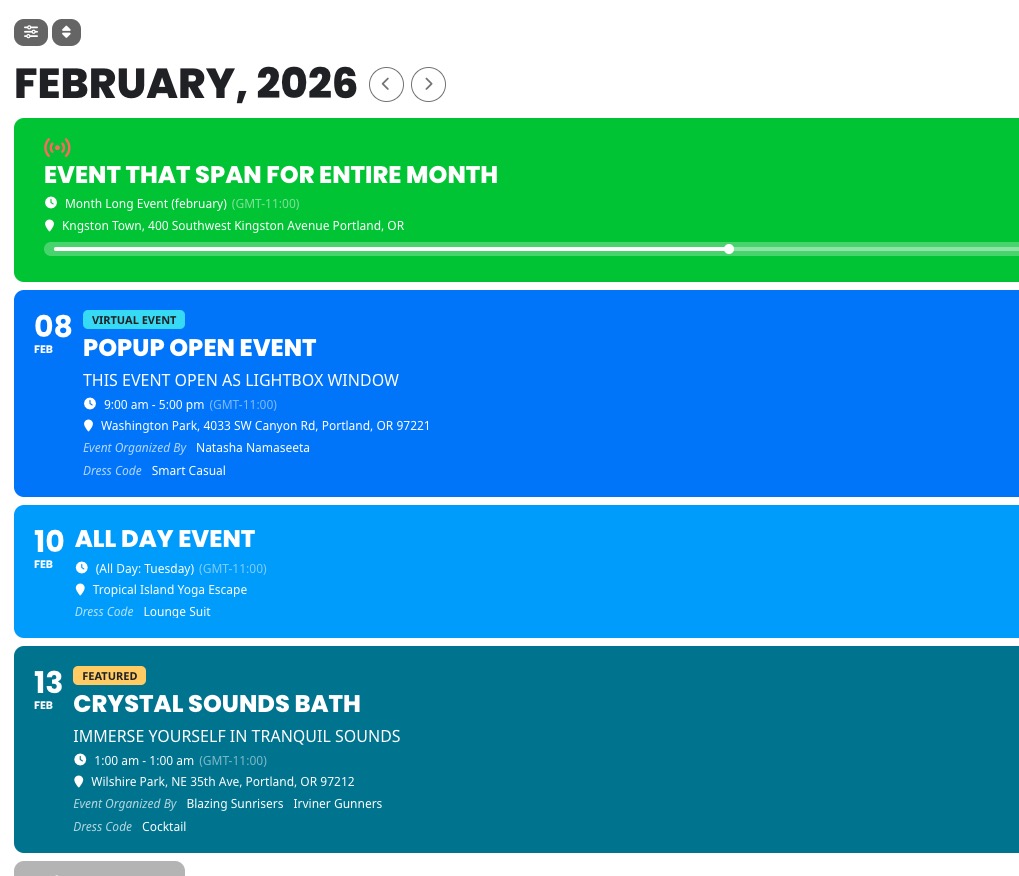
Do you want yours to look the same as on this screenshot?
Could you elaborate more?
Hi Artem,
The username is EventOn
Password: ArtemEventOn!16
https://www.captodayonline.com/wp-admin
Please let me know if you have any difficulties logging on. I may need your phone number for the verification.
Thanks! Mary
Hello,
Are you sure that you have events in February:
https://depotterij.nl/wp-admin/edit.php?s&post_status=all&post_type=ajde_events&action=-1&event_date_type=all&event_status=all&ev_month=1769904000-1772323199&filter_action=Filter&paged=1&action2=-1
I also went to
https://depotterij.nl/wp-admin/admin.php?page=eventon#evcal_001b
Set ”Default Event Timezone” to ”(GMT+01:00) Europe/Amsterdam”. Please check and change it if needded.
I added the license and added the code from the shortcode list – but I can’t seem to get it to work at all. I’ve tried everything possible that I can locate – tried to find YouTube videos, tried to search this website…. but I seem to be having issues trying to get the list view to look like your list view.
The list on this page:
https://www.visitvalleycenter.com/events-list/
I’m trying to get that to look like this:
https://demo.myeventon.com/
Nuno, as far as we are aware the private replies are not publicly accessible.
We have created the right side ”Access Info” specially for the purpose of sharing sensitive information — like the one you shared in a post.
Kindly use access info section to share private information — The information shared there is encrypted and is not accessible without proper permissions.
If I launch the form and afterwards directly jump with the TAB button trough the elements, the form appears at the end of the page.
In Debug Mode it works with all plugins activated, but only with the standard theme.