Ashan,
I created a new empty test event but it’s still the same issue:
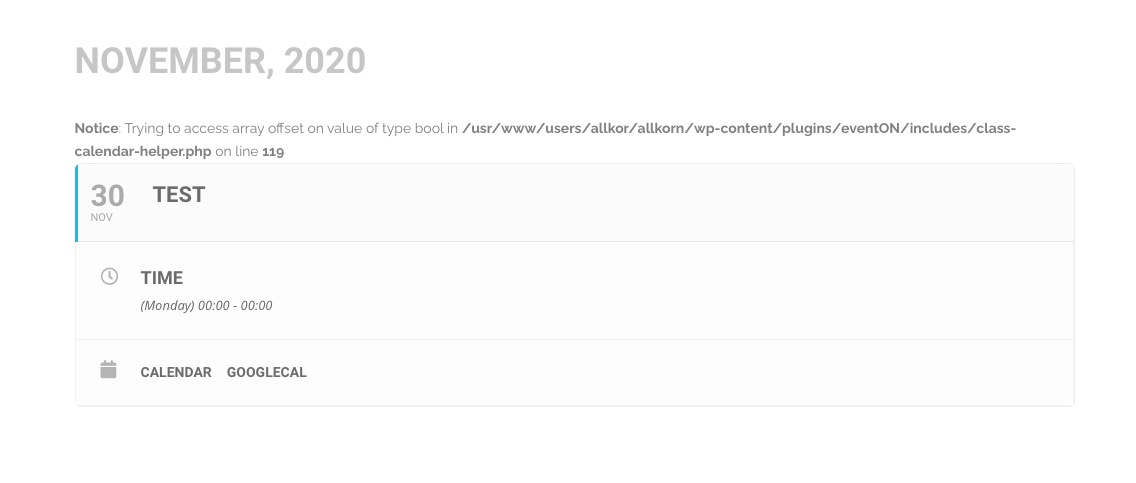
Could you check?
Replies for tickets on suppota
Ashan,
I created a new empty test event but it’s still the same issue:
Could you check?
Hello,
Please add this CSS code to EventON > Styles (If you don’t see any change, EventON > turn off Write styles to header > save settings > turn on Write styles to header):
.ajde_evcal_calendar.boxy .eventon_list_event .evcal_desc .evcal_desc3 { display: block !important; }
Hi, Any progress?
ok I set login to wordpress:
login: eventon_infotainerdave
pass: infotainerdave-passwordZ
url: allkorn.se.www480.your-server.de/wp-login.php
do you need phpmyadmin or can you manage without?
thanks
Thank you for reply – the solution worked after I upgraded Event List Ext. to v.0.20!
The order ID for my first purchase of Event List Ext. is #49589.
The secont order that I did a few minutes ago is #98773.
Thank you so much for your help!
Ben
Thank !!!
Thank you for your great suggestion, at the moment it is not supported. However please create a new ticket and select Feature Request as category so others can vote on your idea and get it moved into development faster.
or
You can send us a customization job request by creating a new ticket in here and selecting Customization Request as the category.
The tiles have been designed to be minimalist look so the event types do not display on the tile
I’ve tried, but there is no log entry.
Could you maybe take a look at this? I had done a new installation with Woocommerce 4.5 on a test environment, but there are the same problems. I cannot access the tickets under Events> All Event Tickets.
I once deactivated all plugins, except for Eventon and Woocommerce. That didn’t lead to success either.
FTP: alfa3209.alfahosting-server.de
User: web2426656f6
PW: oURPIAV4
sorry what do you mean ?
I will need to buy those addons ,I just need you to install them and configure it , but I hear that I need use Dokan to extend the fee functionality ? or just with that addons the marketplace could work ?