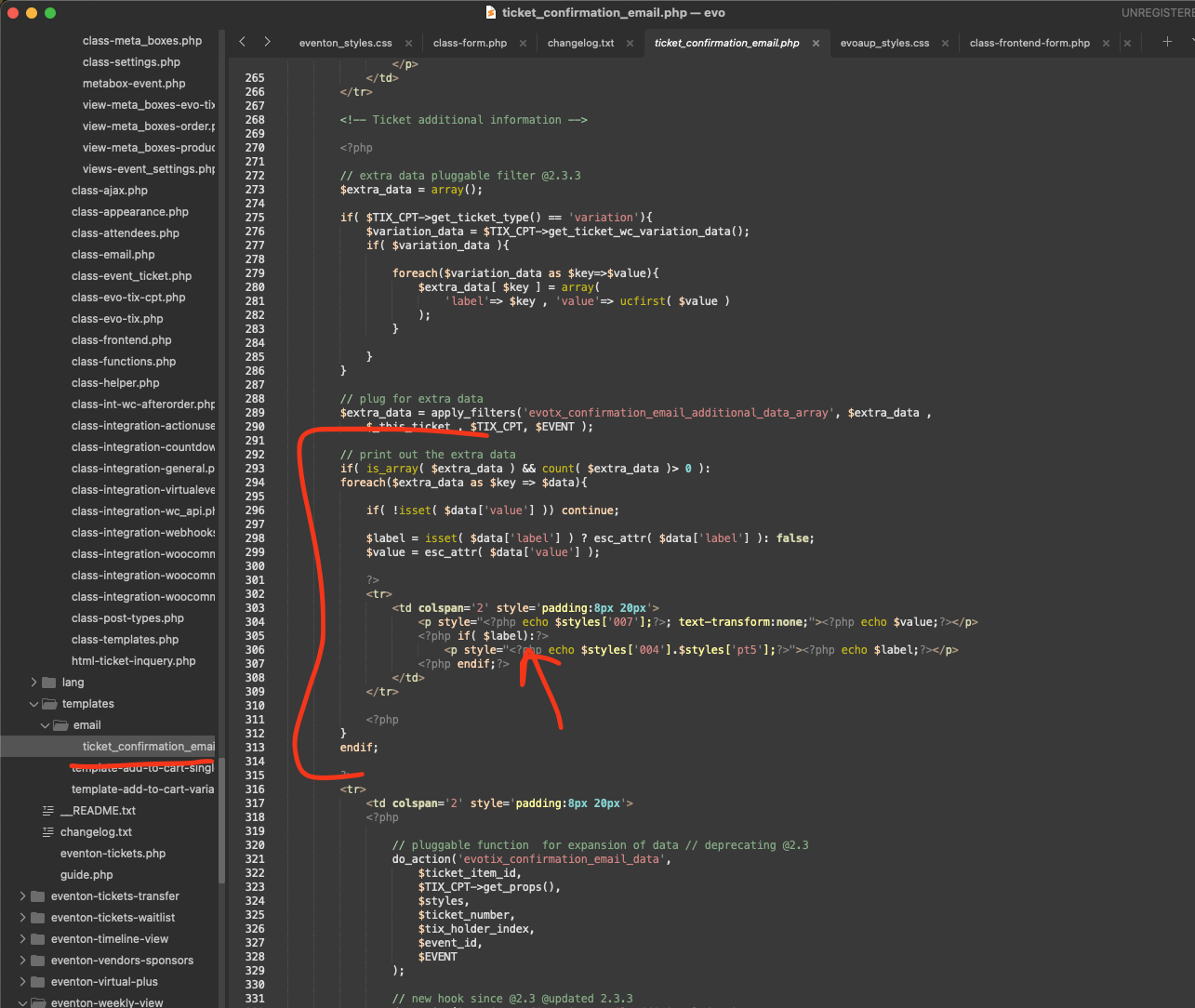
Greg, my friend. in your original code you shared, you have commented out the label value and that should work. Be sure to copy the latest ticket_confirmation_email template over.
If you look at the code, the label is only shown if the value is passed. 🙂
Yes thank you for letting us know of this redirect. we are working on getting this fixed. We are hoping to get a new version out early next week 🙂 Much appreciate your patience my friend!
Sanjeed, We have processed your refund and the subcription has also been updated to reflect this. Thank you my friend!
I want to reiterate my appreciation for your support efforts in helping resolve my RSVP email issues. While we eventually identified the root cause (server/email configuration), I wanted to share some observations that might streamline future troubleshooting for users like me—especially those without technical expertise.
During our ticket exchanges, certain critical steps (like creating a domain email or configuring SMTP) were mentioned, but their *direct relevance to the issue wasn’t fully clear*. This led to a “let’s try this” approach rather than a structured, step-by-step diagnosis. For example:
– It wasn’t immediately clear that not having wordpress@mydomain.com would trigger spam filters, or that using Gmail SMTP could cause authentication failures without explicit hosting-side settings.
– A quick checklist (e.g., “Have you verified these 3 server/email prerequisites?”) could help agents and users isolate the problem faster.
What made the difference was my hosting provider’s support. They:
1. Treated it as a step-by-step process (no jumping between steps or backtracking).
2. Made real-time adjustments (e.g., fixing settings on their end while guiding me to test).
3. Avoided assumptions (they didn’t blame the plugin or dismiss it as a “third-party issue”).
This wasn’t just about urgency—it was about clarity and collaboration. I’m sharing this not as criticism, but as a way to highlight how proactive, linear guidance (even in documentation) could reduce resolution time for users who may not know where to start.
Suggested Improvements:
– Add a pre-troubleshooting checklist (e.g., “Before contacting support, ensure you’ve: (1) Set up a domain email, (2) Configured SMTP, etc.”).
– Include hosting-specific examples (e.g., “Common SMTP settings for GoDaddy/SiteGround”).
– Note how missing emails (like wordpress@domain.com) affect deliverability.
Again, thank you for your patience and assistance. I hope this feedback helps refine your process for future users!
First, I want to thank you Artem for helping troubleshoot my RSVP email delivery issues. While we eventually resolved the problem, I believe adding preventative steps to your documentation could save users like me—who may not have deep technical knowledge—significant time and frustration.
In my case, the solution involved:
1. Creating a domain-based email (e.g., rsvp@mydomain.com) via my hosting provider.
2. Configuring SMTP properly (using “Other SMTP” in WP Mail SMTP, not Gmail, due to authentication errors).
3. Ensuring wordpress@mydomain.com existed to prevent emails from being flagged as spam.
My hosting support team resolved this in an hour, but it took days of trial and error beforehand. Many users may assume the issue lies with the plugin, when in reality, it’s often server/email configuration related.
Suggestion: Could you add a troubleshooting section (or expand existing docs) to clarify:
– The importance of using a domain email (not Gmail/Yahoo) for RSVP notifications.
– Recommended SMTP settings (with hosting-specific guidance).
– How missing wordpress@domain.com can trigger spam filters.
This would empower users to check these critical items first—before assuming plugin issues—and reduce support requests. Thanks again for your help, and I hope this feedback is useful!
I apologize; on your website, the layout looks the same as on my website (image above the addon text).
Is there any possibility to show it “inline”?
Hello,
Thank you for the clarification.
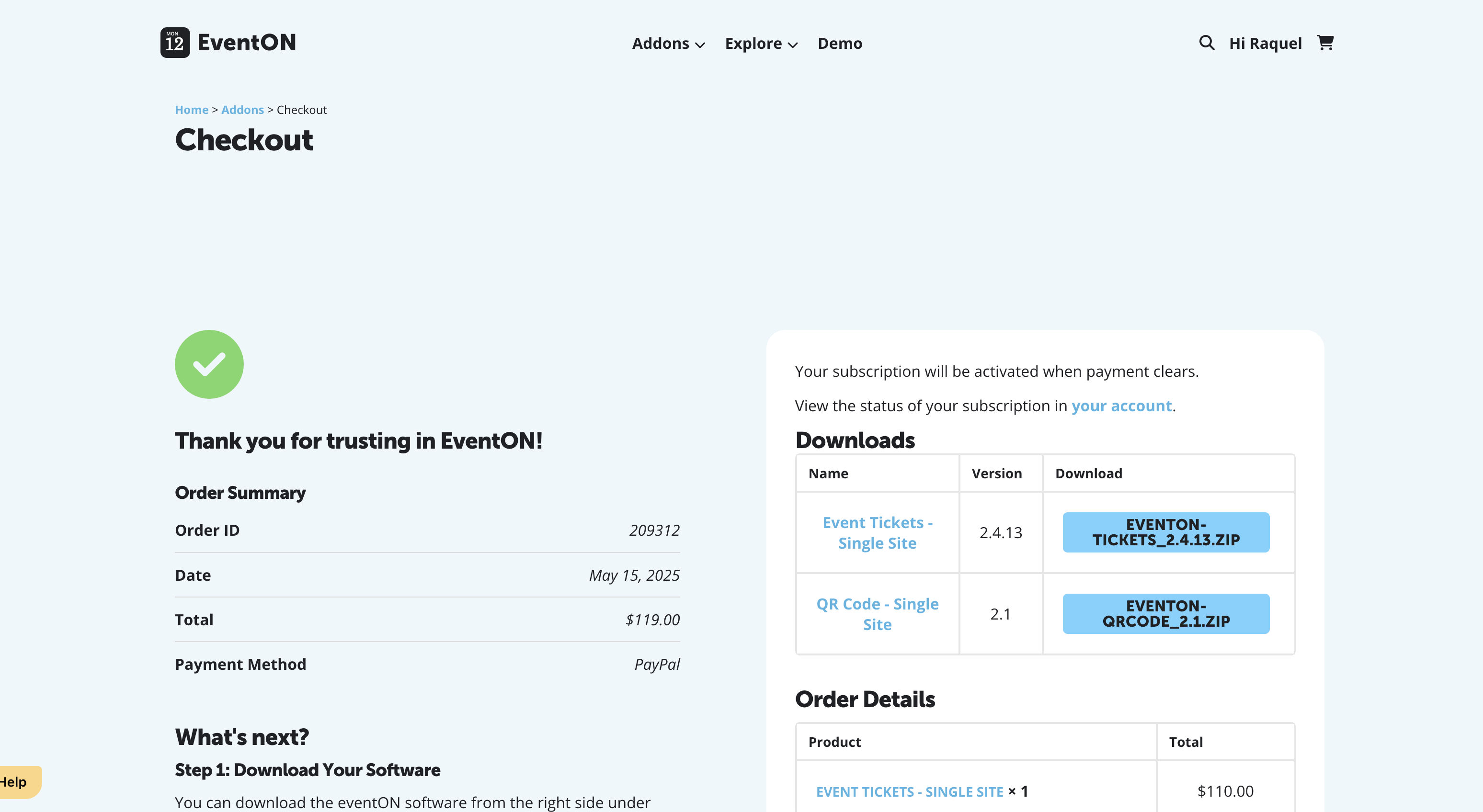
Yes, I have proceeded to purchase the QR Code add-on and the Event Tickets – add-on as suggested. However, I understand from your earlier message that the main EventON plugin does not need to be re-purchased, as it includes unlimited updates.
I truly hope that after making these purchases, everything can finally be set up correctly and smoothly, the plugins updated and especially the QR code functionality which is essential for our events.
Thank you,
Raquel Escobar
JJ– update, we are doing more tests on our end and it is working for us on our new version. Will run more tests and get a new version out may be early next week,
We are sorry for the delay. Could you please try updating EventON to the latest version? 4.9.7 is available.
We are sorry for the delay! Ashan will check this ASAP.