Hello,
Thank you for your messages, I am going to assign this ticket to Ashan and he will be able to take it from here and find you a solution. Please allow some time for him to get back to you, we greatly appreciate your patience and thank you for being a eventon customer!
Hello,
I went to EventON > Time Settings > added the time format to

But it still shows this start date:

Could you try updating EventON to 4.9.7? Because it seems to be working on our test site without the start date.
Ashan,
I disabled all “Event sorting options to show on Calendar (Note: Event Date is default sorting method.)” and it’s still showing Date order:
https://dev2.myeventon.com/test-946/
Hello,
Thank you for letting us know! I am going to assign this ticket to Ashan and he will be able to take it from here and find you a solution. Please allow some time for him to get back to you, we greatly appreciate your patience and thank you for being a eventon customer!
Meanwhile, as a temporary solution, please add this CSS code to EventON > Styles (If you don’t see any change, EventON > Scripts & Styling > turn off Write dynamic styles to header > save settings > turn on Write dynamic styles to header). You can also add this code to wp-admin > Appearance > Customize > Additional CSS.
span.cal_head_btn.evo-sort-btn.show.vis { display: none !important; }
Thank you for your messages, I am going to assign this ticket to Ashan and he will be able to take it from here and find you a solution. Please allow some time for him to get back to you, we greatly appreciate your patience and thank you for being a eventon customer!
Thanks I will try that when not super busy.
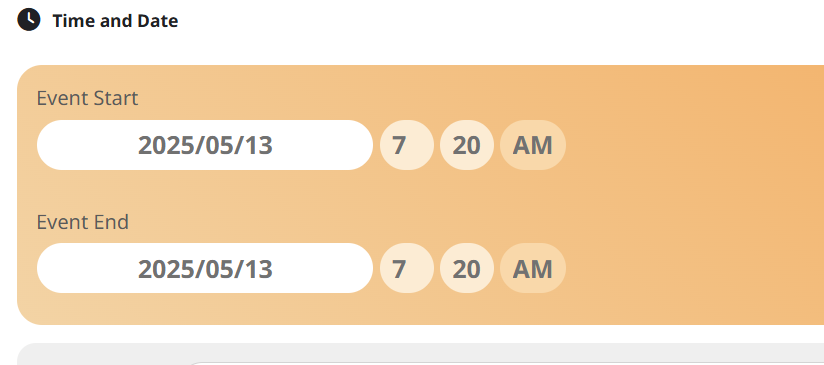
Meanwhile I just noticed a couple of events that have this reset problem with date, time, hide end time, featured event settings. Like the settings are reset. Both events were for tomorrow but have the date of when they were created (13 May). The time is totally random. I will attach one of them here.
I made a point of checking the dates etc after saving them the other day. I will send the SS of the time created too.
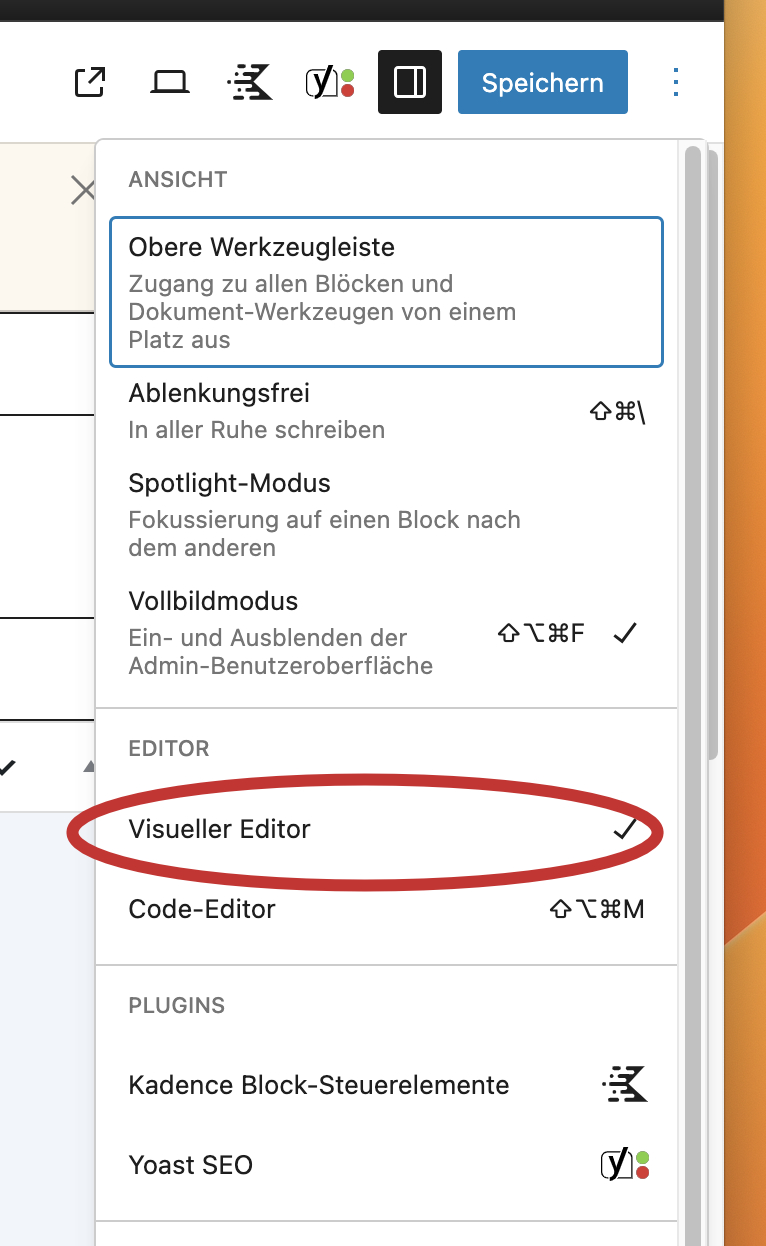
You can open the visual editor here (see screenshot attached)
Hello,
please find attached the direct link:
https://www.frankfiess.de/wp-admin/post.php?post=23103&action=edit