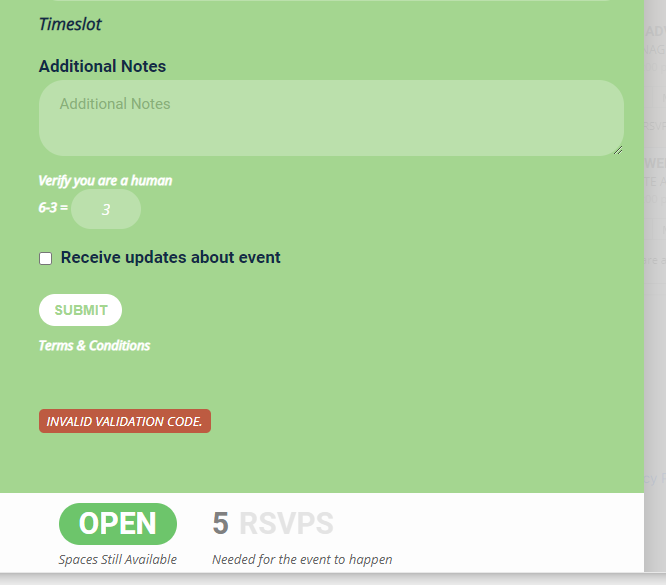
btw, Artem, I also noted the RSVP guest list doesn’t seem to show up for events that I have enabled RSVP and checked the show guest list (before RSVP).
Also, after clicking submit, the embedded rsvp in the event card doesn’t close. This happens both w error (forgot to answer math question) or w/o error.
Per my previous comments
“I turned off EventON – Event Lists Ext and EventON – Full cal, which allowed the website to load properly, so I’m guessing the issue is with these two plugins?”
Could you tell us about CPU, Memory and HDD/SSD of the server?
=============================
This is a shared hosting environment, I’m not sure how to get access to this. Shouldn’t we focus not on result of the issue, but what is causing the issue?
Thank you for your great suggestion, at the moment it is not supported. However please create a new ticket and select Feature Request as category so others can vote on your idea and get it moved into development faster. OR You can send us a customization job request by creating a new ticket in here and selecting Customization Request as the category.
Thank you for your messages, I am going to assign this ticket to Ashan and he will be able to take it from here and find you a solution. Please allow some time for him to get back to you, we greatly appreciate your patience and thank you for being a eventon customer! Also please disable any IP blocking on your site if there are any.
It supposed to do this by default. No additional code required.
https://helpdeskx.s3.amazonaws.com/wp-content/uploads/2020/09/24155559/Eventon-Timeslot-AF1-in-action.png
Could you tell us what is this arrow in green circle? Maybe the issue is in the theme? Could you please try the instructions mentioned in this documentation?
OK so I tested it out (and replied to the email so you can see what I got)
1: the zoom link was in the email and cliackable
2: the additional info that you said was simply text was clickable in my email program which is an old blackberry- My blackberry can’t view many websites the browser is old but it picks up the links in the email no problem
so best thing- include it in the additional info and include- if you cannot click this link- copy and paste it into your browser which is a standardized thing befotre and important link
as for people not seeing a link: the only thing I can think of it 2 things
1: you added the zoom link afterwards which means the earlier people didn’t get the link (because it wasn’t on the event)
2: people don’t read the email
its working as it should be from my tests and you will see that in the reply I sent you
so include in the additional info “if you can’t click the link- please copy and paste it into the web browser”
and use the built in email sender to send the link again to all attendees (mentioned a few responses ago)
from my tests- its working as it should
Hi Artem, I see, interesting. You must have magic hands!
Do I need to add any snippets of codes to make this happen? I
btw, I see this under popup, i.e. the event is on a page, then click to open the event in a popup, then select YES and it shows the green one I sent you. Would it make a diff?
Thank you for the quick reply —
I believe the example you are showing has 0 spots remaining which is why the SOLD OUT shows on the event listing.
Try this —-
- edit any event
- select “place ticket on out of stock”
- update (wait until it finishes ‘saving’)
- then edit that event again.
You will see the “place ticket on out of stock” is no longer selected.
Richard
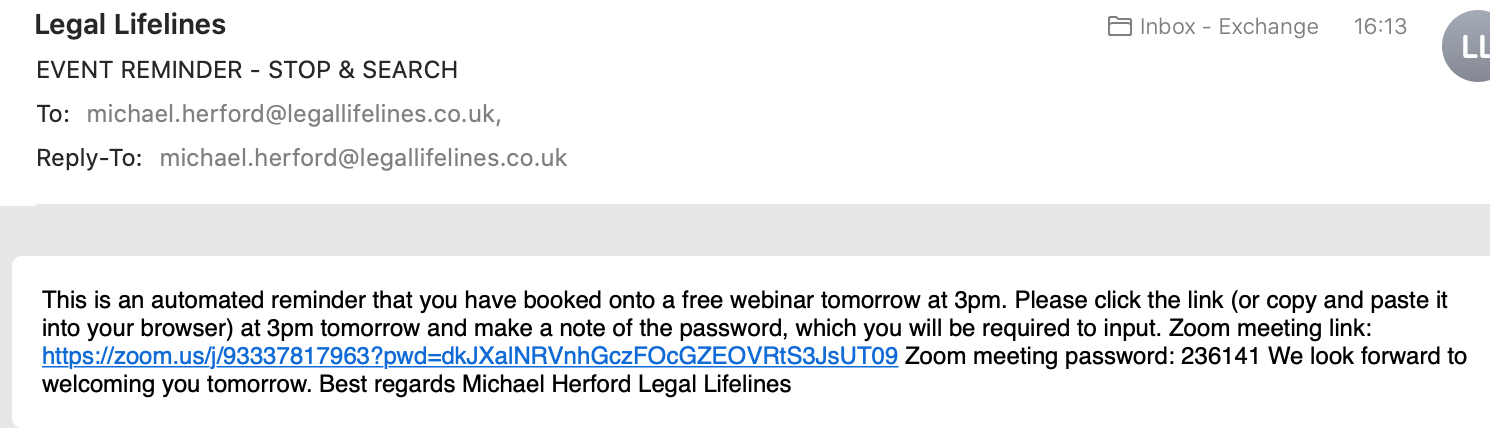
i have sent the email to all people earlier with a clickable link today (see attached) but it is not a permanent solution.
thanks