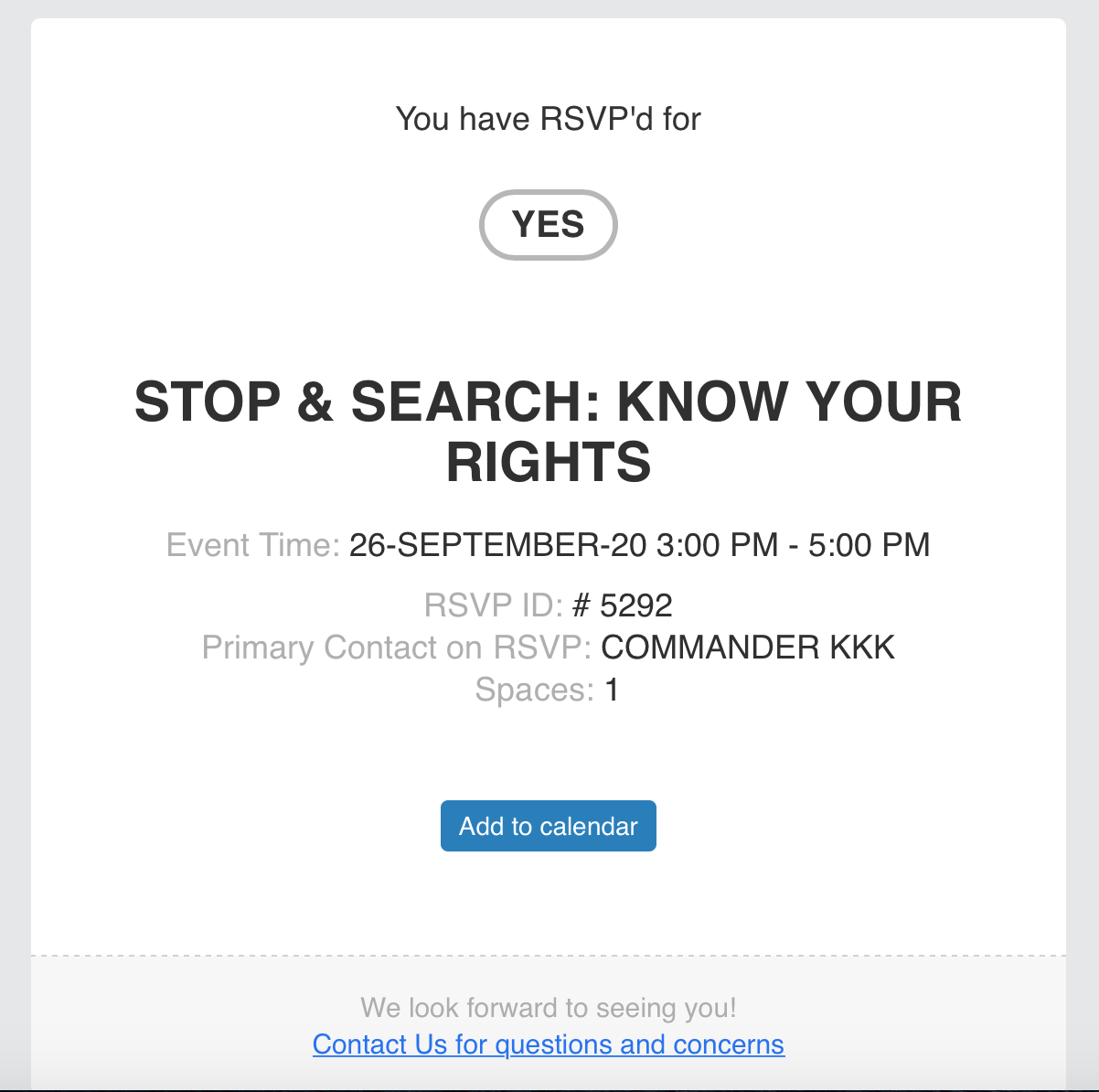
image attached
Replies for tickets on suppota
image attached
Ashan
Two identical shortcodes except Tile Design was activated on the second: https://artslandia.com/test/
Thank you for your messages, I am going to assign this ticket to Ashan and he will be able to take it from here and find you a solution. Please allow some time for him to get back to you, we greatly appreciate your patience and thank you for being a eventon customer!
Also, I received another one of these errors:
Does your security plugin just send this to you? Don’t you see this error or any issue on the website itself?
On my side:
http://dev2.myeventon.com/events/rsvp-7/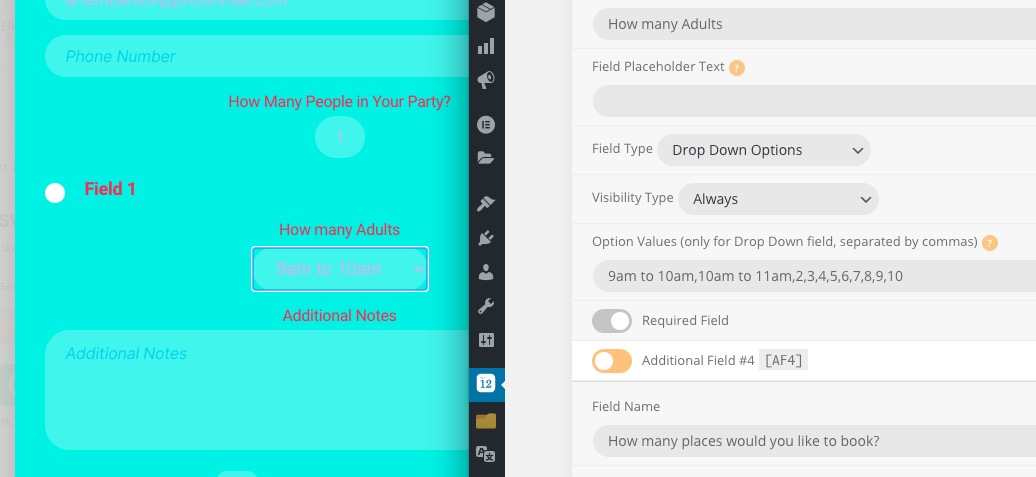 May I check this somewhere online?
Hello,
Please follow this guide: https://docs.myeventon.com/documentations/import-additional-fields-using-hooks/
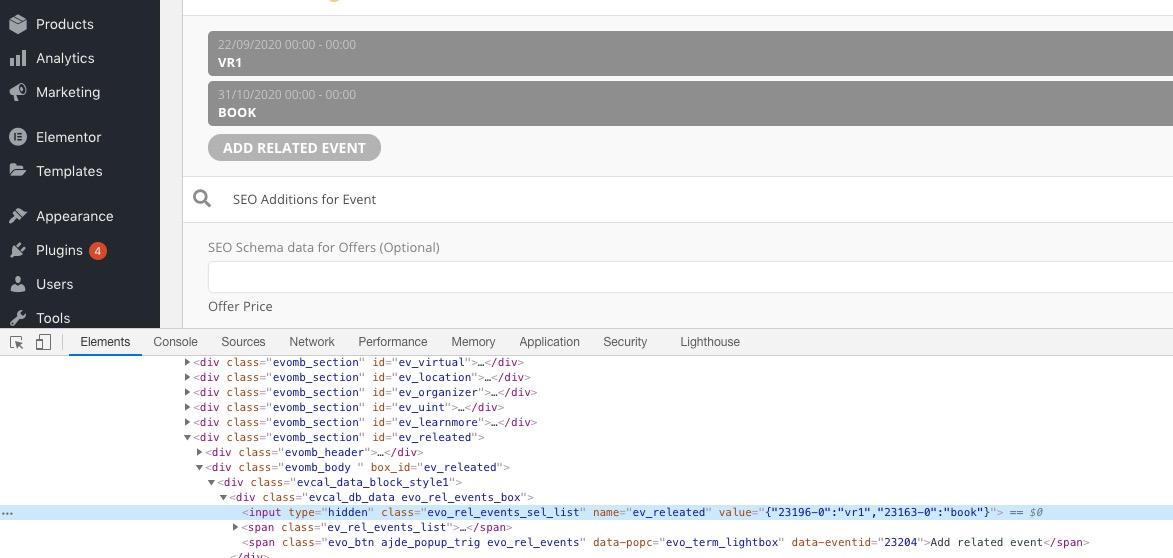
Variable you need is ev_releated and related events should be in the following format:
{“23196-0″:”vr1″,”23163-0″:”book”}
You can also send us a customization job request by creating a new ticket in here and selecting Customization Request as the category.
WooCommerce handles Checkout so if this can be applied during the checkout process everything should work.
We are glad your issue is resolved, if you have any further questions or concerns please create a new ticket.
If you have a moment, we would greatly appreciate if you could kindly leave us a review at codecanyon! from your account > downloads. Cheers!
Unfortunately, ICS Import doesn’t have such functionality at the moment. However, maybe you could use some kind of cron manager plugin and change cron schedule for EventON’s task? For example, Advanced Cron Manager shows tasks schedules 
but you cannot change them. I quite sure there is a plugin that allows this.
Since your website uses SSL, please change http:// with https://. For example, http://dev.myeventon.com/wp-json/eventon/calendar and so on.
If I use event API in SITE ONE I will have:
You’ll have A/B/C/D/E on both websites. You can also add F/G/H/I/J events to the main website and then filter them with event_type.
If I use import CSV en SITE TWO I will have:
This is possible. You can import A/B/C/D/E events from the main one and then add additional F/G/H/I/J to the second one.
Hello,
This is not a bug. We did this on purpose otherwise it might break EventON’s events.
You can either create a separate product for each event or customize the source code. You can send us a customization job request by creating a new ticket in here and selecting Customization Request as the category.
Hello,
The notification email I received:
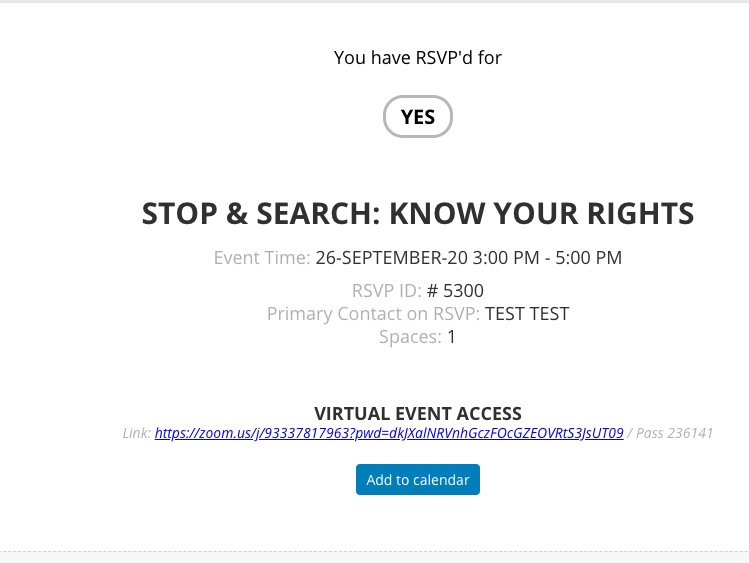
RSVP: https://legallifelines.co.uk/wp-admin/post.php?post=5300&action=edit
As you can see it has Zoom link and Password. Could you send us a screenshot of any emails you receive?