Hey Ben,
I will send the request tomorrow, it is a little bit late here 🙂
Replies for tickets on suppota
Hey Ben,
I will send the request tomorrow, it is a little bit late here 🙂
Basilis has accepted the job for 1
All EventOn plugins have been deleted and reinstalled.
Like mentioned above – it has something to do with the tiles I think. Here is a page you can look at: https://artslandia.com/test/
If you login, you can see the code we use:
[add_eventon jumper=”yes” jumper_offset=”2″ jumper_count=”3″ cal_id=”pdx1″ event_type=”1444″ event_type_2=”1370,1412″ month_incre=”+1″]
[add_eventon jumper=”yes” jumper_offset=”2″ jumper_count=”3″ tiles=”yes” tile_bg=”1″ tile_style=”1″ tile_count=”3″ cal_id=”pdx2″ event_type=”1444″ event_type_2=”1370,1412″ exp_so=”yes” event_type_5=”NOT-all” etc_override=”yes” month_incre=”+1″]
Hello,
Please go to Edit Event > RSVP > enable Show only certain additional fields in RSVP form (separated by commas):

In some cases you need to update an event with the option enabled in order to show the text area.
Hi! I tried it. It works now with event_count=”15″ until the End of the next Month and than comes: “No more Events”… The same break where the list repeated last time… I tried so much things… Please help me. Tank you so much.
I am sorry, it seems that I misunderstood your question. If you want to sync two website you need to either use Event API or CSV Import.
With Event API you add events on the main website and then put the code to the second one and it shows the same events.
With CSV Import you need two EventON main plugins. You export events from the main website and then import them to the second one. This way you’ll have two identical websites.
Could you tell us more about your server configuration?
Could you tell us if Reviewer update helped with the original issue?
As for this issue, when I switch to October in calendar #1 it shows the same events:
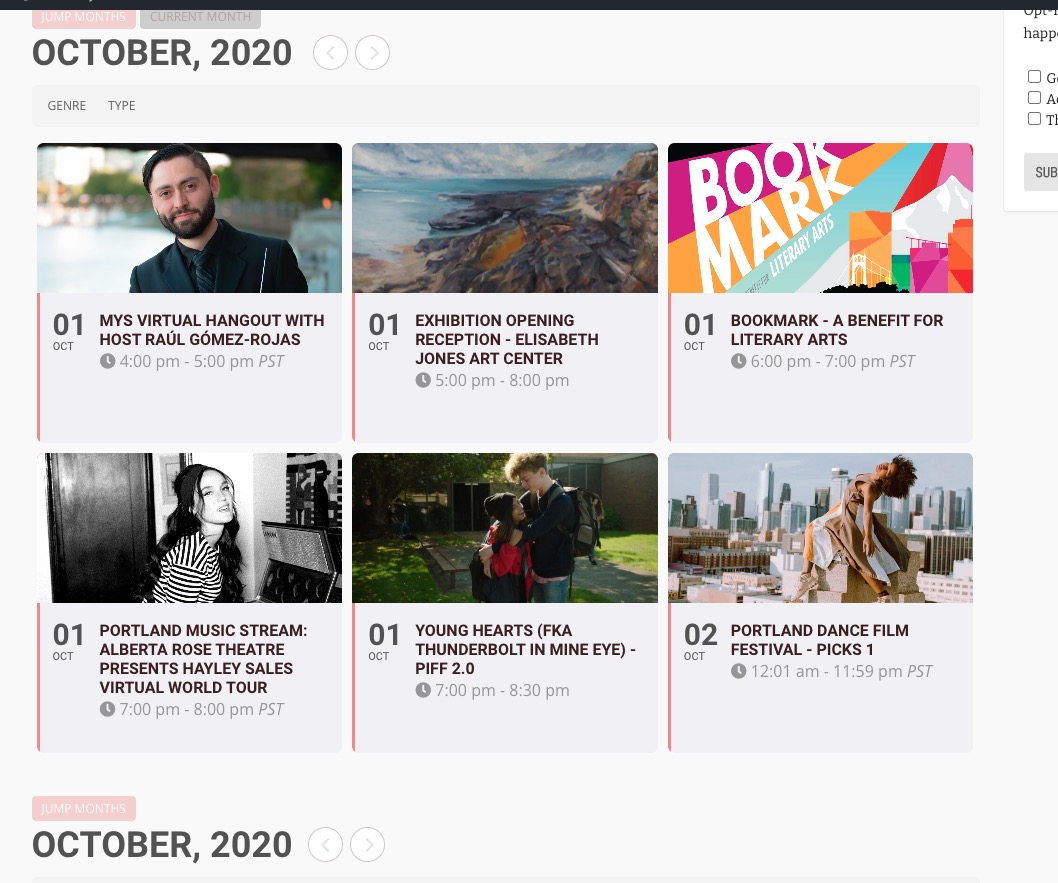
So it seems that the issue is in filtering (event_type, …_2 and so on). Do you have similar issue without them?
Hello,
Please add this CSS code to EventON > Styles (If you don’t see any change, EventON > turn off Write styles to header > save settings > turn on Write styles to header):
.single-ajde_events .wf-container-main { display: block !important; }
Hello,
Could you try going to eventon-rsvp/templates/notification_email.php and comment line 28?
echo EVORSP()->addon_data[‘plugin_path’];