You added ux_val=”1″ so now you can open events as Slide Down on this page http://djos.hr/najave/:

If this is not correct, could you rephrase “And for last I have problem to make this, so i need to be on page all upcoming events but not just title its need to be with full contend of event i try this on this link”?
If you want to open event cards on load please try adding evc_open=”yes” to the shortcode as well.
The only solution is to customize the confirmation email template. Unfortunately, we unable to help with customizations. Please send us a customization job request by creating a new ticket in here and selecting Customization Request as the category.
Hello,
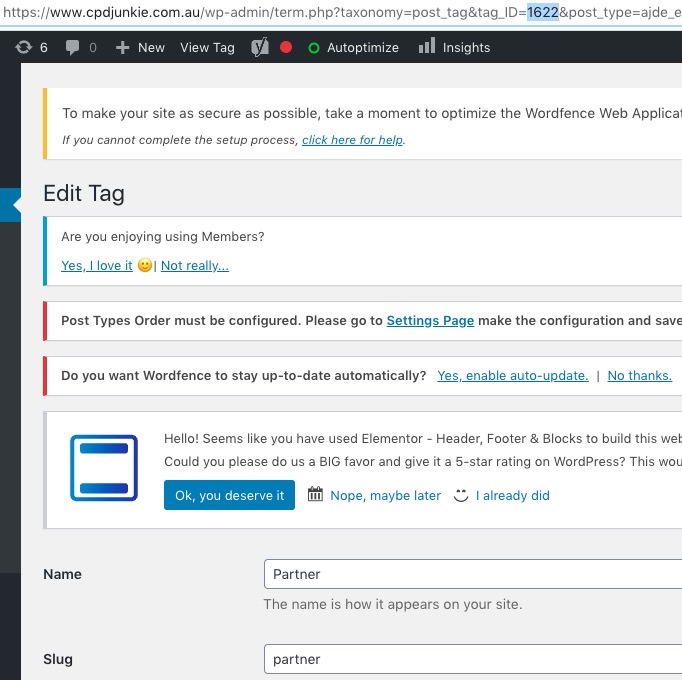
Unfortunately, you cannot use tag names in event_tag. Could you try using tag_id instead? You can find it by going to wp-admin > Event > Tag > Edit > URL:
[add_eventon_list tiles=”yes” tile_bg=”1″ tile_count=”3″ wishlist=”yes” event_count=”10000″ fixed_month=”1″ fixed_year=”1970″ hide_month_headers=”yes” tile_style=”1″ event_tag=”1622]
Ashan,
Could you check DailyView http://dev2.myeventon.com/23139-2/?
It seems that fixed_month=”11″ fixed_year=”2020″ don’t work.
Hello,
If you only need to show one week, maybe WeeklyView would be a better fit? Please check how it looks on our test server: http://dev2.myeventon.com/23134-2/
Try on http://dev.myeventon.com/wp-admin/:
[add_eventon_wv fixed_month=”11″ fixed_year=”2020″ fixed_week=”2″]
As for DailyView this shortcode should work:
[add_eventon_dv fixed_month=”11″ fixed_year=”2020″ evc_open=”yes” etc_override=”yes” day_incre=”+3″]
The problem is that it seems there is some kind of issue with fixed_month=”11″ fixed_year=”2020″. I am going to assign this ticket to Ashan and he will be able to take it from here and find you a solution. Please allow some time for him to get back to you, we greatly appreciate your patience and thank you for being a eventon customer! Also please disable any IP blocking on your site if there are any.
Thank you for your great suggestion, at the moment it is not supported. However please create a new ticket and select Feature Request as category so others can vote on your idea and get it moved into development faster. OR You can send us a customization job request by creating a new ticket in here and selecting Customization Request as the category.
Hello,
I am sorry, the access information you have provided did not work for us:
Error: The password you entered for the email address is incorrect.
Please check them and post the correct login information as a private message, thank you!
Please make sure that you are using latest versions of EventON and Wishlist.
Hi,
After following your guidance from your previous reply, I am still having issues.
Then, I tried the following:
I bumped the droplet to the $20 a month, 4GB size
I gave wordpress 2GB of memory via define( 'WP_MEMORY_LIMIT', '2048M');
I gave PHP 1GB of memory through the php.ini file
I deactivated every plugin but the eventon plugins.
The amount of memory is 4x the amount you were suggesting in your doc and its still having a memory leak. I deactivated the plugin all together because it was causing the entire site to be slow.
[18-Sep-2020 19:36:51 UTC] PHP Fatal error:  Out of memory (allocated 930009088) (tried to allocate 691748864 bytes) in /var/www/html/wp-content/plugins/eventON/includes/class-evo-ajax.php on line 86
[18-Sep-2020 19:39:42 UTC] PHP Fatal error:  Allowed memory size of 2147483648 bytes exhausted (tried to allocate 1633685504 bytes) in /var/www/html/wp-content/plugins/eventON/includes/class-evo-ajax.php on line 86
[18-Sep-2020 19:43:52 UTC] PHP Fatal error:  Allowed memory size of 2147483648 bytes exhausted (tried to allocate 1633685504 bytes) in /var/www/html/wp-content/plugins/eventON/includes/class-evo-ajax.php on line 86