I’ve tried every permutation of date/time and even purchased the csv plugin, only to find a similar issue. Ticket #196165
Replies for tickets on suppota
I’ve tried every permutation of date/time and even purchased the csv plugin, only to find a similar issue. Ticket #196165
Sorry about that I did and that doesn’t help.
This is the full code we are using on the page:
[add_eventon jumper=”yes” jumper_offset=”2″ jumper_count=”3″ tiles=”yes” tile_bg=”1″ tile_style=”1″ tile_count=”3″ cal_id=”pdx1″ event_type=”1444″ event_type_2=”1370,1412″ exp_so=”yes” event_type_5=”NOT-all” etc_override=”yes”]
[add_eventon jumper=”yes” jumper_offset=”2″ jumper_count=”3″ tiles=”yes” tile_bg=”1″ tile_style=”1″ tile_count=”3″ cal_id=”pdx2″ event_type=”1444″ event_type_2=”1370,1412″ exp_so=”yes” event_type_5=”NOT-all” etc_override=”yes” month_incre=”+1″]
Do you see any reason why it would not load all of October events?
yes, the problem until now, was and is that i still did not have time to take care of your account. I do have an older installation of the WP on another server, I might prepare that for you.
I hope I have it ready today.
And then I will do the payment also
CHeers
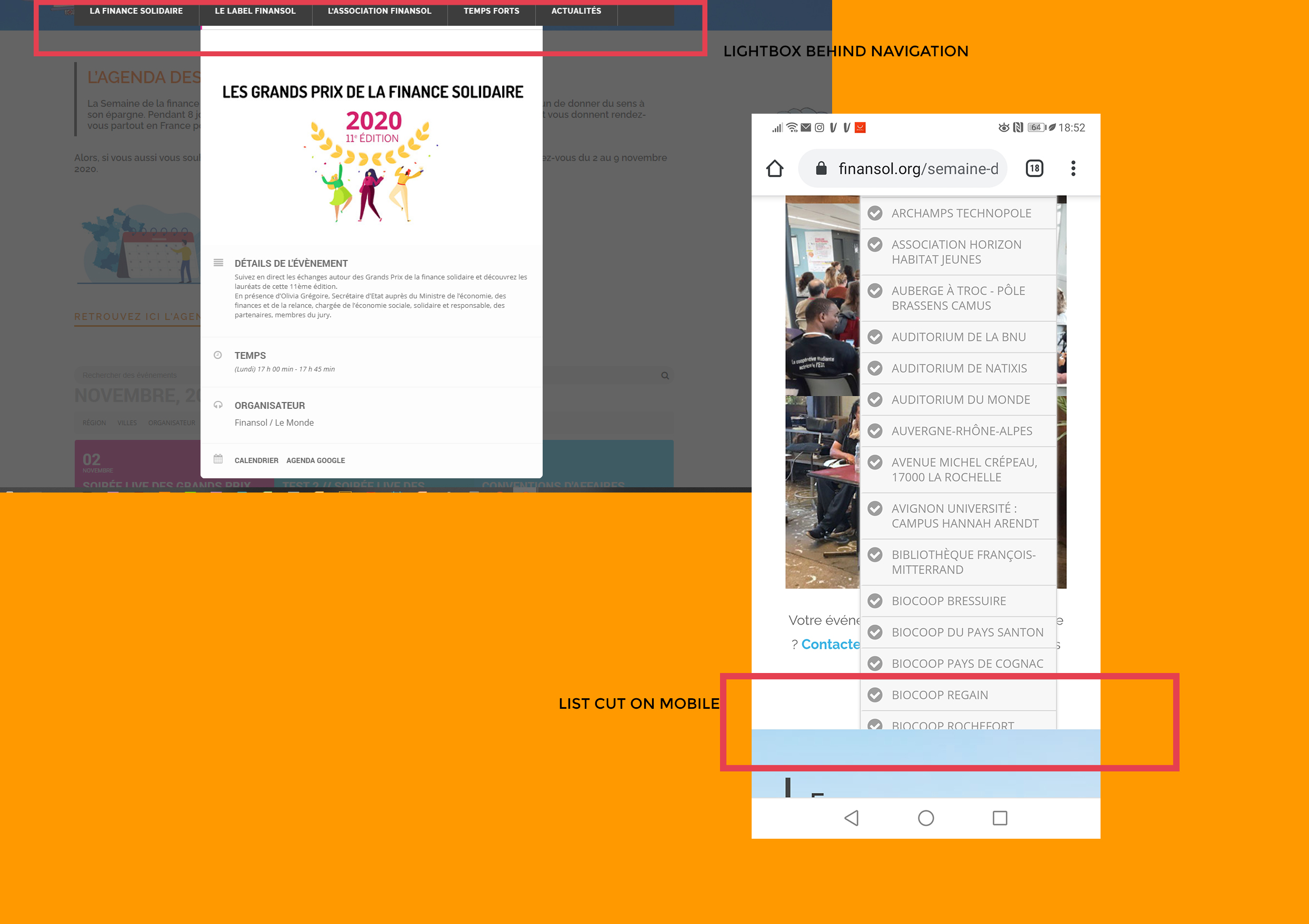
Hello,
Thanks for your feedback.
The display of the lists works well on desktop, but not on mobile.
Do you have another CSS for this?
Also, i alway have this lightbox problem :
Navigation display is in the foreground on the lightbox.
Do you have a solution to correct this problems?
My page:
https://www.finansol.org/semaine-de-la-finance-solidaire-2020/evenements-semaine-de-la-finance-solidaire-2020/
Thank’s by advance.
Best regards
Hey Patrick,
Ashish is located at India, I am at Greece.
We have not meet in real life, but we work together almost 4 years now.
he will do refund you for sure do not worry, I have also emailed him 🙂
In any case, up to you but if u want to hit the timeframe u have we should be starting soon.
user: myeventon
dly0xTN9zcEU1H^L%foEyg97
tell me a email please
Ok
In the updated slider theres a style section which you needed to add
I added [add_eventon_slider slide_style=”imgleft” cal_id=”slider” ux_val=”4″ number_of_months=”12″ event_count=”3″ event_type=”1027, 990, 978, 1000, 1037″ verticalheight=”350″ ]
have a look over the shortcode generator to select the style you want
You need to go into myeventon>>>>language>>>>event type categories
and change the categories to the new words