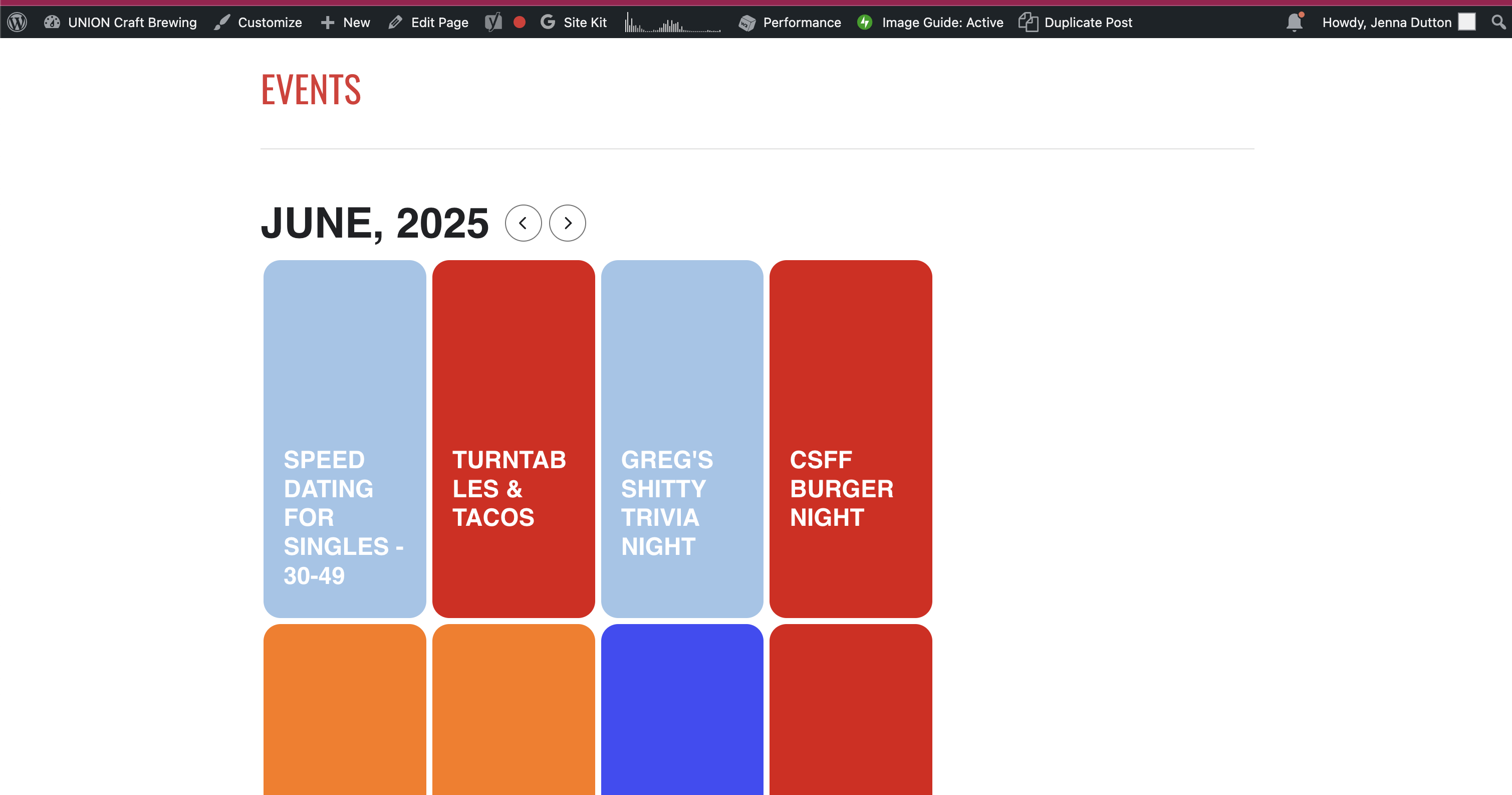
Are you seeing the same issue with our test page:
https://dev2.myeventon.com/events/rsvp-70/
Could you also tell us screen size on the screenshot?
Replies for tickets on suppota
Are you seeing the same issue with our test page:
https://dev2.myeventon.com/events/rsvp-70/
Could you also tell us screen size on the screenshot?
I believe that you need to put space in 15px!important. Please add this CSS code to EventON > Styles (If you don’t see any change, EventON > Scripts & Styling > turn off Write dynamic styles to header > save settings > turn on Write dynamic styles to header). You can also add this code to wp-admin > Appearance > Customize > Additional CSS.
.eventon_events_list .eventon_list_event .evoet_cx .evoet_dayblock span{min-height:15px !important;}
Please update EventON itself, then if the issue continues, please follow the instructions in this documentation to activate debug in your site to see any PHP errors recorded that can provide insight on to whats going on. Please reply with a link to debug.log file. If you are not able to do this please send us FTP access to your site so we can do this for you.
Hello,
You can restrict access to pages by following:
https://www.malcare.com/blog/restrict-page-access-to-logged-in-users-wordpress/
However, if you just want to not to show Event Card to guests, then it’s not possible. Please create a new ticket and select Feature Request as category so others can vote on your idea and get it moved into development faster.
Hello,
Please use these styles:
1. .eventon_events_list .eventon_list_event .evoet_cx span.evoet_tags span.vir, .evo_pop_body .evoet_cx span.evoet_tags span.vir, .evosv_grid .evosv_tag.vir { background-color: #5bdaf7; }
2. #evcal_list .evoet_cx .evors_eventtop_section_data .evors_eventtop_data em, .evoet_cx .evors_eventtop_section_data .evors_eventtop_data em { color: #fff; background-color: black; }
3. .evors_lightbox .evolb_content { background-color: green; }
4. #evorsvp_form .evo_elm_row input, #evorsvp_form .evo_elm_row select, #evorsvp_form .evo_elm_row textarea, #evorsvp_form .form_row input, #evorsvp_form .form_row select, #evorsvp_form .form_row textarea { background-color: red; color: white; }
5. #evorsvp_form #submit_rsvp_form { color: #2b4251; background-color: #ffffff; }
However, most of RSVP styles can be changed in EventON > Appearance > RSVP Styles. If you don’t see any change, EventON > Scripts & Styling > turn off Write dynamic styles to header > save settings > turn on Write dynamic styles to header.
Hello,
Please find tile_count in your shortcode and change it to tile_count=”3″ to show only 3 tiles per line.
Please send us wp-admin access, so we can enable “Filters Plus – Single Site” add-on to see the error.
You can also try following the instructions in this documentation to activate debug in your site to see any PHP errors recorded that can provide insight on to whats going on. Please reply with a link to debug.log file. If you are not able to do this please send us FTP access to your site so we can do this for you.
Hi Artem,
I’Ve Found Your Plugin myEventOn Already Installed On The Website I’m Managing Now, So I’m Unable To Access The Original CodeCanyon Account That Have Buyed And Installed On This Multisite Setup…
I Really Doubt It Can Run On This Old WordPress Setup, I Cannot Update Anything Since Is A Really Customized Website And If I Update Some Plugins I’m 100% Sure It Will Cause Website Collapse (i’ve tested on local pc with XAMP and i prefere to not upgrade wordpress version)
You Need A WordPress Account To Login And Check?
Can you send me direct link to the page where you got that screenshot? the link you shared shows eventON Lite
Oh my word, I was so worried I’d lost all of our event data. Reinstalling EventOn did in fact bring the Event Page back and fixed the functionality issues with the website. THANK YOU! 😊 I really appreciate the speedy, detailed reply!
I am seeing on the Event page that the blocks are “skinnier” than before, even when the Desktop browser is full screen. Is there a shortcode I need to adjust to fix that?