Hello,
1. Please follow https://docs.myeventon.com/documentations/how-to-show-various-information-in-eventtop/
2. Please go to EventON > Appearance > Event Top > Background Colour. If you don’t see any change, EventON > turn off Write styles to header > save settings > turn on Write styles to header.
Hi,
Thank you for your message.
If the host is the owner of the event, then yes you can simply doing with this.
An other idea is to use
https://www.myeventon.com/addons/speakers-schedule/
so you can add the speaker of the event as the host ( you can change even the title from Speaker to host ).
Let us know if you have more questions.
Hello,
Please use Organizer for this. Go to Edit Event > Organizer > Select/Create.
You can also use Speakers add-on: https://www.myeventon.com/addons/speakers-schedule/. Try on http://dev.myeventon.com/wp-admin/
It seems your website have javascript errors caused by other plugins/theme:
Uncaught Error: Syntax error, unrecognized expression: .xtd-modal–inline > .vc_btn3[href^=#], a.xtd-modal–inline[href^=#]
at Function.ea.error (jquery.js?ver=1.12.4-wp:2)
at ea.tokenize (jquery.js?ver=1.12.4-wp:2)
at ea.select (jquery.js?ver=1.12.4-wp:2)
at Function.ea [as find] (jquery.js?ver=1.12.4-wp:2)
at n.fn.init.find (jquery.js?ver=1.12.4-wp:2)
at new n.fn.init (jquery.js?ver=1.12.4-wp:2)
at n (jquery.js?ver=1.12.4-wp:2)
at HTMLDocument.<anonymous> (scripts-min.js?ver=355002023:2)
at i (jquery.js?ver=1.12.4-wp:2)
at Object.fireWith [as resolveWith] (jquery.js?ver=1.12.4-wp:2)
Please check xtender plugin.
You can find and resolve them by following this guide. Once these javascript errors are fixed, eventon scripts will be able to run properly and will resolve your issue.
Hey Tony,
This should not be a problem for you.
Please add the following code and let us know if it solves the issue:
function reverseorder($query_string)
{
    return query_posts( $query_string . '&order=ASC' );
}
add_action( 'rss2_head', 'reverseorder' );
Please update EventON to 2.9.1 and Event Lists: Ext to 0.18.
To update eventon to latest version: If you are unable to do autoupdate, you can go to codecanyon your account > download and get the latest eventon version as zip file. Then you can go to your website, deactivate old eventon, activate (Do not delete eventon settings & data when EventON is uninstalled) from eventon settings, delete old eventon, install new one and activate. This link will further explain the process it. Also you can follow us on twitter to get real-time announcements on updates!
To update eventon addons: You can download latest eventon addons from myeventon > my account. Then you can go to your website, deactivate old addon and install new one and activate then delete the old addon. This link will further explain the process. Also you can follow us on twitter to get real-time announcements on updates!
Hello,
I am sorry, the access information you have provided did not work for us:
ERROR: The username or password you entered is incorrect. Lost your password?
Please check them and post the correct login information as a private message, thank you!
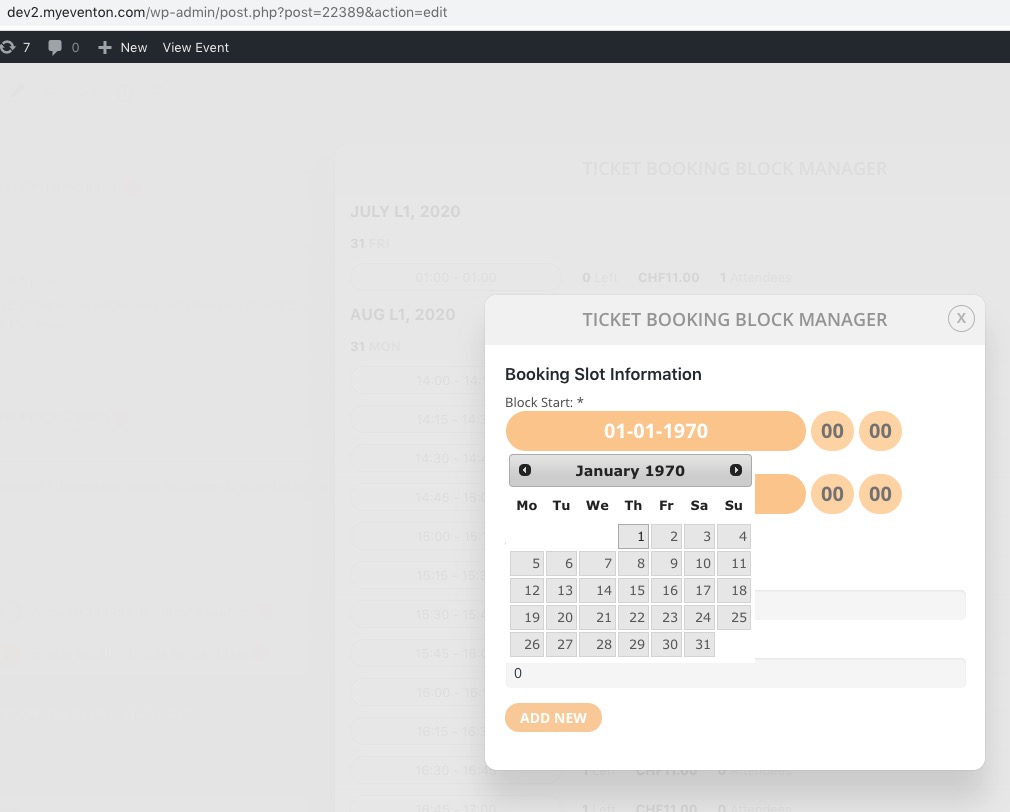
http://dev2.myeventon.com/wp-admin/post.php?post=22389&action=edit
Ashan,
The same on dev2:
Please also check:
PS You have a typo in the first text label in the Virtual Events panel. It reads: ‘…Boradcasting Method’ instead of ‘Broadcasting Method’.
Hello,
Thank you for your messages, I am going to assign this ticket to Ashan and he will be able to take it from here and find you a solution. Please allow some time for him to get back to you, we greatly appreciate your patience and thank you for being a eventon customer! Also please disable any IP blocking on your site if there are any.