It would have saved me a lot of time with just a little nudge in the right direction, I was willing to do the work.
Anyway, thanks for helping with the grid, I will mark this as resolved since I will get no further help with the second request.
Replies for tickets on suppota
It would have saved me a lot of time with just a little nudge in the right direction, I was willing to do the work.
Anyway, thanks for helping with the grid, I will mark this as resolved since I will get no further help with the second request.
Hi Artem !, thank you!
Sorry for all my questions, I’m almost done with the website, next week I should must it ready 🙂
Alvaro
Sure – done and activated. Do I need to do anything else with it? I *think* that has fixed the ‘More link’ and the fields in checkout issue. However, what has happened to the ticket fields at checkout. previously we had to add names and emails of attendees…
There is a also theme update available. Unfortunately this is also broken since last WP update (main menu breaks down). I wanted to fix the tickets issue and then I’m addressing that with the theme authors.
I’m guessing this all must have been caused by the last WP update to 5.5?
User: myeventon
PW: Nd()vsII2d9(NtAvVkpj#qM1
Thank you. Just tried deactivating LiteSpeed. Installation does not give any errors anymore but I still can not see more pictures option on the event form.
My IT believes that the issue is with the photos plugin not bein compatible with the latest eventon update.
On the photos plugin (v 1.0.3) you claim that:
v 1.0.3 (2020-6-11)
FIXED: Compatibility with eventON 2.8.10
However, we had to update for eventon v. 2.9.1 last week in order for the rest of the features of eventon to work.
It kind of makes as it did work before the update.
Any thoughts?
Hello Alex Kudinov,
Please check my answer https://helpdesk.ashanjay.com/ticket/ticket-timezone-is-missing-from-the-ics-file/
Hello,
wp-admin > Edit Event > Time and Date > Event timezone is for informational purposes only. It doesn’t affect times in CALENDAR and GOOGLECAL links or anywhere else.
EventON exports time in UTC+0 format. When users add events to their calendars, it’s their calendar’s responsibility to convert it to their local timezone.
The fix is quite simple – to add the VTIMEZONE to the ICS file AND timzone info to the googlecal link (as done here, for example https://kalinka.tardate.com/)
You can send us a customization job request by creating a new ticket in here and selecting Customization Request as the category.
Hello,
If you are referring to this part:
Then please note that this is not connected to EventON in any way. It seems that your theme adds this functionality. Please contact the theme developer about this.
I cannot login to your website:
LOGIN BLOCKED: 2FA is required to be active on all administrator accounts.
2 attempt(s) left
Could you check?
I can see the Alice font is working on my side:
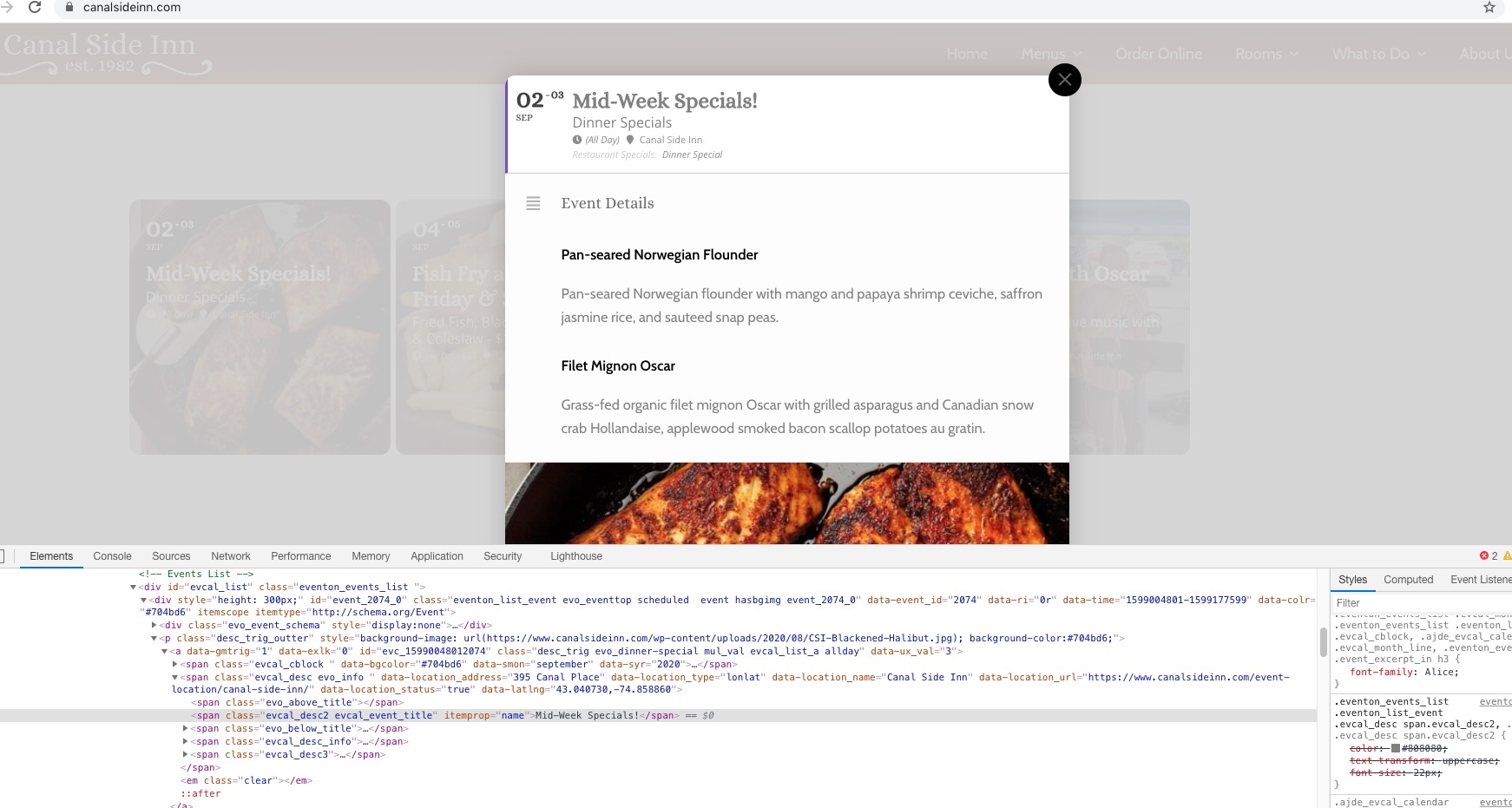
Could you send us a screenshot of the calendar?
Hello,
Please use Event Lists shortcode:
[add_eventon_list number_of_months=”12″ hide_empty_months=”yes” tiles=”yes” tile_bg=”1″]