This is correct. Do you need our help in anything else?
Archives: Replies
Replies for tickets on suppota
Reply to: tickets(191163)
You can change this colour from EventON > Appearance > FullCal:
OR Please use this code:
.evo_fc_day.has_events { background-color: #ffffff !important; opacity: 1 !important; }

Reply to: tickets(191222)
You can combine these two:
[add_eventon_wv event_type=”63, 3713″]
Reply to: tickets(191254)
Hello,
Please also add search_all=”yes” number_of_months=”48″ (12, 24, 48 or more) to the shortcode:
[add_eventon_search search_all=”yes” number_of_months=”48″]
Please add show_year=”yes” to the shortcode:
[add_eventon_list show_year=”yes”]
Reply to: tickets(191255)
Hello,
I am sorry, the access information you have provided did not work for us. Please check them and post the correct login information as a private message, thank you!
Reply to: tickets(190924)
It says:
Fejl: Adgangskoden, du indtastede for brugernavnet test, er forkert.
Could you check?
Reply to: tickets(190924)
Reply to: tickets(190924)
username: test
password: 5i(7lG01N6ma(PSXVMlHRhNE
Reply to: tickets(191255)
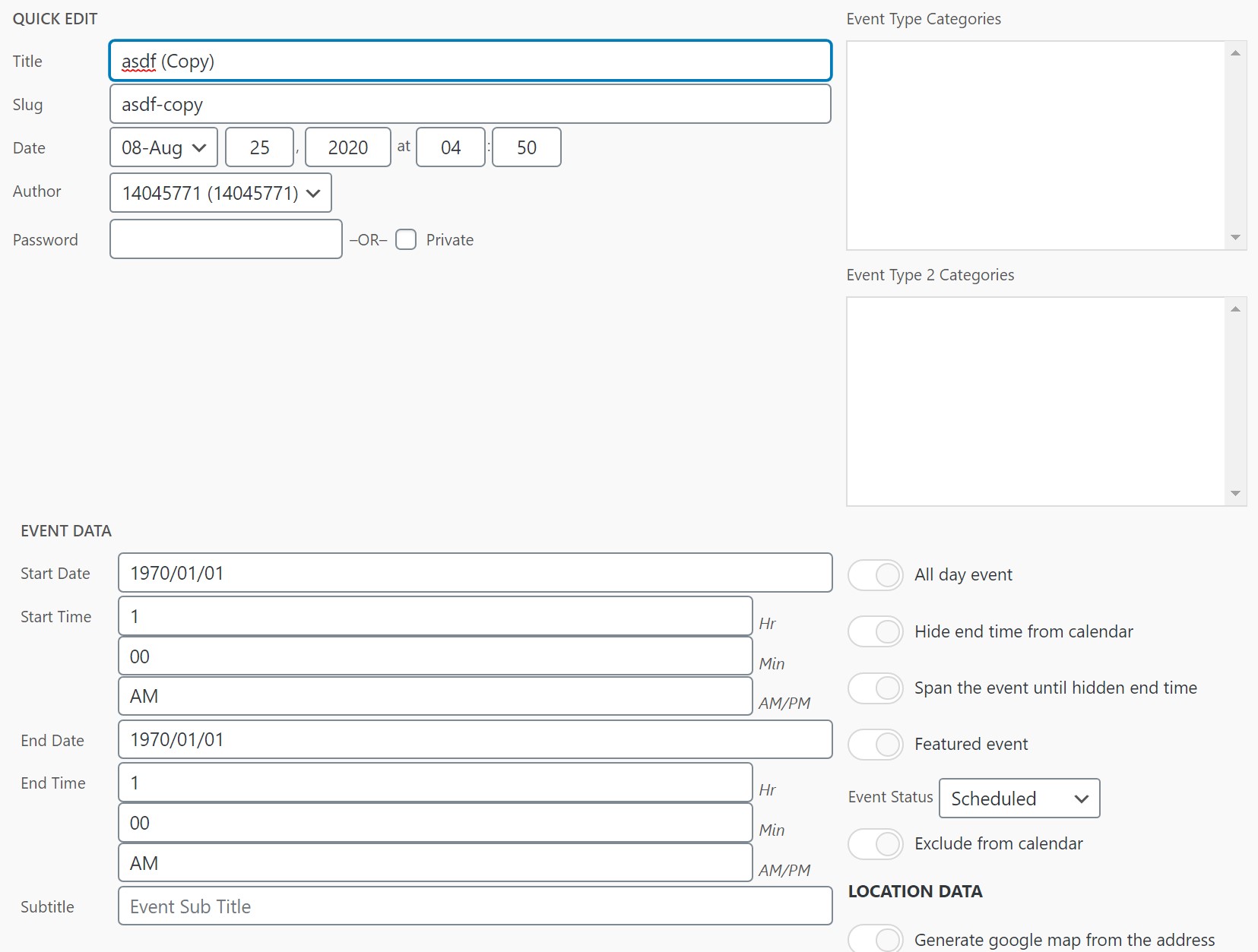
I’m doing a quick edit in the screenshot attached, I can change the 1970/01/01 and it immediately reverts when I save. I type 2020/08/25. See screenshot.
Reply to: tickets(191255)
I’ve updated a few plug ins, now the date keeps getting reset to the beginning. 1970/01/01 when I update/save. I updated, I told the system to keep existing files, but it deleted those too on install.