Thanks very much for attending to this, and I hope me raising this has helped your team to further improve your awesome plugin.
Jason
Replies for tickets on suppota
Thanks very much for attending to this, and I hope me raising this has helped your team to further improve your awesome plugin.
Jason
I figured it out. I did the following and it worked. [add_eventon_wv event_type=”63″ event_type=”3713″]
I am planning to combine Virtual events with another category. For example, Free Virtual Events. If I select Free and Virtual. Free in person events also show.
I guess the solution will be to add a custom field. It seems a waste to add a custom field when the field is already present in MyEventon. Is my only option to add a custom field and select Free from one field and virtual from another?
PS it looks like the code you just gave me is exactly the same as in my original message?
No, unfortunately, I am still seeing that same beige color behind events on the full calendar view. Since that is also the page background color it just isn’t a color that will work. If I reset all the settings, will that fix the issue? I do want the background to be white on the calendar.
Oh, I see… This requires the “Event Lists: Ext” Add-on, which costs $40. 👎👎👎👎👎
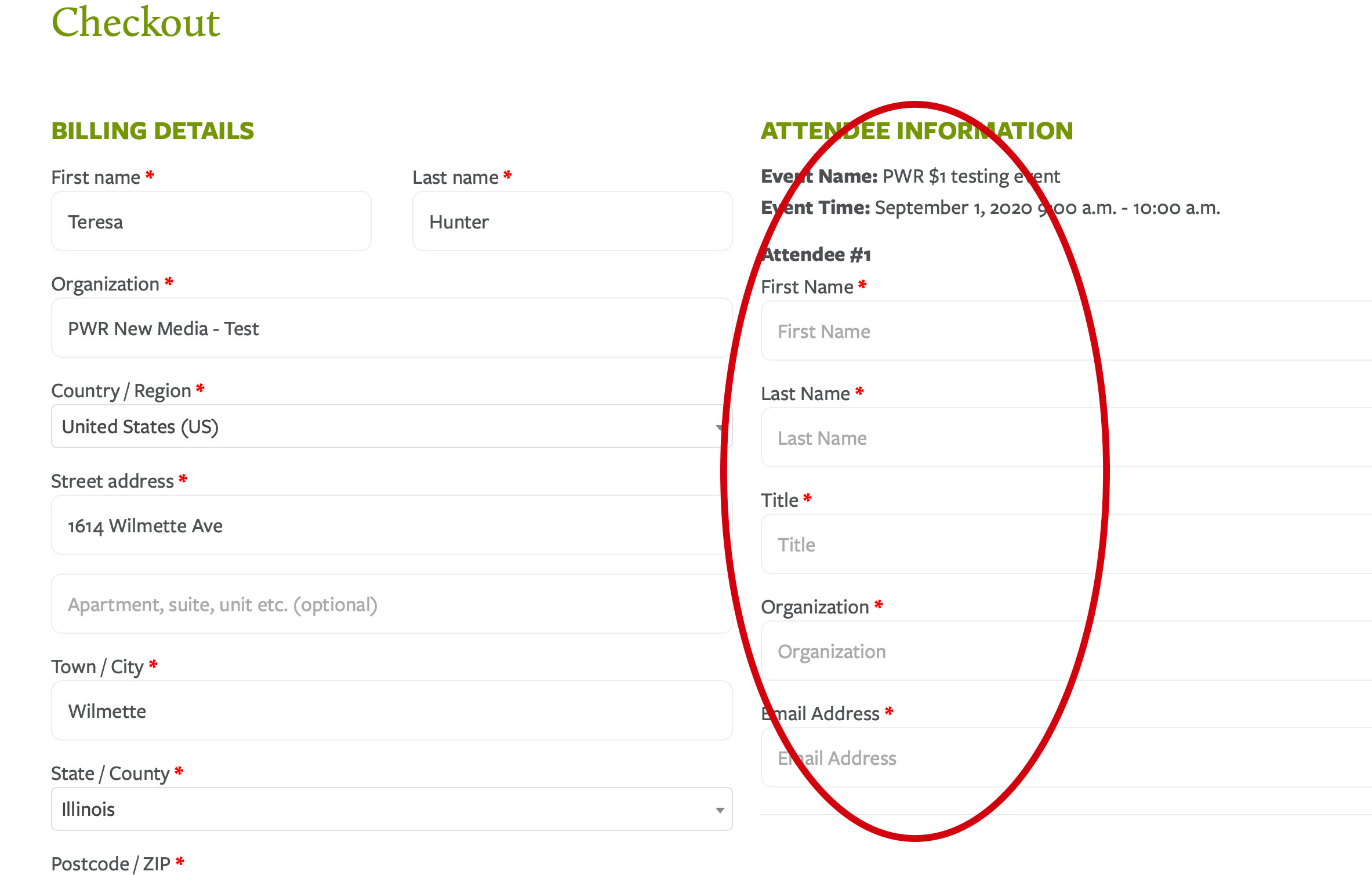
If I go to an event (for example, this is a test event I set up):
https://leadingageil.org/events/testing-event/
I go through the process to sign up and check out.
The checkout cart has required fields. I can check out (hit submit and register) without filling in the required fields on the right (screenshot attached).
Btw, when I test this I enable “Check Payments” in WooCommerce Payments settings so that I don’t have to make a credit card payment. Not sure if that’s relevant.
Hello,
It seems there is something wrong with the server installation:
Access to XMLHttpRequest at ‘http://box2065.temp.domains/~bluesly9/wp-admin/admin-ajax.php’ from origin ‘http://blueskybound.aero’ has been blocked by CORS policy: No ‘Access-Control-Allow-Origin’ header is present on the requested resource.
For some reason it’s referring to http://box2065.temp.domains/~bluesly9/
Please check and let us know.
Please remove this code: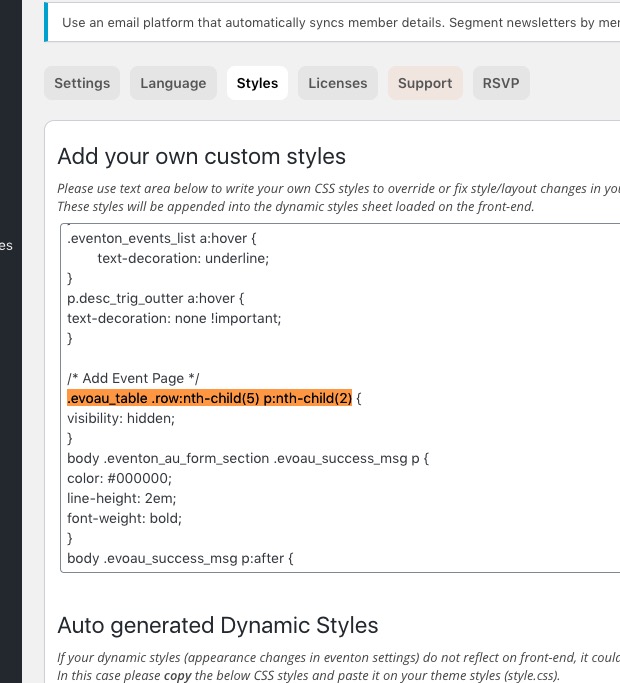
Hello,
Please use Event Lists: Ext https://www.myeventon.com/addons/event-lists-extended/. Try on http://dev.myeventon.com/wp-admin/:
[add_eventon_el number_of_months=”12″ event_count=”3″ event_count_list=”yes”]