Latest version 4.9.5 should resolve this my friend 🙂
Archives: Replies
Replies for tickets on suppota
Reply to: tickets(385056)
Roman, we also wish we could kept the previous version, but we had several customers reporting of HTML code getting stripped out when they were saved through WordPress save event post process. So we had to find alternative ways to allow HTML tags to be used in the Custom meta fields.
The insert image was supported with wordpress classic text editor, but that does not work on ajax loaded content.
We are in the process of adding support for WP block editor for there as well 🙂
In the next version we are going to add WP Classic editor support 🙂 It will look like this.

Reply to: tickets(383069)
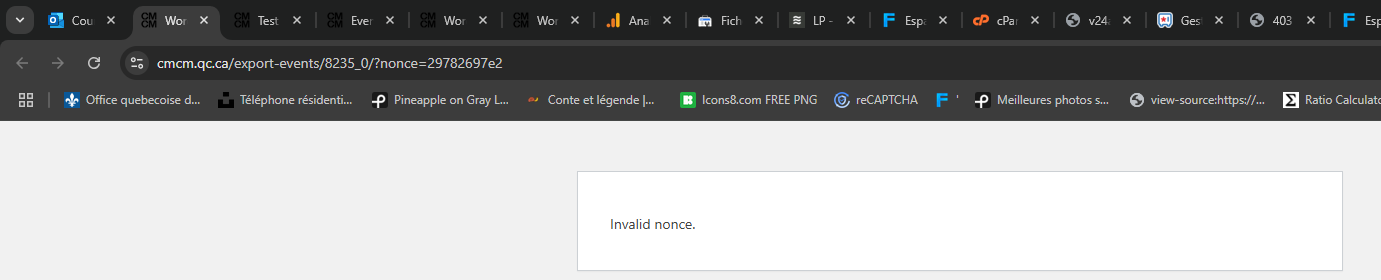
We are facing another issue…
it worked 2 days ago and now we created a real event but when we click Add calendar, we have: “Invalid nonce.” instead of downloading the calendar file…
(Please disable all subscribers if you make test on the website because it’s live with real subscribers).
Thanks
Reply to: tickets(383456)
I apologize. I am still having this issue and have updated to the latest plugin, but still can’t seem to filter this rss feed. Debug log can be found here: https://www.dropbox.com/t/xKVlbZanVHFlVeIM
Reply to: tickets(385227)
Thank you for your message Dav. We know it works because thats how we update our demo.myeventon.com site.
We do have encrypted code checking before releasing the updated file to remote calls. It is possible that, your website might be caching this saved data and sending out an old encrypted code, which is then denied.
We have couple of other big issues we are working to resolve at the moment. Once that is complete we will be putting more time to testing and supporting these niche cases 🙂
Terribly sorry again for the discomfort in having to manually update and feeling very annoyed because it did not work as you expected.
Reply to: tickets(385253)
We have resolved this issue and will get a public update out soon.
Reply to: tickets(385477)
Thank you very much Steve will get this resolved in the next version 🙂
Reply to: tickets(383947)
Hello Henning, we have resolved this issue and will get a public update out soon 🙂
Reply to: tickets(354427)
I am sorry, the access information you have provided did not work for us. Please check them and post the correct login information as a private message, thank you!
Reply to: tickets(385525)
Hello,
Could you go to EventON > Tickets > enable Auto re-stock tickets when orders are refunded or cancelled? Also make sure to set “Select a grace period for restocking failed orders
Immediately“.
Also /wp-admin leads to 404 page. Could you check?