There is no 5. I was referring to 4 a) and b).
Archives: Replies
Replies for tickets on suppota
Reply to: tickets(384858)
Hello,
1. Thank you for your messages, I am going to assign this ticket to Ashan and he will be able to take it from here and find you a solution. Please allow some time for him to get back to you, we greatly appreciate your patience and thank you for being a eventon customer! Also please disable any IP blocking on your site if there are any.
2. You can customize the location template by overriding the template you can find by going to “EventON folder > templates > taxonomy-event_location.php” and then by coping it to ../yourtheme/eventon/ folder.
3. Your theme replaces EventON’s styling and completely overrides all date pickers.
4. & 5. Thank you for your messages, I am going to assign this ticket to Ashan and he will be able to take it from here and find you a solution. Please allow some time for him to get back to you, we greatly appreciate your patience and thank you for being a eventon customer! Also please disable any IP blocking on your site if there are any.
Reply to: tickets(384869)
Please try adding the code to wp-admin > Appearance > Customize > Additional CSS.
If the issue continues, please send us wp-admin access to your site as a private message for us to further assist your situation.
Reply to: tickets(384921)
Hello,
1. Could you try follow this guide:
https://docs.myeventon.com/documentations/single-events-page-not-working-404-error/
If the issue continues, please send us wp-admin access to your site as a private message for us to further assist your situation.
2. Please follow this guide:
https://docs.myeventon.com/documentations/how-to-activate-eventon/
Reply to: tickets(384925)
Hello,
I cannot access wp-admin:
VERIFICATION REQUIRED: Additional verification is required for login. If there is a valid account for the provided login credentials, please check the email address associated with it for a verification link to continue logging in.
Could you check?
The issue is with 89 on EventON, correct?
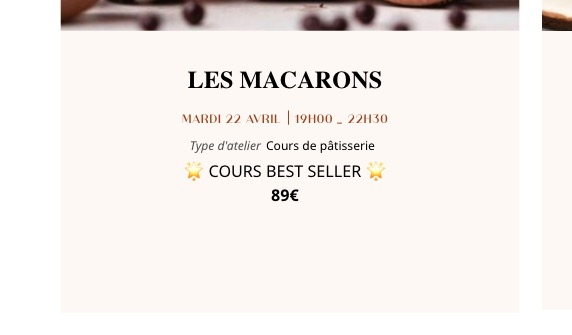
How did you add the price to EventON? Could you tell us more?
Reply to: tickets(384930)
Hello,
There is no connection between our licensing functionality and the data. So you cannot loose any data by replacing your license.
Could you please elaborate more on the issue?
All events are still intact, I believe:
https://digsafelyoregon.com/wp-admin/edit.php?post_type=ajde_events
So you cannot see them on your calendars? Could you send us a link to where you see the issue?
Reply to: tickets(384750)
We are glad your issue is resolved, if you have any further questions or concerns please create a new ticket.
If you have a moment, we would greatly appreciate if you could kindly leave us a review at Codecanyon. By going to your account > Downloads. We are very grateful for your kind review!
Reply to: tickets(384932)
Hello,
Your Checkout page cannot be edited as it doesn’t have any content:
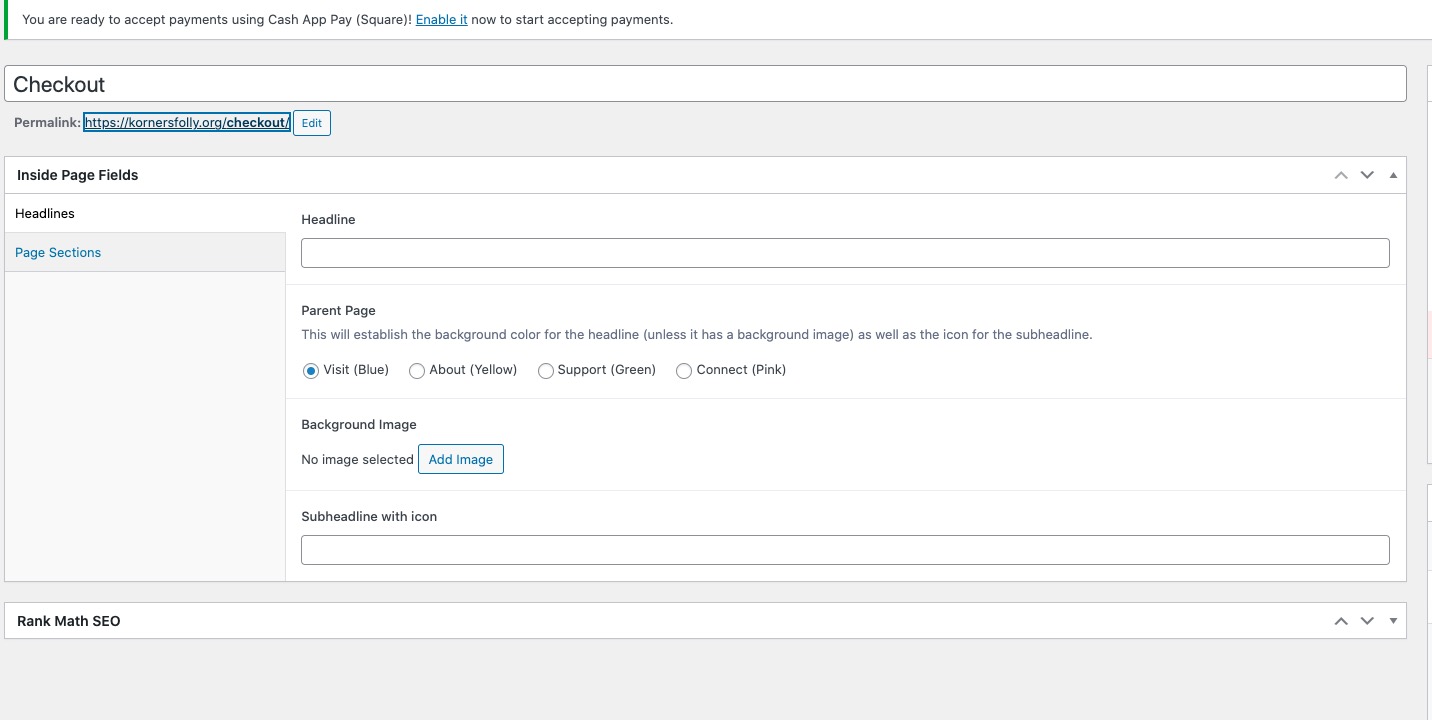
Could you make sure that your Checkout page uses the default WooCommerce shortcode:
https://woocommerce.com/document/woocommerce-shortcodes/#doc-title
Reply to: tickets(384933)
Hello,
Please go to EventON > Sorting and Filtering > enable both Globally Hide both Sort and Filter Icons and Bar on Calendar and Globally Hide Item Icons from Filter Dropdown Selection Menu.
You can also hide them on the widget only by adding hide_so=”yes” to your shortcode. If you only use EventON’s widget please follow to replace it:
https://docs.myeventon.com/documentations/use-eventon-shortcode-executor-widget/
Your themes adds top margins, so cannot fix this from our side, I am afraid. Please contact the theme developers.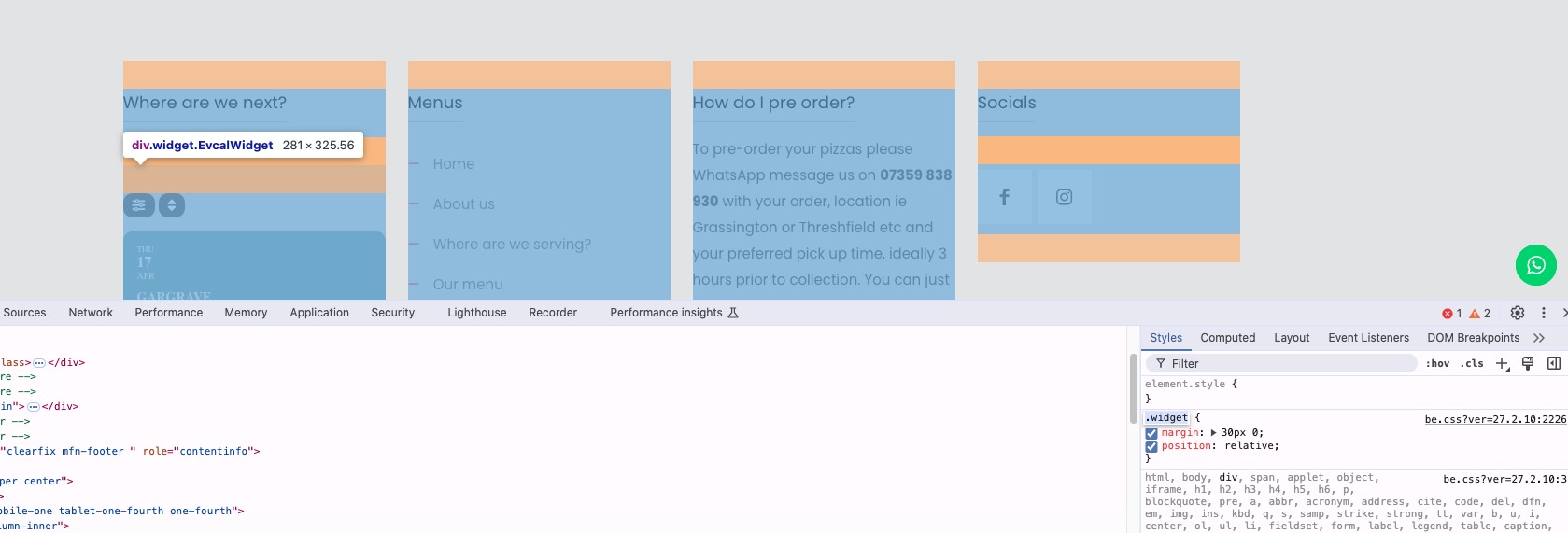
Reply to: tickets(384936)
Hello,
What’s your current version of CSV Import add-on?
In order to stop showing warnings on the front-end, as a temporary solution, please follow this guide:
https://www.wpbeginner.com/wp-tutorials/how-to-turn-off-php-errors-in-wordpress/
I am also going to assign this ticket to Ashan. Please allow some time for him to get back to you, we greatly appreciate your patience and thank you for being a eventon customer!