GoDaddy
Archives: Replies
Replies for tickets on suppota
Reply to: tickets(171345)
Hi again,
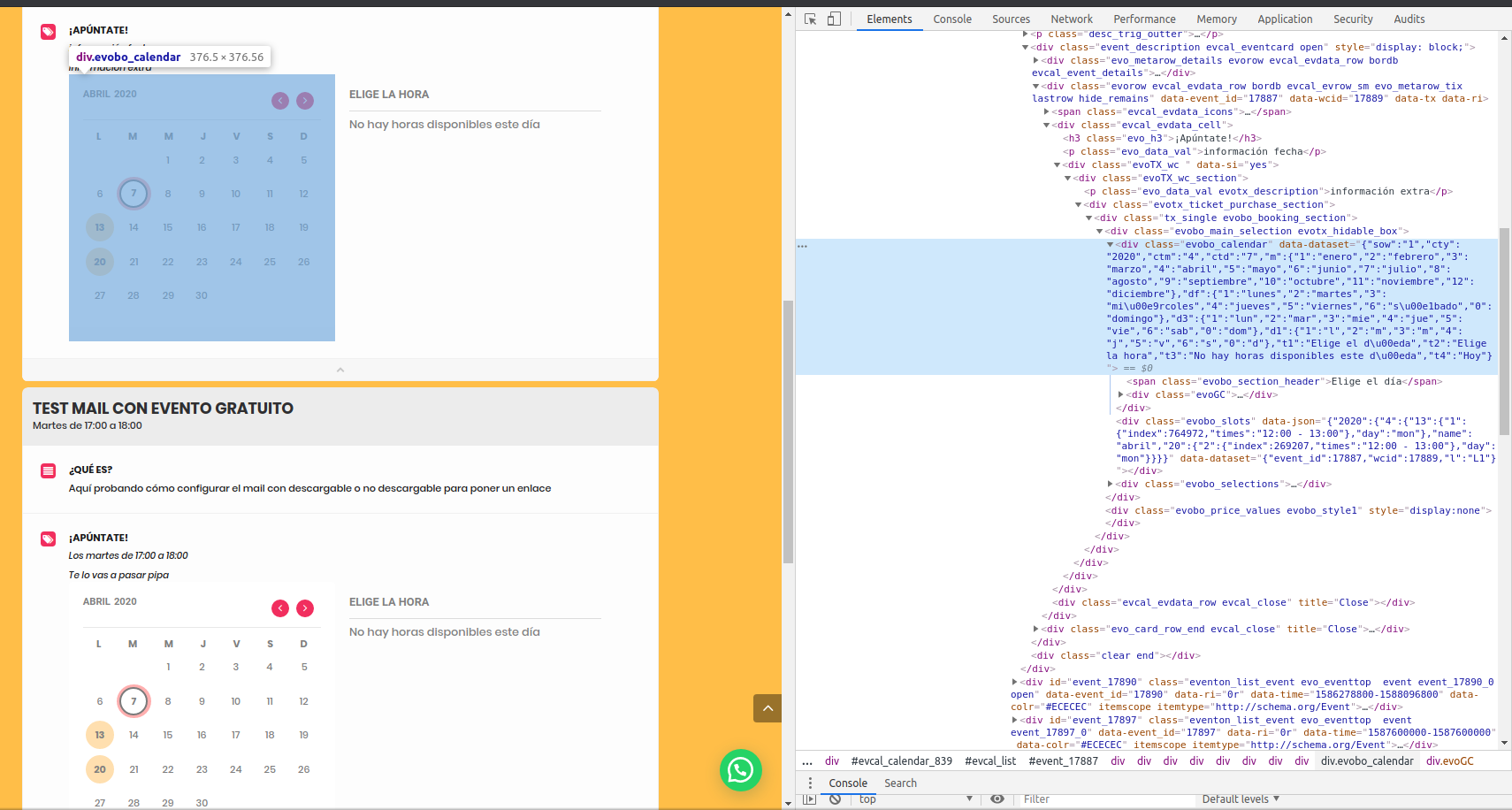
We already had checked those documents and it seems that the issue is not related to them. The problem seems to be when you load more than one calendar (frontend of the booking addon) in the same page. It does not matter if you filter by event type, add filters or any other combination (we tried different configurations via the shortcode [add_eventon]). We even tried the option to add more than one eventon calendar with different ids (using cal_id – https://docs.myeventon.com/documentations/template-tag-add_eventon/) and it does not matter, since this changes the id of the outer div (evcal_calendar), but not inner divs, such as the one with css class evobo_calendar (I will use this term to refer to it from now on, to differentiate the frontend calendar of the bookings addon).
If, instead of configuring the events to open the info in the same page (either slide down or lightbox), we configure the events to open in a new page, as the evobo_calendar is only one, there is no issue, the days with available slots are coloured correctly (via the css class hasslots).
However, if we have more than one evobo_calendar in the same page, all of the calendars (evobo_calendar), as they have the same css class, are colouring with hasslots the days with booking slots of the first event in the page (the first time this css class appears in the page).
Our guess is that whichever code is colouring the days with available slots, it’s identifying the elements to be coloured by css class, and as this class is the same for all booking calendars in the page, all of them are coloured just the same.
I hope this explanation is clearer; I have also made a couple of screenshots to illustrate it: https://drive.google.com/drive/folders/1ukKTDz9v2Gc2KNSURfG3FGPlSRZUZ-7u?usp=sharing
Reply to: tickets(171077)
Hi,
I understand what you’re saying, but that’s not what I want.
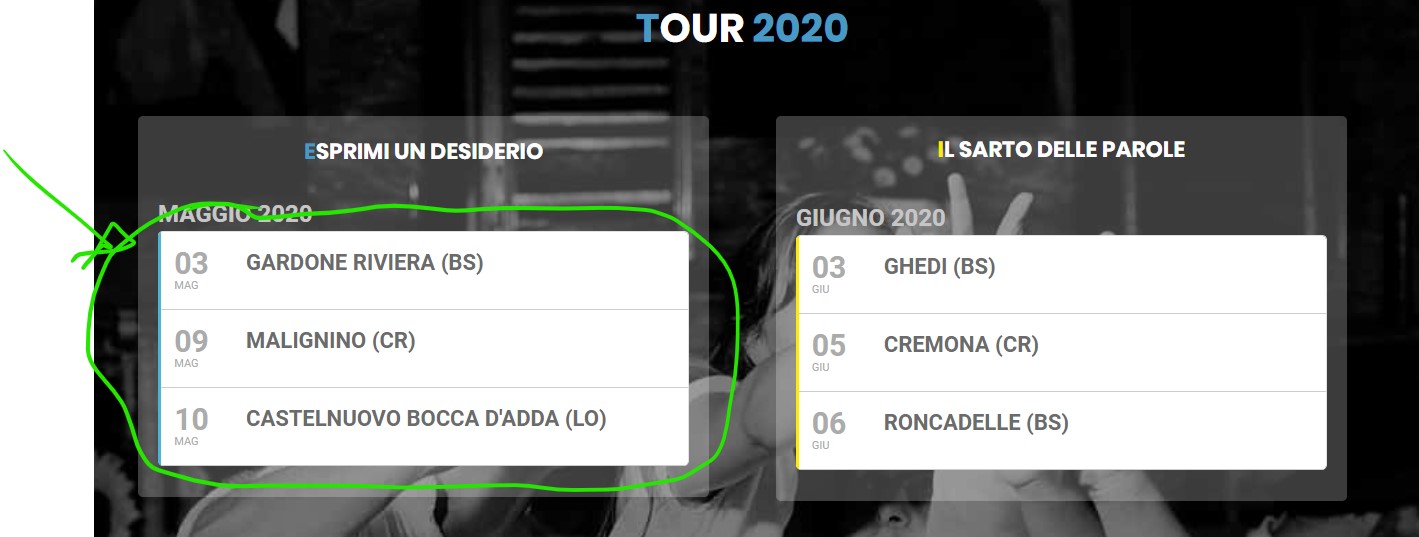
What I want is for when i click on the box that contains your plugin, to take me to the linked page. I have already created this link, but the plugin blocks it. Why?
In the video you can see what I mean.
Thank you
https://www.dropbox.com/s/4ss6w2ctg9zey0b/esempio.mp4?dl=0
Reply to: tickets(171410)
Username/Password for the module is: newhopecc
Attached is my CSV
Reply to: tickets(162445)
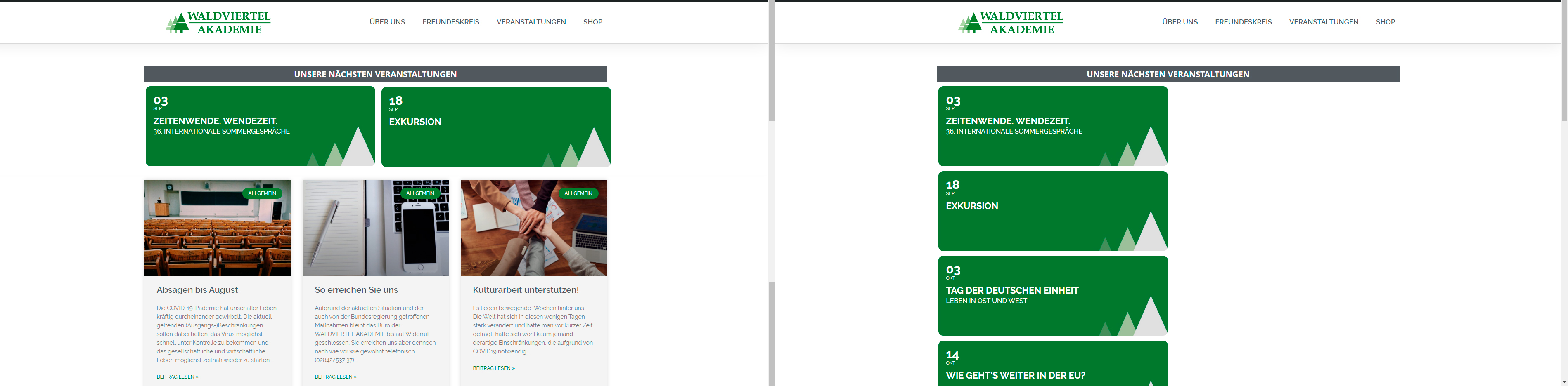
Thanks, the code solved the column-issue.
But I just want to display the the next two events on the frontpage. (https://www.waldviertelakademie.at/)
This is the code I’ve used so far:
[add_eventon_list number_of_months=”12″ event_count_list=”yes” event_count=”2″ ux_val=”3″ hide_month_headers=”yes” tiles=”yes” hide_empty_months=”yes” tile_bg=”1″ ]
Thanks.
Reply to: tickets(170118)
Customization is done separately and EventOn is not involved with it. So, I can’t say if it will, Ray.
Thanks
Reply to: tickets(171102)
Hello,
I am sorry, the access information you have provided did not work for us:
Unknown username. Check again or try your email address.
Please check them and post the correct login information as a private message, thank you!
Please also check for latest version of this software from here Your issue might be related to an older version you are running and we might have resolved this already in the newer version update. If you are on latest version of our software and the issue still persist please let us know.
Reply to: tickets(171410)
Hello,
Could you send us your .ics and .ics files so we can check them?
Also how can I access your website, it seems that I need a password for the modal window.
Reply to: tickets(171409)
Hello,
Please go to EventON > Appearance > EventTop > Event Title font color (Tile View).
Please add this CSS code to EventON > Styles (If you can’t see any change, EventON > turn off Write styles to header > save settings > turn on Write styles to header):
.ajde_evcal_calendar.boxy.boxstyle1 #evcal_list .eventon_list_event .desc_trig { background: white !important; }
Reply to: tickets(171069)
You should be able to customize Single Event Template the way you want by following this guide: https://docs.myeventon.com/documentations/customize-single-events-page/
Unfortunately, we unable to provide support for customization requests. You can send us a customization job request by creating a new ticket in here and selecting Customization Request as the category.