Please send us FTP access to your site as a private message, so we can perform several tests from our end.
Archives: Replies
Replies for tickets on suppota
Reply to: tickets(163835)
Basilis has accepted the job for 1
Reply to: tickets(163835)
Hey,
recieved.
Please send me the rest of the details also.
Reply to: tickets(170911)
Can we somehow test this on your server? On our test server I received notifications after I rsvped and my submitted event was approved:
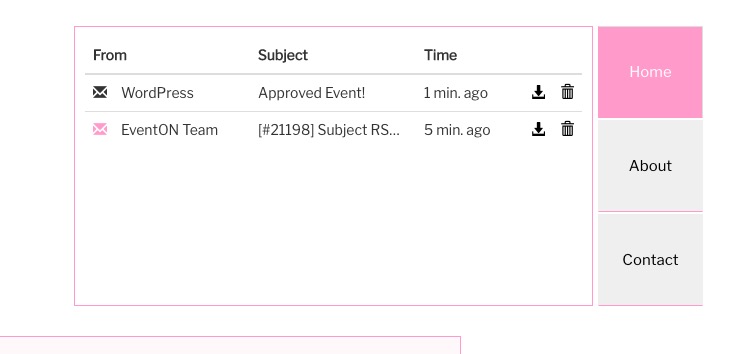
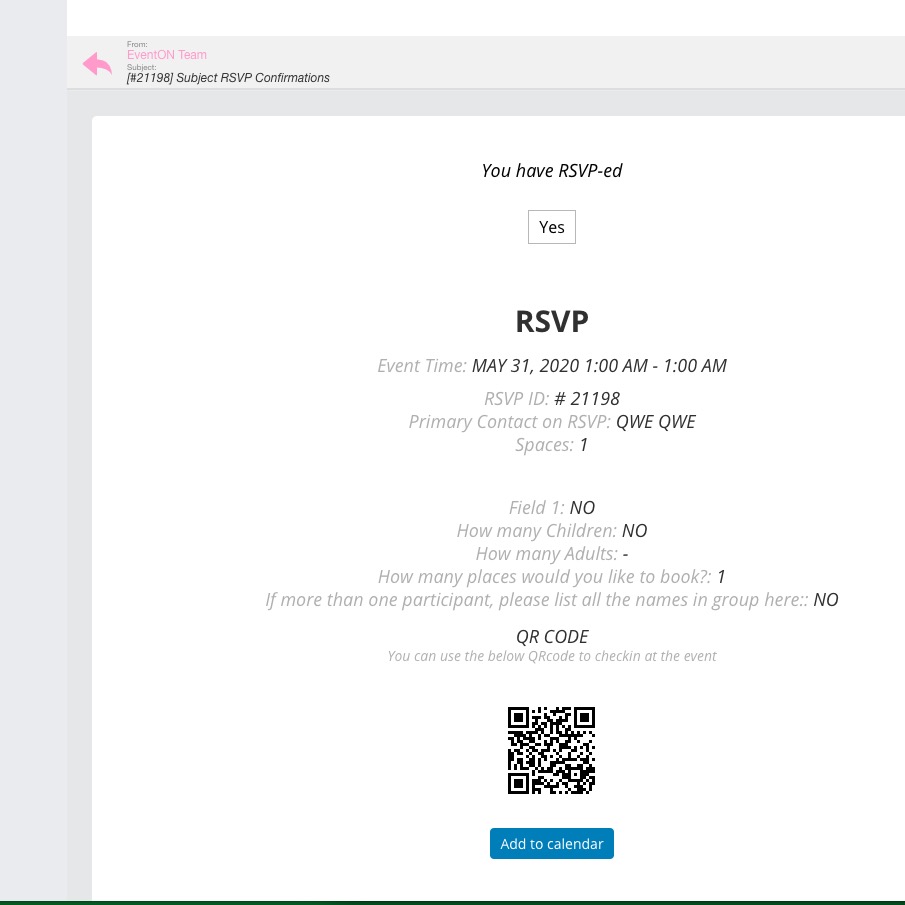
PS I cannot check https://www.sbsd.virginia.gov/business-development-and-outreach/events/:
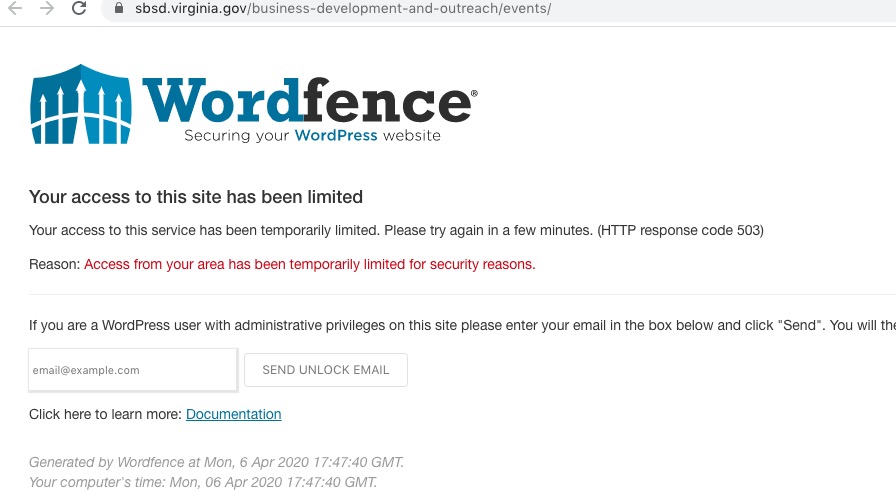
Reply to: tickets(170822)
Could you go to EventON > Action User > User Capabilities > enable Edit Published Events. If this doesn’t help please send us “contacto” login info so we can check this.
Reply to: tickets(171106)
Could you update EventON to 2.8.7? It seems that this issue is caused by your version of EventON.
Reply to: tickets(165771)
Any updates on this case?
Thanks very much,
Jason Connolly
Reply to: tickets(168648)
I will let you know tomorrow.
Reply to: tickets(170461)
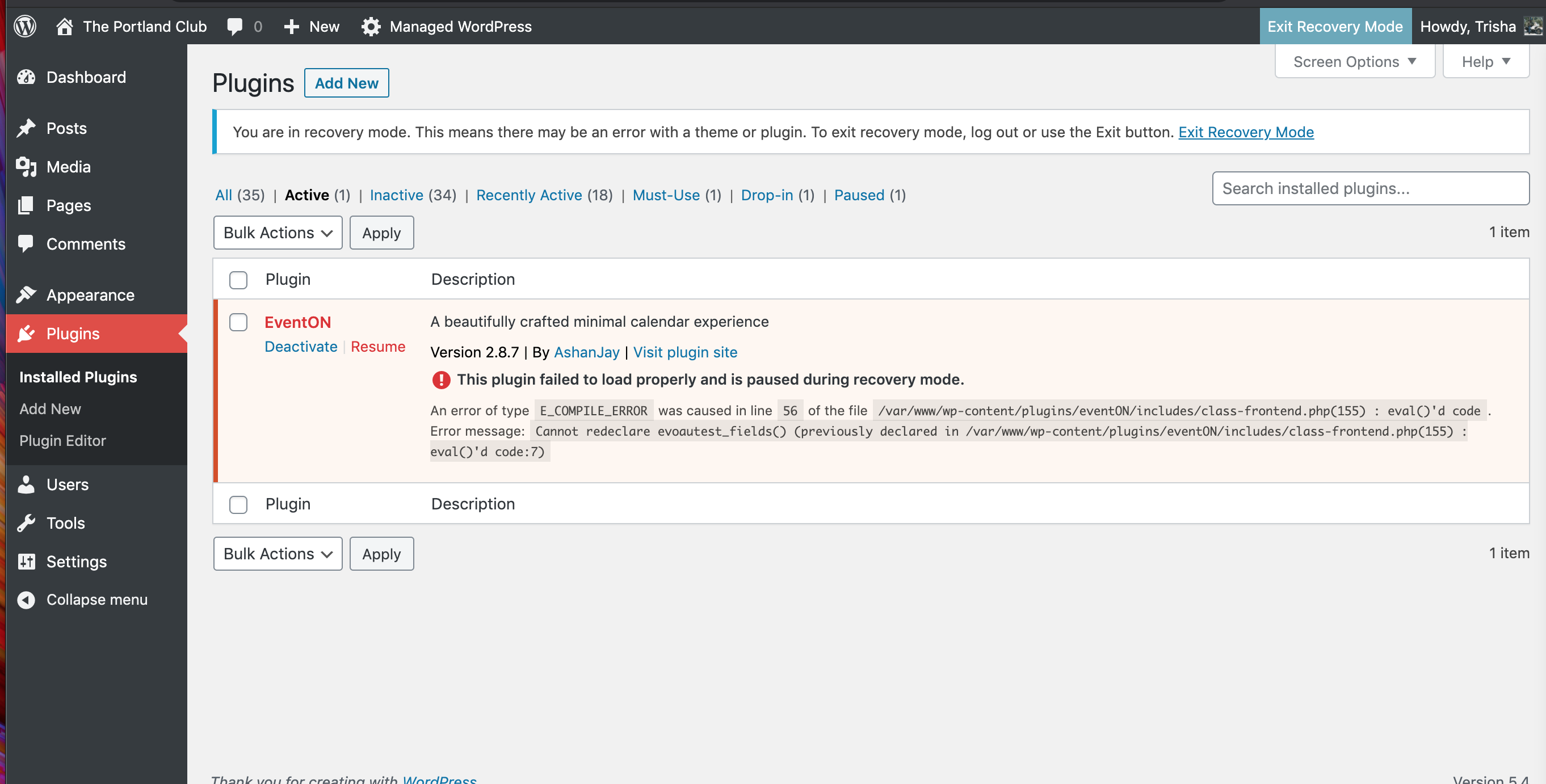
Hi! I deactivated all plugins and themes on our site and have confirmed that the issue lies in the EventOn plugin. I’m attaching a screenshot.
Reply to: tickets(171051)
Hi Artem,
Thank you for your reply. The Calendar page is using the eventon built-in element (if that makes sense) instead of a generated shortcode, so I’m not sure where to add this additional shortcode snippet. Would you advise?
I’m not very confident with making edits to the debug file, so I can provide my FTP credentials for you to access and add the code. You can find login credentials below:
username: upi2019-heyjk
password: 2kptoerFHEg8
host: upi2019.sftp.wpengine.com
port: 2222
Thank you very much!